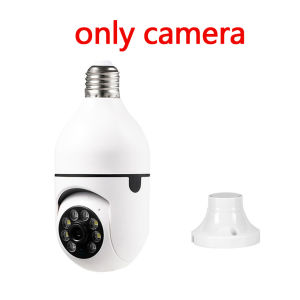
Ycc365 Plus E27 Surveillance Bulb: A Comprehensive Guide
Ycc365 Plus E27 Surveillance Bulb: A Comprehensive Guide
Introduction to Ycc365 Plus E27 Surveillance Bulb
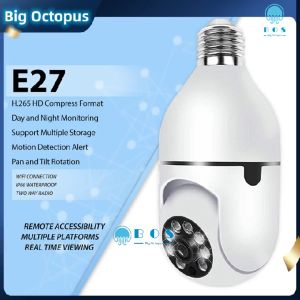
The Ycc365 Plus E27 Surveillance Bulb is a cutting-edge security camera disguised as a standard light bulb. This innovative device offers a seamless blend of functionality and aesthetics, making it an ideal choice for those looking to enhance their home security system. In this comprehensive guide, we will explore the key features, benefits, installation process, and troubleshooting tips for the Ycc365 Plus E27 Surveillance Bulb.
Key Features & Benefits
The Ycc365 Plus E27 Surveillance Bulb boasts several notable features that set it apart from other security cameras on the market. These include:
- IP Camera Night Vision: Equipped with advanced night vision technology, the Ycc365 Plus can capture clear images even in low-light conditions.
- Automatic Human Tracking: This feature allows the camera to automatically detect and track human movement within its field of view, providing real-time alerts to users.
- Digital Zoom & Full Color Security Camera: The camera offers a digital zoom function, allowing users to zoom in on specific areas without losing image quality. Additionally, the Ycc365 Plus captures full-color images, even in low-light conditions.
Comparison with Other Security Cameras
Compared to traditional security cameras, the Ycc365 Plus E27 Surveillance Bulb offers a unique blend of functionality and aesthetics. Its compact design makes it easy to install in any room, while its advanced features provide comprehensive coverage and real-time alerts. Additionally, the Ycc365 Plus is compatible with most standard light fixtures, making it a versatile addition to any home security system.
How to Install & Set Up Your Ycc365 Plus E27 Surveillance Bulb
Installing and setting up the Ycc365 Plus E27 Surveillance Bulb is a straightforward process that can be completed in just a few simple steps.
Step-by-Step Installation Process
- Remove Existing Light Bulb: Begin by turning off the power to the light fixture and removing the existing light bulb.
- Install Ycc365 Plus E27 Surveillance Bulb: Carefully insert the Ycc365 Plus E27 Surveillance Bulb into the light fixture, making sure it is securely in place.
- Connect to Wi-Fi Network: Follow the instructions provided in the user manual to connect the Ycc365 Plus E27 Surveillance Bulb to your Wi-Fi network.
Connecting to Wi-Fi Network
To connect the Ycc365 Plus E27 Surveillance Bulb to your Wi-Fi network, follow these steps:
- Download the Ycc365 Plus app from the App Store or Google Play.
- Open the app and follow the on-screen instructions to connect the camera to your Wi-Fi network.
- Once connected, you can begin using the app to monitor your home security system.
Enhancing Security with Ycc365 Plus E27 Surveillance Bulb
The Ycc365 Plus E27 Surveillance Bulb offers several features that can help enhance your home security system. These include:
IP Camera Night Vision & Automatic Human Tracking
The Ycc365 Plus E27 Surveillance Bulb's advanced night vision technology allows it to capture clear images even in low-light conditions. Additionally, its automatic human tracking feature can detect and track human movement within its field of view, providing real-time alerts to users.
Digital Zoom & Full Color Security Camera
The camera offers a digital zoom function, allowing users to zoom in on specific areas without losing image quality. Additionally, the Ycc365 Plus captures full-color images, even in low-light conditions, providing a clear picture of any potential threats.
Troubleshooting Common Issues
While the Ycc365 Plus E27 Surveillance Bulb is designed to be user-friendly, there may be instances where users encounter issues. Here are some common troubleshooting tips:
Connectivity Problems
If you are experiencing connectivity issues, try the following:
- Restart your Wi-Fi router and the Ycc365 Plus E27 Surveillance Bulb.
- Check your Wi-Fi network settings to ensure they are correct.
- Ensure that your Wi-Fi network is not congested with too many devices.
Image Quality Concerns
If you are experiencing image quality concerns, try the following:
- Adjust the camera's settings to optimize image quality.
- Clean the camera lens to remove any dust or debris.
- Move the camera to a different location to improve its field of view.
Conclusion
The Ycc365 Plus E27 Surveillance Bulb is a highly advanced security camera that offers a unique blend of functionality and aesthetics. Its advanced features, including IP camera night vision, automatic human tracking, digital zoom, and full-color security camera capabilities, make it an ideal choice for those looking to enhance their home security system. By following the installation and troubleshooting tips provided in this guide, users can easily set up and maintain their Ycc365 Plus E27 Surveillance Bulb for optimal performance.

Global Merch Park
You May Also Like
EBO Air2 plus is a full-house mobile camera Air2 wireless camera and a smart walking pet monitoring robot for home use

Bulb CCTV Camera V380: Infrared Night Vision Wifi connection 2.4G & 5G Two way audio Indoor & Outdoor
NICELECT v380 pro hd 4MP 2K cctv camera dual lens outdoor waterproof 360 cctv with audio and speaker IP Security Cameras wifi connect cellphone full color night vision surveillance camera
PEGATAH Tuya 5MP One-touch Call Indoor Baby Monitor WiFi PTZ Camera Auto Tracking Color Night Vision IP CCTV Surveillance Camera
Wistino HD 1080P Smart Mini Wifi USB Camera: Real-time Surveillance & AI Human Detection
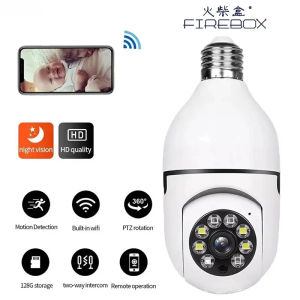
5G Bulb E27 Surveillance Camera: Full Color Night Vision & Automatic Human Tracking

In Stock 3.9MM Visual Ear Pick Ear Nose Mouth HD Endoscope Illuminated Ear Endoscope Portable Waterproof
LS VISION 20MP 5-Lens 4-Screen WIFI CCTV Camera: A Comprehensive Guide
【COD】HD 1080P can be rotated 360° siren alarm smart CCTV camera bulb indoor and outdoor waterproof night vision two-way audio wireless wifi camera connected to mobile phone remote monitoring camera
New 8X42 & 10X42 High Power HD Military Quality Binoculars
A9 Mini Camera WiFi Wireless Monitoring Security Protection Remote Monitor Camcorders Video Surveillance Smart Home