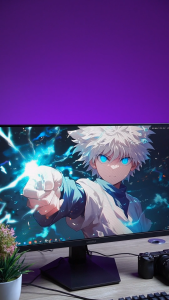
Beelink SER5 R7 5800H/R5 5500U Radeon 7 Core Graphics Windows 11 Mini PC 16/32GB DDR4 500GB NVMe SSD WIFI6 BT5.2 Mini Computer
Beelink SER5 R7 5800H/R5 5500U Radeon 7 Core Graphics Windows 11 Mini PC 16/32GB DDR4 500GB NVMe SSD WIFI6 BT5.2 Mini Computer
Overview of Beelink SER5 Mini Computer
The Beelink SER5 R7 5800H/R5 5500U Mini PC is a powerful, compact computer that offers top-notch performance and efficiency. Designed for users who demand high performance in a small package, this mini PC is perfect for those looking to save space while still enjoying the benefits of a robust computing experience.
Key Specifications
- CPU: AMD Ryzen 7 5800H (8 cores, 16 threads) or AMD Ryzen 5 5500U (6 cores, 12 threads)
- GPU: AMD Radeon Graphics (7 cores, 1800 MHz)
- RAM: 16/32GB DDR4 3200MHz
- Storage: 500GB NVMe SSD
- Operating System: Pre-installed Windows 11 Pro; Support Linux
- Wireless LAN: WiFi 6 (802.11ax)
- Bluetooth: 5.2
Comparing CPU & GPU Options
The Beelink SER5 comes in two configurations, each offering different levels of performance. The Ryzen 7 5800H offers 8 cores and 16 threads, providing better performance for demanding applications such as video editing, gaming, and multitasking. On the other hand, the Ryzen 5 5500U offers 6 cores and 12 threads, making it more suitable for everyday tasks like browsing, streaming, and light gaming.
Both configurations feature the AMD Radeon Graphics, which offers excellent graphics performance for both gaming and productivity tasks.
Exploring Beelink SER5 Mini PC Features
Storage & Connectivity
The Beelink SER5 Mini PC comes equipped with a 500GB NVMe SSD, providing fast read and write speeds. It also features a variety of connectivity options, including USB 3.2 Gen2 ports, HDMI 2.0 ports, and a Type-C port for data and video transmission.
Additionally, the SER5 Mini PC supports WiFi 6 and Bluetooth 5.2, allowing for fast and reliable wireless connectivity.
Pre-installed Windows 11 Pro & Linux Support
The Beelink SER5 Mini PC comes pre-installed with Windows 11 Pro, offering a seamless and secure computing experience. It also supports Linux, making it a versatile choice for users who prefer open-source operating systems.
How to Set Up & Optimize Your Beelink SER5 Mini PC
Connecting Peripherals & Power Supply
To set up your Beelink SER5 Mini PC, simply connect your peripherals to the appropriate ports and plug in the power supply. The SER5 Mini PC features a DC jack for power input, as well as USB, HDMI, and Type-C ports for connecting your devices.
Installing Software & Drivers
Once your Beelink SER5 Mini PC is set up, you can begin installing software and drivers. The pre-installed Windows 11 Pro operating system makes it easy to install applications and drivers, while the Linux support allows for greater flexibility.
Maximizing Performance & Customization
To maximize the performance of your Beelink SER5 Mini PC, consider upgrading the RAM and storage. The SER5 Mini PC supports up to 32GB DDR4 RAM and offers an M.2 SSD slot for expanding storage capacity.
Additionally, the SER5 Mini PC allows for customization through the use of third-party software and drivers, allowing you to tailor your computing experience to your specific needs.

Lans MiniPC Store
You May Also Like
3D Printer Oil Bearing Blower DC 5V/12V/24V 2Pin 5015 Oil Bearing Cooling Fan 4300RPM High Speed Small Silent
HIMARK SVR AVR 10000 VA SL Automatic Voltage Regulator / SVR 10000watts AVR Servo Type Value Series
![[Heartsbat] 5pcs set Mini 3A DC Adjustable Converter Step Down Power Supply Replace LM2596](https://img.lazcdn.com/g/p/ecd809423ae3cb47d48962684f3ece86.jpg_300x300q80.jpg)
[Heartsbat] 5pcs set Mini 3A DC Adjustable Converter Step Down Power Supply Replace LM2596
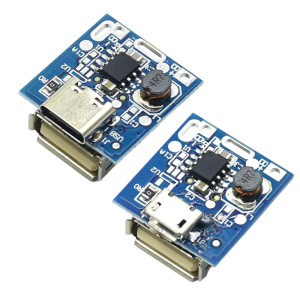
10Pcs 5V Step Up Board Type C/USB Power Module Lithium Charging Protections Board with LED Indicator Light

Samsung LA32A450C1 Motherboard & BN41-00987A
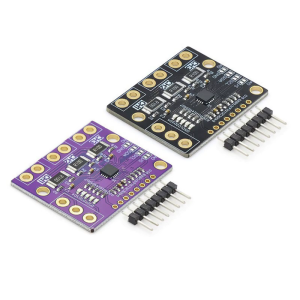
High Current Voltages Monitor Module 8mV Resolution I2C Interfaces For Embedde Systems Power Supply Monitoring
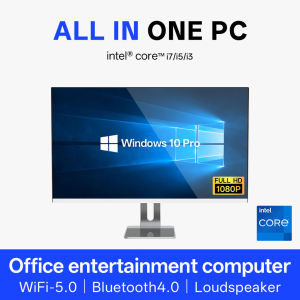
Hongming 22" HD IPS All in one PC, intel core i5 9400 RAM/16G/32G DDR4 SSD256G/512G/1TB windows 10 ProDesktop Computers

MaAnt M089 Motherboard Frame Repair Fluid 30mL Anti Static Cleaner for Electronics Rust Grease Removal Non Corrosive Fast Drying
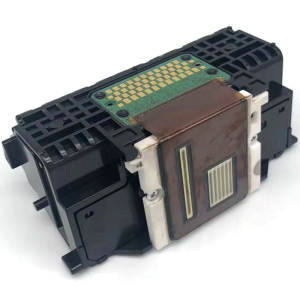
Efficiency QY6 0082 Printer Head For qy60082 MG5480 IP7280 MG6480 MG5580 5680 And Additional Supported Printers Models
【Local delivery】Samsung Notebook RAM DDR4 4GB 8GB 16GB 2133MHZ 2400MHZ 2666MHZ 3200MHZ SODIMM PCL4 Ram Laptop Memory
Innovative RS485 K Type Thermocouple Data Collection Board with High and Resolution