


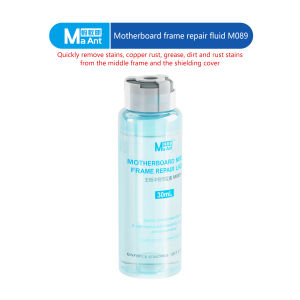
MaAnt M089 Motherboard Frame Repair Fluid 30mL Anti Static Cleaner for Electronics Rust Grease Removal Non Corrosive Fast Drying

MaAnt M089 Motherboard Frame Repair Fluid 30mL Anti Static Cleaner for Electronics Rust Grease Removal Non Corrosive Fast Drying
MaAnt M089 Motherboard Frame Repair Fluid 30mL Anti Static Cleaner for Electronics Rust Grease Removal Non Corrosive Fast Drying

GlobalLifestyle
Seller ratings 97%
Review

Oops
This video has no reviews.
You May Also Like
00:12
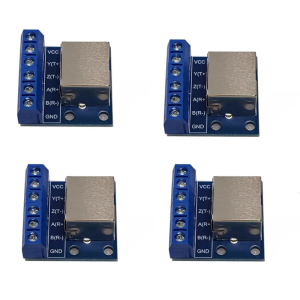
RJ45 Port Board RS485 And DIN Mounting
![[COD] quanchufjia 1 Set 4G CARD 300Mbps WWAN Wireless EM7455 1103582 FDD TDD LTE Cat6 NGFF M.2 4G MODULE For Laptop And 4G Router](https://img.lazcdn.com/g/p/87b8be518813a4660106c59ff1ba42f4.jpg_300x300q80.jpg)
00:07
[COD] quanchufjia 1 Set 4G CARD 300Mbps WWAN Wireless EM7455 1103582 FDD TDD LTE Cat6 NGFF M.2 4G MODULE For Laptop And 4G Router
00:14
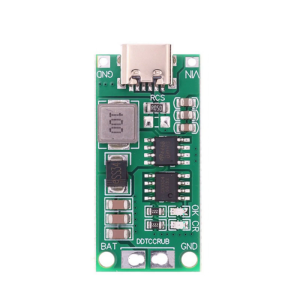
4s Charging Board Steps Up Charging Conversion Module Double Protections Mechanisms For Reliable Operations
00:14
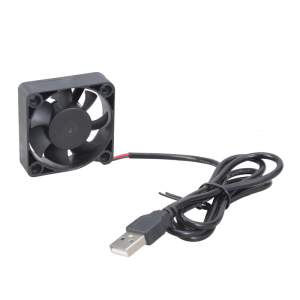
Lightweight 5V USB 50mm Cooling Fan High CFM Airflow Fast Speed For Electronics CPU 3D Printer
00:29
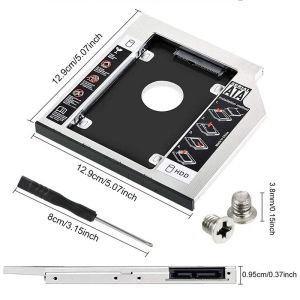
9.5/12.7mm All-aluminum Hard Drive Bracket: A Comprehensive Guide\\n\\n What is a Second HDD Caddy SATA 9.5mm/12.7mm All-aluminum Hard Drive Bracket?\\n\\nA Second HDD Caddy SATA 9.5mm/12.7mm All-aluminum Hard Drive Bracket is a small, lightweight, and durable aluminum bracket designed to hold an additional hard drive or SSD in laptops equipped with a CD-ROM bay. This bracket enables users to expand their storage capacity while maintaining portability and performance.\\n\\n Key Features of the Bracket\\n\\n- **Compatibility:** The bracket supports both 9.5mm and 12.7mm SATA hard drives and SSDs.\\n- **Durability:** Made of high-quality aluminum, the bracket ensures long-lasting use and protection for your storage devices.\\n- **Ease of Installation:** The bracket features a simple design that makes installation quick and easy.\\n\\n How to Install the Bracket\\n\\n1. Remove the CD-ROM drive from your laptop.\\n2. Insert the hard drive or SSD into the bracket.\\n3. Connect the SATA cable and power cable to the bracket.\\n4. Secure the bracket and drive into the CD-ROM bay.\\n\\n Benefits of Using a Second HDD Caddy SATA 9.5mm/12.7mm All-aluminum Hard Drive Bracket\\n\\n Improved Performance\\n\\nUpgrading to an SSD or using a faster hard drive can significantly improve your laptop's performance by reducing boot times, loading times, and overall system responsiveness.\\n\\n Increased Storage Capacity\\n\\nAdding a second hard drive or SSD allows you to store more files, programs, and data, providing ample space for your growing digital needs.\\n\\n Enhanced Portability\\n\\nThe compact design of the bracket ensures that your laptop remains lightweight and portable, even with the added storage capacity.\\n\\n How to Choose the Right Second HDD Caddy SATA 9.5mm/12.7mm All-aluminum Hard Drive Bracket\\n\\n Compatibility with Different Laptops\\n\\nBefore purchasing a bracket, ensure that it is compatible with your laptop model. Check the CD-ROM bay size and SATA port configuration to guarantee a seamless installation.\\n\\n Size and Weight Considerations\\n\\nConsider the size and weight of the bracket, as well as the hard drive or SSD you plan to use, to maintain optimal portability and balance in your laptop.\\n\\n Price Range and Budget\\n\\nSet a budget for your purchase and compare prices from different sellers to find the best deal. Keep in mind that higher-quality brackets may cost more but offer better durability and performance.\\n\\n Troubleshooting Common Issues with Second HDD Caddy SATA 9.5mm/12.7mm All-aluminum Hard Drive Bracket\\n\\n Connection Problems\\n\\nIf you experience connection issues, double-check that the SATA and power cables are securely connected to both the bracket and the laptop. Ensure that the cables are not damaged or loose.\\n\\n Compatibility Issues\\n\\nIf the bracket does not fit your laptop, check the specifications and compatibility list provided by the manufacturer. Consider contacting customer support for further assistance.\\n\\n Installation Difficulties\\n\\nIf you encounter difficulties during installation, consult the user manual or seek help from online forums or tutorials. Ensure that you have the necessary tools and follow the instructions carefully.\\n\\n Conclusion\\n\\n Recap of Key Points\\n\\nThe Second HDD Caddy SATA 9.5mm/12.7mm All-aluminum Hard Drive Bracket offers a convenient solution for expanding storage capacity in laptops equipped with a CD-ROM bay. With its compatibility, durability, and ease of installation, this bracket is an excellent choice for users looking to enhance their laptop's performance and storage capabilities.\\n\\n Final Thoughts on the Second HDD Caddy SATA 9.5mm/12.7mm All-aluminum Hard Drive Bracket\\n\\nBy carefully considering the factors mentioned above, you can choose the right bracket for your needs and enjoy the benefits of increased storage capacity and improved performance in your laptop.\n}
00:11
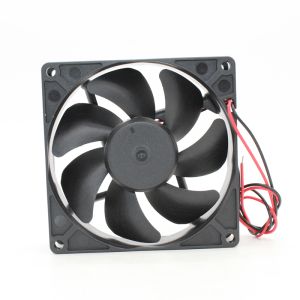
MF92252V1-1000C-A99 New Sunon Built-up Fan 9025/24V Inverter Cooling Fan
00:12
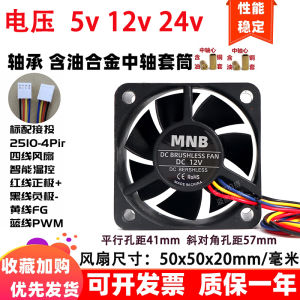
New 5cm 50x50x20mm Speed Control PWM Intelligent 5v12v Four-Pin Chassis Cooling Fan
00:12
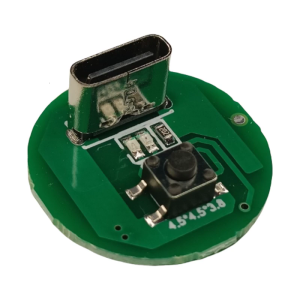
20W Type C Chargers Port LED 3 Speed Driver Board With Adjustable Brightness And PCD Circuit Design
04:35
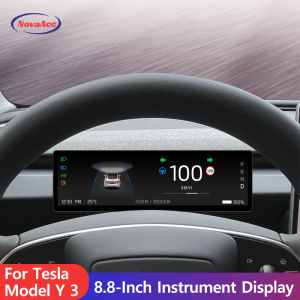
for Tesla Model Y Model 3 Display Screen Dashboard 8.8in IPS Touchscreen Linux System Support AMD Ryzen CPU with Wire Carplay
00:24
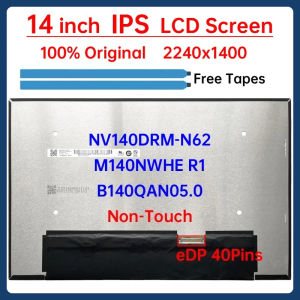
14" Laptop LCD Screen NV140DRM-N62 B140QAN05.0 M140NWHE R1 For Lenovo ThinkPad E14 Gen 6 Display Matrix Panel 2240x1400 No-Touch
![[COD] KOQZM KITCHEN 1Pc LED Driver 260mA 1-3W LED Power Supply Adapt AC 85V-265V to DC 5-12V LED Lights Transformers Driver for LED Drive Power](https://img.lazcdn.com/g/p/08109f951223a547311a9ab08ada471b.jpg_300x300q80.jpg)
00:15
[COD] KOQZM KITCHEN 1Pc LED Driver 260mA 1-3W LED Power Supply Adapt AC 85V-265V to DC 5-12V LED Lights Transformers Driver for LED Drive Power
00:33
【Local delivery】Samsung DDR3 DDR3L 2GB 4GB 8GB Notebook Memory RAM SODIMM 1600MHz 204Pin 1.35V 1.5V RAM
Hot Search
comfortable men's t-shirtteacher organizerUnison Bikestoomanyshoesacer aspire 5 charging cabletactical rail for barrel clampassassin creed action figurecvt cover bolts for aerox v2adv 150 half crash guardbobong ng motorcycletoffee caramel candywaterman pen3pcs food keeperwork desk essentialsoppo a95 case


















