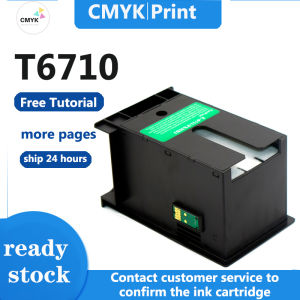
Epson T6710 Waste Inks Box: A Comprehensive Guide
Epson T6710 Waste Inks Box: A Comprehensive Guide
Introduction to Epson T6710 Waste Inks Box
Epson T6710 waste ink boxes are essential components for maintaining the efficiency and longevity of various Epson printers, including the M5193, M5693, WF-5110, WF-4521, WF-5623, and more. These waste ink boxes serve as storage containers for excess ink, preventing clogs and ensuring optimal printer performance.
Understanding the Importance of Waste Inks Box
Waste ink boxes play a crucial role in maintaining printer health and functionality. By collecting excess ink, they help prevent clogs and ensure smooth printing operations. Regularly replacing waste ink boxes is essential for maintaining optimal printer performance and extending the lifespan of your Epson printer.
Key Features of Epson T6710 Waste Inks Box
The Epson T6710 waste ink box boasts several key features:
- High Capacity: Designed to accommodate large amounts of excess ink, reducing the frequency of replacements.
- Compatibility: Compatible with a wide range of Epson printers, including the M5193, M5693, WF-5110, WF-4521, WF-5623, and more.
- Ease of Installation: Simple installation process ensures quick and hassle-free setup.
Choosing the Right Inks Box for Your Printer
Selecting the appropriate waste ink box for your Epson printer is essential for optimal performance and longevity.
Compatible Printers for Epson T6710 Waste Inks Box
The Epson T6710 waste ink box is compatible with the following printers:
- Epson M5193
- Epson M5693
- Epson WF-5110
- Epson WF-4521
- Epson WF-5623
- Epson WF-4521
- Epson M5193
- Epson M5693
Factors to Consider When Selecting Inks Box
When choosing a waste ink box for your printer, consider the following factors:
- Compatibility: Ensure the waste ink box is compatible with your specific Epson printer model.
- Capacity: Choose a waste ink box with sufficient capacity to minimize replacement frequency.
- Ease of Installation: Opt for a waste ink box with a simple installation process for hassle-free setup.
How to Install Epson T6710 Waste Inks Box
Installing the Epson T6710 waste ink box is a straightforward process that can be completed in just a few steps.
Step-by-Step Guide to Installing Waste Inks Box
- Prepare the Printer: Turn off the printer and unplug it from the power source.
- Remove Old Waste Ink Box: Carefully remove the old waste ink box from the printer.
- Install New Waste Ink Box: Insert the new waste ink box into the designated slot.
- Reconnect Printer: Plug the printer back into the power source and turn it on.
Troubleshooting Common Issues During Installation
If you encounter any issues during installation, refer to the following troubleshooting tips:
- Ensure Compatibility: Verify that the waste ink box is compatible with your specific Epson printer model.
- Check Installation: Double-check that the waste ink box is properly installed and securely connected.
- Refer to User Manual: Consult the user manual for additional guidance and troubleshooting tips.
Maximizing the Efficiency of Epson T6710 Waste Inks Box
To ensure the optimal performance and longevity of your Epson T6710 waste ink box, follow these tips:
Tips for Extending the Lifespan of Waste Inks Box
- Regularly Replace: Replace the waste ink box according to the manufacturer's recommendations to prevent clogs and maintain optimal printer performance.
- Proper Storage: Store the waste ink box in a cool, dry place to prevent damage and prolong its lifespan.
Best Practices for Maintaining Waste Inks Box
- Follow Manufacturer's Guidelines: Adhere to the manufacturer's guidelines for proper installation, usage, and maintenance of the waste ink box.
- Monitor Ink Levels: Regularly monitor ink levels to avoid overflow and ensure optimal printer performance.
Conclusion
In conclusion, the Epson T6710 waste ink box is an essential component for maintaining the efficiency and longevity of various Epson printers. By understanding its importance, selecting the right waste ink box, and following proper installation and maintenance procedures, you can ensure optimal printer performance and extend the lifespan of your Epson printer.
Recap of Key Points
- Waste ink boxes play a crucial role in maintaining printer health and functionality.
- The Epson T6710 waste ink box is compatible with a wide range of Epson printers.
- Proper installation and maintenance are essential for optimal printer performance and longevity.
Final Thoughts on Epson T6710 Waste Inks Box
The Epson T6710 waste ink box is a valuable investment for any Epson printer owner. By choosing the right waste ink box and following proper installation and maintenance procedures, you can enjoy optimal printer performance and extend the lifespan of your Epson printer.

CMYK.Print
Review

You May Also Like

FANTASY PeriPage A3X Mini Portable Thermal Printer Bluetooth 203dpi Pocket Photo Wireless Barcode Maker hermal Image Photo Label Wireless Printer A3X
Brandnew CA Selphy Kp108 & RP-108 Ink: A Comprehensive Guide

MP00 CUYI Eco-Solvent Ink 1000ML (C M Y K)
Epson EcoTank L3250 C11CJ67503 A4 Wi-Fi All-in-One Ink Tank Printer

HP2700 Home Work Printer Mobile Phone Wireless Connection Photo Color Inkjet All-in-One Mini a4 Small
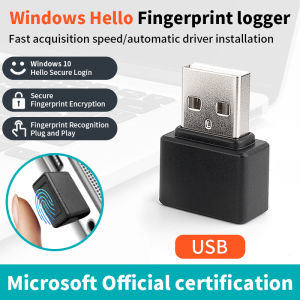
Mini USB Fingerprint Recognition Device Biometrics Security Key PC Laptop Windows 10 11 Hello Fingerprint Reader Module Scanner

ETQ Upper Fuser Roller / Fusing Roller Compatible for Fuji Xerox DC S1810/S2010/S2011/S2220/S2420 S2320 Brown
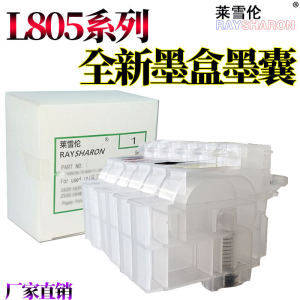
Epson L805 Compatible Ink Cartridge for L360 L310 L1300 L313 L1800 L130 L565 L380 L801 L301 L353 L383 L385 674 672 Printers
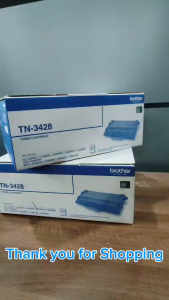
BrotherR TN 3428 (TN-3428) Original Toner Cartridge
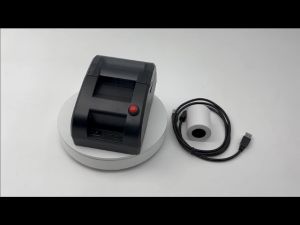
Queue Thermal Printer Queue Number Ticket Dispenser Printer: High Speed Printing Without Internet
Aibecy Portable Wireless BT 58mm 2 Inch Thermal Receipt Printer Mini USB Bill POS Mobile Printer Support ESC/POS Print Command Compatible with Android/iOS/Windows for Small Business Restaurant Retail Store