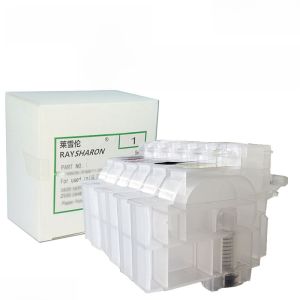
Epson L805 Compatible Ink Cartridge for L360 L310 L1300 L313 L1800 L130 L565 L380 L801 L301 L353 L383 L385 674 672 Printers
Epson L805 Compatible Ink Cartridge for L360 L310 L1300 L313 L1800 L130 L565 L380 L801 L301 L353 L383 L385 674 672 Printers
Introduction to Compatible Ink Cartridges
Compatible ink cartridges, also known as third-party ink cartridges, are designed to work with specific printer models, including the Epson L805 series. These cartridges offer an affordable alternative to original equipment manufacturer (OEM) ink cartridges while maintaining excellent print quality and performance.
What are Compatible Ink Cartridges?
Compatible ink cartridges are manufactured by third-party companies that design their products to fit specific printer models. These cartridges are made using high-quality materials and are rigorously tested to ensure they meet the required standards for print quality, reliability, and longevity.
Benefits of Using Compatible Ink Cartridges
-
Cost-effective: Compatible ink cartridges offer significant savings compared to OEM ink cartridges, allowing users to reduce their printing costs.
-
High-quality prints: Third-party ink cartridges deliver excellent print quality, rivaling that of OEM cartridges.
-
Environmental benefits: By using compatible ink cartridges, users can help reduce electronic waste and promote sustainability.
Compatible Ink Cartridges for Epson Printers
Epson L805 compatible ink cartridges are available for various printer models, including L313, L1800, L130, L301, L353, L383, L385, L565, L380, and L801.
L313, L1800, L130 Compatible Ink Cartridges
Epson L805 compatible ink cartridges are designed to work seamlessly with the L313, L1800, and L130 printer models. These cartridges provide reliable printing performance and cost-effective solutions for users.
L301, L353, L383, L385 Compatible Ink Cartridges
For the L301, L353, L383, and L385 printer models, Epson L805 compatible ink cartridges offer a cost-effective alternative to OEM cartridges while maintaining excellent print quality.
L565, L380, L801 Ink Cartridge Compatibility
Epson L805 compatible ink cartridges are also compatible with the L565, L380, and L801 printer models. These cartridges provide users with reliable printing performance and cost-effective solutions.
Installing and Using Compatible Ink Cartridges
Installing and using compatible ink cartridges is a straightforward process. Follow these steps to ensure optimal performance:
How to Install Compatible Ink Cartridges
-
Turn off your printer and unplug it from the power source.
-
Open the printer cover and remove the empty ink cartridge.
-
Carefully remove the new compatible ink cartridge from its packaging.
-
Insert the new compatible ink cartridge into the designated slot and close the printer cover.
-
Plug the printer back into the power source and turn it on.
-
Follow any prompts from the printer to initialize the new ink cartridge.
Tips for Maximizing Printer Performance with Compatible Ink Cartridges
-
Regularly clean the printer heads to maintain optimal performance.
-
Store ink cartridges in a cool, dry place to extend their shelf life.
-
Keep the printer firmware updated to ensure compatibility with new ink cartridge models.
-
Monitor ink levels and replace cartridges before they run out to avoid potential print quality issues.
Conclusion and Final Thoughts
Epson L805 compatible ink cartridges offer a cost-effective and high-quality alternative to OEM ink cartridges for various printer models, including L313, L1800, L130, L301, L353, L383, L385, L565, L380, and L801. By following the installation and usage tips provided, users can maximize their printer performance and enjoy significant savings on printing costs.
Recap of Key Points
-
Compatible ink cartridges offer cost-effective solutions for users.
-
Epson L805 compatible ink cartridges are available for various printer models.
-
Installation and usage tips help maximize printer performance.
Additional Resources for Further Learning
For more information on compatible ink cartridges and printer maintenance, consult the Epson website or contact their customer support team.

TAO Study & Work
Review

You May Also Like
PHOTO BOOTH LAPTOP OR PRINTER TRAY

IMC2510 2510 IMC2010 C2010 Toner Cartridge Brand New Compatible High Yield Capacity
Soonpos 57mm Width Thermal sticker Labels For Handheld Android POS Terminal Label printer
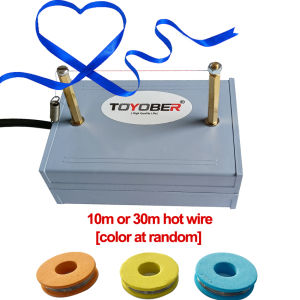
Mini Hot Ribbon Cutting Machine Electric Heating Wire Cutting Machine DIY Hot Web Belts Cut Hot Thermal Cutter Hot Ribbon Cutter
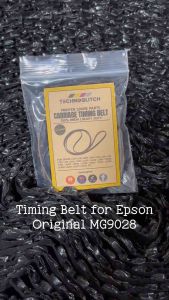
Timing Belt Carriage Belt for Epson L120 L121 L360 L220 L565 L3250 L3110 L3210 L5190 L6170 L6190
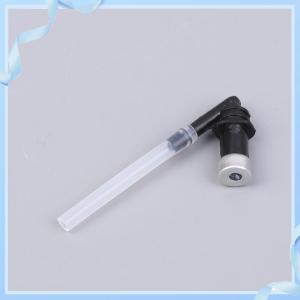
【Cheap】 Compatible Ink Tube Nozzle Fix Assy For DesignJet T610 T1100 T770 T790 T1200 T1300 Z2100 Z3100 Z3200 Z5200 Z5400 Printer
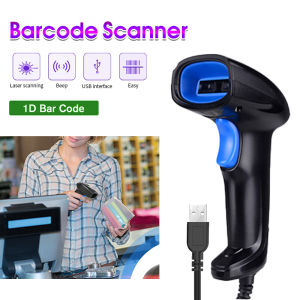
1D Barcode Scanner Wired USB Type Portable for POS P2P Warehouse Logistic
+2.0L Heavy Duty Blender - 3-in-1 Juicer Ice Crusher Food Processor - 500W Motor - Philippines.

Photo Paper 160gsm by The Printing Shock
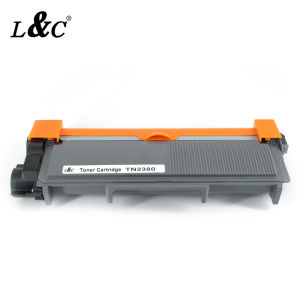
【PH Ready Stock】L&C TN2380/28J/TN630 Toner Cartridge Black For Brother Printer HL-2380 MFC-L2700dw L2300d DCP-L2520dw
Brother laser Toner Cartridge TN 2460 2480 TN2460 TN2480 Toner Cartridge Brother HL L2375DW DCP L2550DW MFCL2715DW MFC L2750DW MFC-L2715DW For MFC-L2750DW HL-2375DW Printer