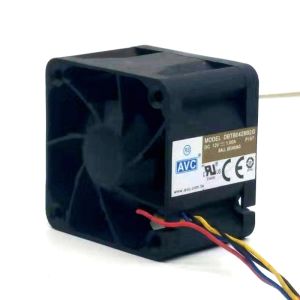
JONSBO D31 Micro MATX/ITX Computer Case Chassis Desktop Support ATX SFX PSU 360/240/120 Water-Cooled 168mm CPU Cooler
JONSBO D31 Micro MATX/ITX Computer Case Chassis Desktop Support ATX SFX PSU 360/240/120 Water-Cooled 168mm CPU Cooler
What is the JONSBO D31?
The JONSBO D31 is a compact yet powerful ITX/ATX computer case that offers impressive compatibility and expandability options. With support for water-cooled systems ranging from 360/240/120 mm, a 168mm CPU cooler, and ATX SFX power supply units, this micro computer case is perfect for building a high-performance desktop system.
Key Features
- Compact Design: Despite its small size, the JONSBO D31 can accommodate a wide range of components, making it an ideal choice for users who want a powerful yet space-saving computer setup.
- Compatibility: The JONSBO D31 supports both ITX and ATX motherboards, allowing users to choose the best option for their specific needs.
- Expandability: The case has ample room for storage drives and other components, making it easy to upgrade and customize your system as needed.
Design & Build Quality
The JONSBO D31 boasts a sleek, modern design that is sure to impress even the most discerning PC enthusiasts. Its sturdy construction ensures long-lasting durability, while its compact form factor makes it easy to fit into tight spaces. The case features a brushed aluminum finish that adds a touch of elegance to any desktop setup.
Compatibility & Expandability
The JONSBO D31 offers impressive compatibility and expandability options, making it easy to build a powerful system that meets your specific needs. With support for water-cooled systems ranging from 360/240/120 mm, a 168mm CPU cooler, and ATX SFX power supply units, the JONSBO D31 is a versatile choice for users looking to build a high-performance desktop system.
How to Install Components in the JONSBO D31
Installing components in the JONSBO D31 is a straightforward process that can be completed in just a few simple steps.
Installing a Water-Cooled 360/240/120 System
To install a water-cooled system in the JONSBO D31, simply follow these steps:
- Mount the radiator on the top or front of the case.
- Connect the water block to the CPU socket.
- Attach the pump and reservoir to the motherboard tray.
- Connect the tubing between the radiator, water block, and reservoir.
Fitting a 168mm CPU Cooler
Fitting a 168mm CPU cooler in the JONSBO D31 is a breeze thanks to its spacious interior. Simply follow these steps:
- Remove the top panel of the case.
- Position the cooler over the CPU socket.
- Secure the cooler using the provided mounting hardware.
Adding an ATX SFX PSU
Adding an ATX SFX power supply unit to the JONSBO D31 is easy thanks to its flexible design. Simply follow these steps:
- Remove the bottom panel of the case.
- Position the PSU in the designated area.
- Secure the PSU using the provided mounting hardware.
Performance & Cooling
The JONSBO D31 offers impressive performance and cooling capabilities, making it an ideal choice for users looking to build a powerful desktop system.
Heat Dissipation
Thanks to its spacious interior and support for water-cooled systems, the JONSBO D31 offers excellent heat dissipation capabilities. This ensures that your components remain cool and stable even under heavy loads.
Noise Levels
The JONSBO D31 is designed to minimize noise levels, thanks to its high-quality fans and flexible design. This makes it an ideal choice for users who want a powerful system that doesn't compromise on quiet operation.
Power Consumption
The JONSBO D31 is designed to be energy-efficient, thanks to its support for ATX SFX power supply units. This makes it an ideal choice for users who want a powerful system that doesn't consume excessive amounts of electricity.
Conclusion
In conclusion, the JONSBO D31 is a compact yet powerful ITX/ATX computer case that offers impressive compatibility and expandability options. With support for water-cooled systems ranging from 360/240/120 mm, a 168mm CPU cooler, and ATX SFX power supply units, this micro computer case is perfect for building a high-performance desktop system. Its sleek, modern design and sturdy construction make it a top choice for PC enthusiasts who want a powerful yet space-saving computer setup.

Overseas ZZAW Store
Review

You May Also Like
V380 PRO Adapter Power 5V 2A Mini UPS With 1200mAh Battery Power Supply for Camera Supply UPS Emergency Power Backup to CCTV Camera
Power Converters 85V~265V to DC3.3V 900mA Step Down Power Truck Car Power Supply Voltages Regulator
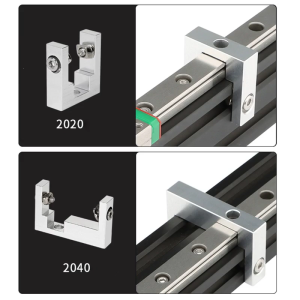
1 Set Fixed Block for Ender-3 3D Printer Parts 2020 2040 Profile Fixing Block With Screws Kit For MGN12 Linear Guide
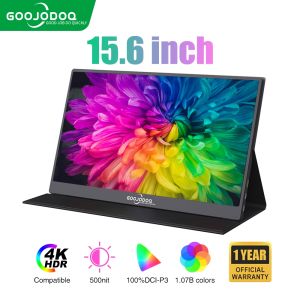
GOOJODOQ Portable Monitor 1920*1080P FHD for Laptop Extender Stand Speaker Ps4 Phone PC Android Switch Macbook HDMI

Laptop LCD Screen 17.3 inches 40 Pins 144Hz Full HD 1920 x 1080 Thin Bezel Borderless B173HAN04.9 No Brackets\\n\\n Introduction to B173HAN04.9 Borderless Screen\\n\\nThe B173HAN04.9 Borderless Screen is a high-quality 17.3-inch LCD display that offers an exceptional viewing experience. This 40 Pins Full HD Display boasts a resolution of 1920 x 1080 pixels, providing sharp and clear visuals for your laptop. With its 144Hz refresh rate and thin bezel design, this screen is perfect for gaming enthusiasts and professionals alike who demand top-notch performance and quality.\\n\\n Key Features & Specifications\\n\\n* 17.3 inches 40 Pins Full HD Display\\n* 1920 x 1080 Resolution\\n* 144Hz Thin Bezel Monitor\\n* No Brackets design\\n\\n Benefits of Thin Bezel Design\\n\\nThe B173HAN04.9 Borderless Screen features a thin bezel design that offers several benefits:\\n\\n* **Enhanced Immersion**: The narrow borders allow for a more immersive viewing experience, making it ideal for gaming, watching movies, or working on graphic-intensive tasks.\\n* **Increased Screen-to-Body Ratio**: With less bezel area, the screen-to-body ratio is higher, resulting in a more compact and sleek appearance.\\n* **Improved Multi-Monitor Setup**: The thin bezels make it easier to align multiple monitors side by side, creating a seamless viewing experience.\\n\\n Compatibility with Various Laptops\\n\\nThe B173HAN04.9 Borderless Screen is compatible with a wide range of laptops, including popular models such as Dell, HP, Lenovo, and Acer. To ensure compatibility, check the specifications of your laptop and verify that it supports a 40 Pins Full HD Display with a 1920 x 1080 resolution.\\n\\n How to Install the 17.3 Inch 40 Pins Full HD 144Hz Screen\\n\\nInstalling the B173HAN04.9 Borderless Screen is a straightforward process. Follow these steps to install the screen on your laptop:\\n\\n Tools & Materials Needed\\n\\n* Screwdriver\\n* Spudger\\n* Plastic opening tool\\n* Pliers\\n* Heat gun\\n* Replacement screen (B173HAN04.9)\\n\\n Step-by-Step Installation Guide\\n\\n1. Power off your laptop and remove the battery if possible.\\n2. Use a screwdriver to remove the screws securing the back cover of your laptop.\\n3. Carefully lift the back cover and disconnect any cables connected to the old screen.\\n4. Use a spudger to gently pry the old screen away from the laptop frame.\\n5. Disconnect the ribbon cable connecting the old screen to the motherboard.\\n6. Remove the old screen and install the new B173HAN04.9 Borderless Screen.\\n7. Reconnect the ribbon cable and secure the new screen in place.\\n8. Replace the back cover and screws.\\n9. Power on your laptop and test the new screen.\\n\\n Troubleshooting Common Issues\\n\\n* **Screen Not Working**: Ensure that the ribbon cable is securely connected and that the screen is properly seated.\\n* **Incorrect Resolution**: Adjust the display settings in your laptop's control panel to match the 1920 x 1080 resolution.\\n* **Color Distortion**: Check that the color settings are correct and adjust if necessary.\\n\\n Performance & Quality of the 1920 x 1080 Resolution Screen\\n\\nThe B173HAN04.9 Borderless Screen offers excellent performance and quality:\\n\\n Color Accuracy & Brightness\\n\\nThe screen features accurate color reproduction and brightness levels, making it ideal for graphic design, photo editing, and gaming.\\n\\n Refresh Rate & Response Time\\n\\nWith a 144Hz refresh rate and fast response time, the B173HAN04.9 Borderless Screen delivers smooth and lag-free visuals, even during fast-paced gaming sessions.\\n\\n Image Quality & Clarity\\n\\nThe 1920 x 1080 resolution provides sharp and clear images, ensuring that every detail is visible and crisp.\\n\\n Conclusion & Final Thoughts\\n\\nThe B173HAN04.9 Borderless Screen is a top-notch 17.3-inch LCD display that offers exceptional performance and quality. With its thin bezel design, 144Hz refresh rate, and 1920 x 1080 resolution, this screen is perfect for gaming enthusiasts and professionals alike. Whether you're looking to enhance your laptop's display capabilities or replace a damaged screen, the B173HAN04.9 Borderless Screen is an excellent choice.\"
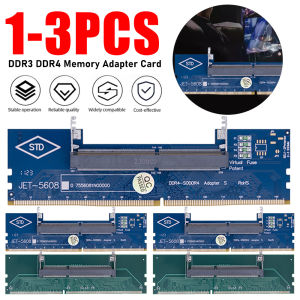
3/2/1PCS SO-DIMM To PC DIMM Card Memory Adapter Card Laptop To Desktop Memory Adapter DDR3 DDR4 DDR5 Connector Card Memory Stick
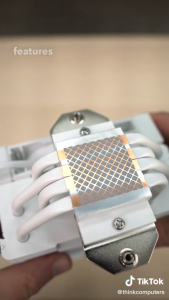
DEEPCOOL R-AK400-BKNNMN/WHNNMN-G-1 AK400 BLACK/WHITE AIRCOOLER FLUID DYNAMIC BEARING
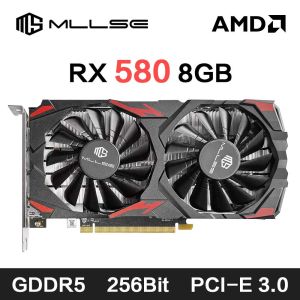
MLLSE AMD RX 580 8GB 2048SP Gaming Graphics Card GDDR5 256Bit PCI-E 3.0 ×16 8Pin Radeon GPU Rx 580 Video Card Placa De Video
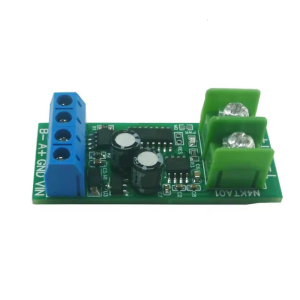
Innovative RS485 K Type Thermocouple Data Collection Board with High and Resolution

Laptop LED Screen 14.0" Slim Type 30 Pins HD 1366 x 768 Resolution N140BGE-E33 N140BGE-E43 N140BGE-EB3 EA3 EA2 HB140WX1-301 401
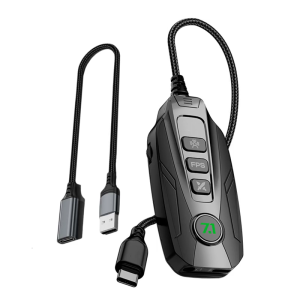
GS20 External USB Mini Sound Card 7.1 Channel for PC Notebooks and Tablets with Virtual Surround Sound Capability