Canon Maintenance Boxes & Cartridges: A Comprehensive Guide
Canon Maintenance Boxes & Cartridges: A Comprehensive Guide
What Are Canon Maintenance Boxes & Cartridges?
Canon maintenance boxes and cartridges are essential components of Canon printers, designed to ensure optimal performance and print quality. These devices help keep the printer clean and well-maintained by removing debris and excess ink from the printhead and ink cartridge.
Key Differences Between Maintenance Boxes & Cartridges
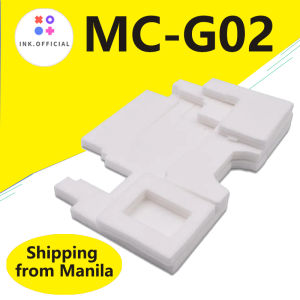
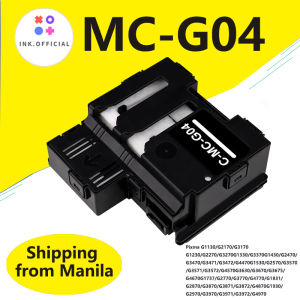
While both maintenance boxes and cartridges serve similar purposes, they differ in design and compatibility. Maintenance boxes, like the Canon MC G04, are used in specific Canon PIXMA models, whereas maintenance cartridges, such as the Canon MC-G02, are designed for other compatible Canon printers.
Which Canon Printers Require Maintenance Boxes & Cartridges?
Certain Canon PIXMA models require either maintenance boxes or cartridges to function properly. Some examples include the Canon PIXMA G2730, G3370, G1920, G2920, G3920, and many others. Refer to the printer manual or Canon website for a comprehensive list of compatible models.
How to Install Canon MC G04 Maintenance Box & MC-G02 Maintenance Cartridge
Installing maintenance boxes and cartridges is crucial for maintaining your Canon printer. Follow these step-by-step guides to ensure proper installation:
Step-by-Step Guide for Installing Canon MC G04 Maintenance Box
- Turn off the printer and open the front cover.
- Remove any installed ink cartridges.
- Open the maintenance box door and insert the Canon MC G04 maintenance box.
- Close the maintenance box door and replace the ink cartridges.
- Close the front cover and turn on the printer.
Step-by-Step Guide for Installing Canon MC-G02 Maintenance Cartridge
- Turn off the printer and open the front cover.
- Remove the old maintenance cartridge, if present.
- Insert the new Canon MC-G02 maintenance cartridge into the designated slot.
- Close the front cover and turn on the printer.
How to Troubleshoot Common Issues with Canon Maintenance Boxes & Cartridges
When facing issues with maintenance boxes or cartridges, follow these troubleshooting steps:
Troubleshooting Printer Errors Related to Maintenance Boxes & Cartridges
If your printer displays error messages related to maintenance boxes or cartridges, try the following solutions:
- Check if the maintenance box or cartridge is properly installed.
- Make sure the maintenance box or cartridge is compatible with your printer model.
- Follow the manufacturer's instructions for installation and troubleshooting.
How to Replace Damaged or Expired Maintenance Boxes & Cartridges
When it's time to replace damaged or expired maintenance boxes or cartridges, follow these steps:
- Turn off the printer and open the front cover.
- Remove the old maintenance box or cartridge.
- Insert the new maintenance box or cartridge.
- Close the front cover and turn on the printer.
Where to Purchase Canon Maintenance Boxes & Cartridges
To ensure you purchase genuine Canon maintenance boxes and cartridges, consider the following options:
Authorized Canon Dealers & Online Retailers
Authorized Canon dealers and online retailers offer authentic Canon products, including maintenance boxes and cartridges. Visit the Canon website or authorized retailers' websites to find compatible products for your printer model.
Compatible Third-Party Maintenance Boxes & Cartridges
Some third-party manufacturers offer compatible maintenance boxes and cartridges that may work with your Canon printer. However, it's essential to research and verify compatibility before purchasing.
Conclusion: Maintaining Your Canon Printer with Maintenance Boxes & Cartridges
Maintaining your Canon printer with the appropriate maintenance boxes and cartridges is vital for optimal performance and print quality. By following this comprehensive guide, you'll ensure your Canon printer remains in top condition.

ink.print
You May Also Like

Kyocera Toner Powder 1kg Compatible and for Use in Kyocera
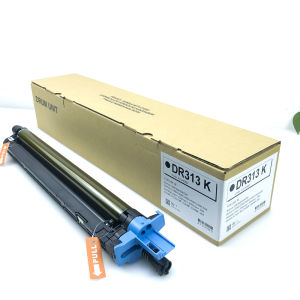
1 X KMCY C258 DR313K DR313 Drum Unit For Konica MINOLTA Bizhub C258 C308 C368 C458 C558 C658 A7U40RD Black
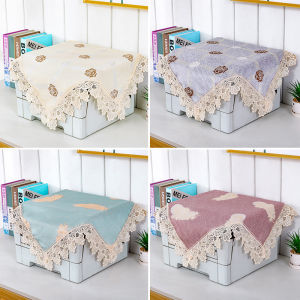
Printer & Copier Dust Covers: Protect Your HP, Canon, Epson & Brother Machines

CANON PG 810 BLACK 811 TRI COLOR
Metal Textured Bed Plate Cold Plate Strong Adhesion Double Sided Epoxy Coated For H2D 3D Printer Accessories
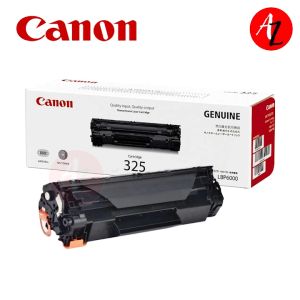
Canon 325 Cartridge For Canon Monochrome Laser Printers
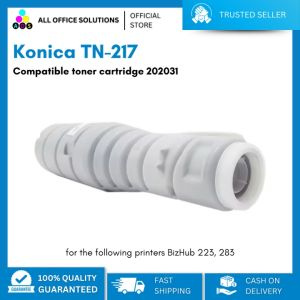
Konica TN-217 Compatible Toner Cartridge 202031: A Comprehensive Guide

Ricoh Thermistor Original MP2000 MP2001 MP1500 MP1600 MP1900 Series
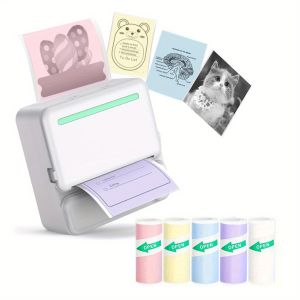
Thermal Mini Printer - Portable Wireless Rechargeable Lithium Battery 1 Roll of Thermal Paper + 5 Rolls of Colorful Stickers
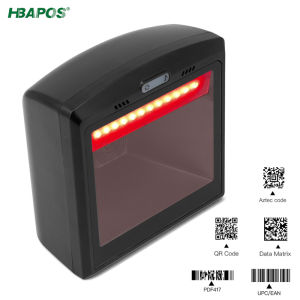
HBAPOS Handsfree 2D 1D Barcode Scanner Omnidirectional Desktop Automatic QR Bar Code Reader for POS PC Supermarket
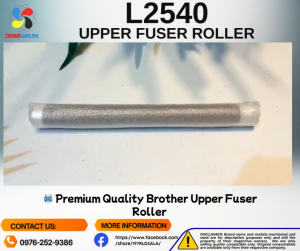
Dcp-L2540 2740 Upper Fuser & Lower Pressure Roller Compatible