VSYS 4K Motorcycle Helmet Camera U5X/U5X-PB: A Comprehensive Guide
VSYS 4K Motorcycle Helmet Camera U5X/U5X-PB: A Comprehensive Guide
What is the VSYS 4K Motorcycle Helmet Camera?
The VSYS 4K Motorcycle Helmet Camera U5X/U5X-PB is a state-of-the-art device designed specifically for motorcycle enthusiasts who want to capture their adventures in stunning 4K resolution. This camera is equipped with a 170-degree wide-angle lens, allowing riders to record every detail of their ride.
Key Features
- 4K Video Recording: Capture every moment in crystal-clear 4K resolution.
- 170 Degree Wide Angle Camera: Get a wider view of your surroundings with this ultra-wide-angle lens.
- WiFi Real Time Ambient Temperature Display: Monitor the current temperature while riding, thanks to the built-in temperature sensor.
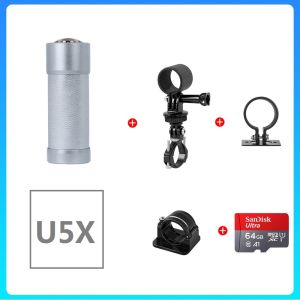
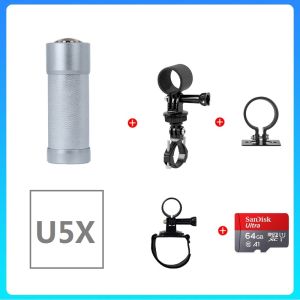
- Tail Light Support: Enhance your safety by installing the tail light support accessory.
Comparison with Other Models
Compared to other motorcycle helmet cameras on the market, the VSYS 4K model stands out due to its superior video quality, wide-angle lens, and innovative features like the WiFi real-time ambient temperature display and tail light support.
How to Set Up the VSYS 4K Motorcycle Helmet Camera
Setting up the VSYS 4K motorcycle helmet camera is simple and straightforward. Follow these steps to get started:
Connecting the Camera to Your Helmet
- Attach the camera to the front of your helmet using the included mounting bracket.
- Secure the camera in place to ensure it stays firmly attached during your ride.
Setting Up WiFi Real-Time Ambient Temperature Display
- Connect your smartphone to the camera's WiFi network.
- Open the VSYS app and select the temperature display option.
- Monitor the current temperature while riding.
Tail Light Support Installation
- Attach the tail light support accessory to the back of your helmet using the included mounting bracket.
- Connect the tail light support to the camera using the provided cable.
How to Use the VSYS 4K Motorcycle Helmet Camera
Using the VSYS 4K motorcycle helmet camera is easy and intuitive. Follow these steps to get the most out of your device:
Recording High-Quality Videos
- Turn on the camera and select the desired video resolution (up to 4K).
- Start recording by pressing the record button on the camera or using the VSYS app on your smartphone.
Sharing Footage via WiFi
- Connect your smartphone to the camera's WiFi network.
- Open the VSYS app and select the footage you want to share.
- Share the video via email, social media, or cloud storage services.
Battery Life and Charging
The VSYS 4K motorcycle helmet camera has a battery life of approximately 1 hour in 4K mode and 2 hours in 1080p mode. Charge the camera using the included USB cable and power adapter.
Troubleshooting Common Issues
If you encounter any issues with your VSYS 4K motorcycle helmet camera, refer to the following troubleshooting tips:
Connectivity Problems
- Ensure your smartphone is connected to the camera's WiFi network.
- Restart the camera and try connecting again.
Video Quality Concerns
- Adjust the camera settings to ensure optimal video quality.
- Clean the lens to remove any dirt or debris.
Battery Life Issues
- Replace the battery if it is not holding a charge.
- Charge the camera fully before use.
Conclusion
The VSYS 4K motorcycle helmet camera U5X/U5X-PB is a top-of-the-line device that offers exceptional video quality, innovative features, and ease of use. Whether you're a seasoned rider or just starting out, this camera is the perfect companion for capturing your adventures on two wheels.

VSYS
Review

You May Also Like
V380 PRO HD 1080p WiFi Connect Outdoor CCTV: A Comprehensive Guide
Gigaware TP-Link Tapo C210 Home Security WiFi Camera
CCTV 4CH/8CH/16 Channels 5MP-N Smart Intelligence DVR Coaxial Audio P2P Hybrid 5 In 1 H.265 for AHD TVI CVI CVBS IP Camera
Quick Attach CPL High Precisions Polarized CPL Lens set Enhances colorful for Mobile Devices

In Stock HD 720P 3.9MM Visual Ear Spoon Endoscope Home Ear Endoscope ENT Examination Instrument
L Shape Metal CCTV Camera Mounting Bracket Surveillance Camera Bracket Wall Mounted Bracket
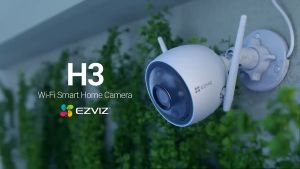
EZVIZ H3 3K/5MP IP67 Weatherproof Outdoor CCTV Camera connect cellphone Waving-Hand Recognition & Control
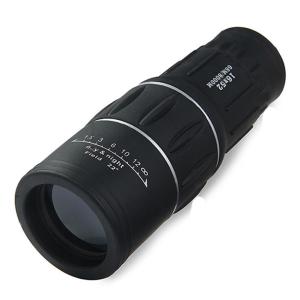
16x52 Handheld Monocular: A High-Quality 66M/8000M Zoom Long Range Spyglass

BUY 1 TAKE 1 CCTV Camera Wifi Connect Cellphone Wireless IP Security Camera Surveillance indoor outdoor set with night vision 360 mini cctv camera
Hikvision CCTV Camera 2MP HD Full-Color With Audio Security Camera Bullet Camera Outdoor IP67 Waterproof Analog Camera
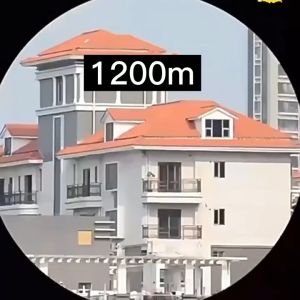
Long Range Binoculars & Telescopes: A Comprehensive Guide