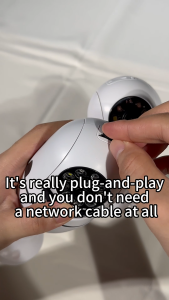
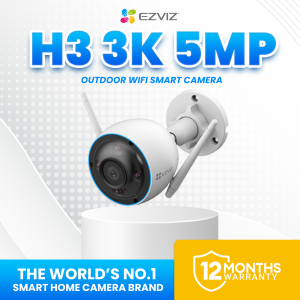
EZVIZ H3 3K/5MP IP67 Weatherproof Outdoor CCTV Camera connect cellphone Waving-Hand Recognition & Control
EZVIZ H3 3K/5MP IP67 Weatherproof Outdoor CCTV Camera connect cellphone Waving-Hand Recognition & Control
Introduction to EZVIZ H3
The EZVIZ H3 is a state-of-the-art 3K/5MP IP67 weatherproof outdoor CCTV camera that connects seamlessly to your smartphone. This powerful device offers an array of features designed to enhance security and convenience, including waving-hand recognition and control. In this article, we will explore the key features, technical specifications, installation process, and how to maximize the performance of the EZVIZ H3.
Key Features
The EZVIZ H3 boasts several standout features that make it an ideal choice for outdoor surveillance:
- 3K/5MP resolution: Capture crystal-clear images and videos with exceptional detail and clarity.
- IP67 waterproof rating: Withstand harsh weather conditions and extreme temperatures, from -30°C to 60°C (-22°F to 140°F).
- Waving-hand recognition: Easily activate or deactivate the camera using simple hand gestures.
- Smartphone connectivity: Monitor and control your camera remotely via the EZVIZ app.
Technical Specifications
Below are the key technical specifications of the EZVIZ H3:
- Model: CS-H3-R100-1J5WKFL
- Dimensions: 75.5 × 75.5 × 155 mm (2.97 × 2.97 × 6.10 inch)
- Package Dimensions: 227 × 100 × 92 mm (8.94 × 3.94 × 3.62 inch)
- Weight: Net weight: 433 g (15.27 oz); With package: 652 g (23.00 oz)
- IP Grade: IP67
- Operating Conditions: -30°C ~ 60°C (-22°F ~ 140°F), humidity 95% or less (non-condensing)
- Image Sensor: 1/2.7" Progressive Scan CMOS
- Shutter Speed: Self-adaptive shutter
- Lens: 2.8mm @ F2.0, viewing angle: 114° (Diagonal), 96° (Horizontal), 51° (Vertical); 4mm @ F2.0, viewing angle: 95° (Diagonal), 80° (Horizontal), 42° (Vertical)
- Minimum Illumination: 0.01 lux @ (F2.0, AGC ON), 0 Lux with IR
- IR Night Vision Distance: Up to 98 ft / 30 m
How to Install & Set Up the Camera
Installing and setting up the EZVIZ H3 is a straightforward process. Follow these steps to get started:
Connecting to Wi-Fi
- Download and install the EZVIZ app on your smartphone.
- Power on the camera and connect it to your Wi-Fi network using the app.
- Once connected, the camera will automatically sync with your account.
Linking to Your Smartphone
- Open the EZVIZ app and log in to your account.
- Tap on the '+' icon to add a new device.
- Select 'Camera' and follow the on-screen instructions to link your smartphone to the camera.
Enhancing Security with Waving-Hand Recognition
One of the most innovative features of the EZVIZ H3 is its waving-hand recognition technology. This allows you to activate or deactivate the camera using simple hand gestures, making it easy to monitor your property while minimizing false alarms.
Setting Up Waving-Hand Recognition
- Open the EZVIZ app and navigate to the camera settings.
- Enable the waving-hand recognition feature by toggling the switch.
- Customize the sensitivity and range of the sensor to suit your needs.
Customizing Waving-Hand Controls
The EZVIZ H3 allows you to customize the actions associated with different hand gestures. For example, you can set a specific gesture to trigger motion detection or send a notification to your smartphone.
Maximizing Performance with IP67 Waterproof Rating
The EZVIZ H3 is built to withstand harsh weather conditions, thanks to its IP67 waterproof rating. This ensures that your camera remains operational even in extreme environments.
Understanding IP67 Protection
An IP67 rating means that the camera is dust-tight and can withstand immersion in water up to 1 meter deep for 30 minutes. This makes it an ideal choice for outdoor use, even in areas prone to heavy rain or snow.
Ensuring Optimal Camera Placement
To get the best performance from your EZVIZ H3, it's important to place it in a location that minimizes obstructions and maximizes coverage. Consider factors such as the camera's viewing angle, distance from the ground, and potential sources of glare or interference.
Conclusion & Final Thoughts
The EZVIZ H3 is a powerful and versatile outdoor CCTV camera that combines high-resolution imaging, robust weatherproofing, and innovative waving-hand recognition technology. By following the steps outlined in this article, you can easily install and set up the camera, customize its features, and ensure optimal performance. Whether you're looking to protect your home or business, the EZVIZ H3 is an excellent choice for reliable and convenient security monitoring.

Ezviz PH
You May Also Like
Gigaware TP-Link Tapo C210 Home Security WiFi Camera
Foscam C2C Indoor Wireless Network Smart AI High Definition Night Vision Camera for Mobile Monitoring Pet Care Child And Elderly Supervision
DJI E88 Pro Drone With Camera And Drone With 4K Dual Camera Original Drone 4k HD Camera and Drone Camera For Vlogging Drone Camera For Kids Boys and Dirls
A9 1080P HD Wifi Mini Camera Surveillance Cameras Sensor Camcorder Web Video Smart Home Safety Wireless Security Camera
Mini Y3000 Keychain Camera 8MP Photo Support SD Card With Screen Tiny Digital Body Cameras Thumb Cam DV Camcorder Micro for Kids
TP-Link Tapo TC72 Pan/Tilt 2K 4MP 360° Home Security Indoor Wi-Fi CCTV Camera
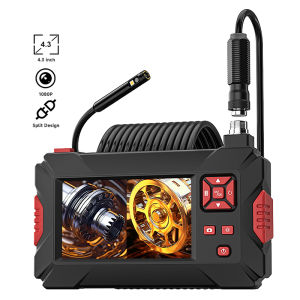
Dual Lens Endoscope Camera: A Comprehensive Guide
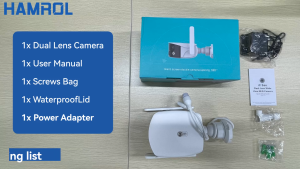
Hamrol 8MP 4K Dual Lens 180° Wide Angle Wifi IP Camera: Features & Benefits
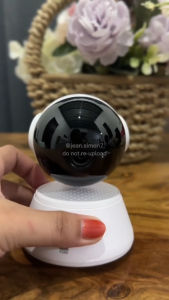
V380 Q6 PRO cctv camera connect cellphone HD 1080P 360 degree panoramic 2.4G Wireless Connection Mini portable indoor night vision baby monitor Voice connection to mobile phone cctv camera
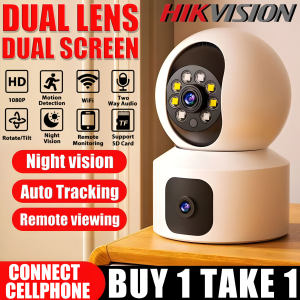
Hikvision CCTV Camera WIFI Connect 360 Panoramic Motion Detect Indoor And Outdoor IP66 Waterproof 1080P Two-Way Voice Audio WIFI Wireless Connection Home Security Cameras Surveillance
Dahua CCTV Camera 2MP/5MP: A Comprehensive Guide