SVFIREK Mini Portable Thermal Printer: A Comprehensive Guide
SVFIREK Mini Portable Thermal Printer: A Comprehensive Guide
The SVFIREK Mini Portable Thermal Printer is a compact, wireless Bluetooth label printer that offers a convenient way to print stickers, photos, and notes on-the-go. In this article, we will explore its key features, how it compares to other portable printers, and how to use it effectively.
What is the SVFIREK Mini Portable Thermal Printer?
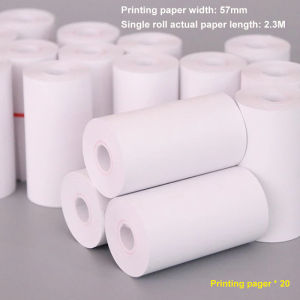
The SVFIREK Mini Portable Thermal Printer is a wireless Bluetooth label printer that prints on thermal paper rolls. It comes with a charging cable, instruction manual, qualified system, and printing paper. The printer is compatible with various devices, including smartphones, tablets, and computers, making it easy to print from any device.
Key Features & Specifications
- Size: 5.5 x 2.8 x 1.5 inches
- Weight: 5.29 ounces
- Printing Width: 57mm
- Print Resolution: 203 dpi
- Battery Life: Up to 2 hours continuous printing
- Connectivity: Bluetooth 4.0
How It Compares to Other Portable Printers
Compared to other portable printers, the SVFIREK Mini Portable Thermal Printer stands out for its compact size, ease of use, and versatility. Its wireless Bluetooth connectivity allows for seamless printing from any device, while its thermal printing technology ensures crisp, high-quality prints.
How to Use the SVFIREK Mini Portable Thermal Printer
Using the SVFIREK Mini Portable Thermal Printer is simple and straightforward. Follow these steps to get started:
Connecting via Bluetooth
- Turn on the printer by pressing the power button.
- Pair the printer with your device via Bluetooth.
- Once connected, you can start printing.
Printing Stickers & Photos
To print stickers or photos:
- Insert the thermal paper roll into the printer.
- Open the desired app or software on your device.
- Select the print option and choose the SVFIREK Mini Portable Thermal Printer as the printer.
- Adjust the print settings as needed.
- Click print and wait for the printer to finish printing.
Troubleshooting Common Issues
If you encounter any issues while using the SVFIREK Mini Portable Thermal Printer, refer to the instruction manual for troubleshooting tips. Some common issues include:
- Printer not connecting: Ensure Bluetooth is enabled on both the printer and device.
- Print quality issues: Check that the thermal paper roll is inserted correctly and adjust print settings as needed.
- Battery not charging: Ensure the charging cable is properly connected and the printer is turned off during charging.
Benefits of Using the SVFIREK Mini Portable Thermal Printer
Using the SVFIREK Mini Portable Thermal Printer offers several benefits, including:
Ideal for On-the-Go Printing
With its compact size and wireless connectivity, the SVFIREK Mini Portable Thermal Printer is perfect for printing on-the-go. Whether you're traveling, working remotely, or just need to print something quickly, this printer has got you covered.
Versatile Uses & Applications
The SVFIREK Mini Portable Thermal Printer can be used for a variety of applications, including printing stickers, labels, photos, and notes. Its thermal printing technology ensures high-quality prints that are perfect for both personal and professional use.
User-Friendly Design & Convenience
The SVFIREK Mini Portable Thermal Printer is designed with convenience in mind. Its compact size makes it easy to carry around, while its wireless connectivity allows for seamless printing from any device. Its user-friendly interface makes it easy to use, even for those who are not tech-savvy.
Conclusion & Final Thoughts
The SVFIREK Mini Portable Thermal Printer is a compact, wireless Bluetooth label printer that offers a convenient way to print stickers, photos, and notes on-the-go. Its key features, ease of use, and versatility make it an ideal choice for anyone who needs to print on-the-go. With its compact size, wireless connectivity, and high-quality prints, the SVFIREK Mini Portable Thermal Printer is a must-have for anyone who values convenience and quality.

suhuo_adapter
Review
You May Also Like

Easyprint CUYI Korea Sublimation Ink for Ep son Modified Printer for Sublimation Paper 100ml

【Best Quality】Phomemo T02 Thermal Label Printer Wireless Bluetooth Portable Pocket Label Maker Home Use Office Fast Printing Printer Free Label
2/3/4 PLY continuous forms computer printing carbonless 9.5"*11"/9.5"*5.5" for dot Matrix printer
Thermal Receipt Printer OFFICOM XP-T80A Bluetooth Receipt Printer AUTO CUT with 5 Rolls Receipt Papers 80mm

Peripage a40 300 DPI BLUE Portable A4 Printer Mini Inkless Thermal Paper Wireless Bluetooth Phone Photo Printer Document Moving Office Tools

Brother BTD60BK & BT6000BK Ink Bottle Set: Compatible Inks for T-Series Printers

Marklife X2 Mini Thermal Printer Wireless Bluetooth Portable Adhesive Sticker Label Printing Similar as B21 B1 Labeling Machine

EPSON (LAN) TM-T100M Thermal Printer with LAN Interface and Built-in Power Supply

Epson Surecolor P20070 Grey 700ml C13T809900: A High-Capacity Ink Cartridge
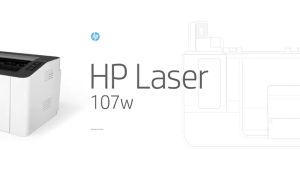
HP LaserJet 107w Single Function Monochrome Printer Hp 107 - Lazada
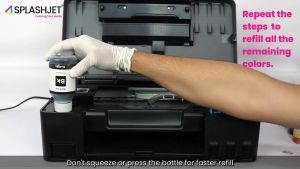
Canon GI-71 Set: 4 Colors Compatible Refill Ink for G-Series Printers