



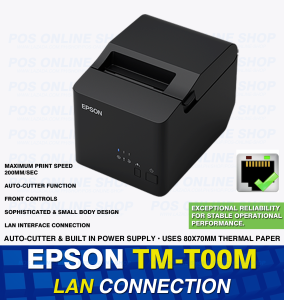
EPSON (LAN) TM-T100M Thermal Printer with LAN Interface and Built-in Power Supply
EPSON (LAN) TM-T100M Thermal Printer with LAN Interface and Built-in Power Supply
Introduction to the EPSON TM-T100M Thermal Printer
Epson's TM-T100M thermal printer is a reliable and efficient solution for businesses seeking a powerful POS system printer. Designed with a built-in power supply and LAN interface, the TM-T100M is perfect for streamlining business operations and ensuring smooth communication between various systems. In this article, we will delve into the key features, setup process, and optimization techniques for the EPSON TM-T100M thermal printer.
Key Features of the EPSON TM-T100M
The EPSON TM-T100M boasts several noteworthy features that make it an ideal choice for businesses. Some of the most prominent features include:
- Built-in Power Supply: The TM-T100M comes equipped with a built-in power supply, eliminating the need for external power adapters and reducing clutter in your workspace.
- LAN Interface: With a LAN connection, the TM-T100M enables seamless integration with your network infrastructure, allowing for efficient data transfer and communication between systems.
- High-Speed Printing: The TM-T100M delivers fast printing speeds, ensuring that your business operations run smoothly and efficiently.
- Compact Design: The compact size of the TM-T100M makes it easy to integrate into existing POS systems and minimizes the physical footprint in your workspace.
Why Choose the EPSON TM-T100M for POS Systems
The EPSON TM-T100M is a top choice for businesses looking to streamline their POS systems due to its robust features and ease of integration. With a built-in power supply and LAN interface, the TM-T100M simplifies the setup process and reduces the need for additional hardware. Additionally, its high-speed printing capabilities and compact design make it an ideal fit for businesses of all sizes.
How to Set Up the EPSON TM-T100M Thermal Printer
Setting up the EPSON TM-T100M is a straightforward process that can be completed in just a few simple steps. Here's how to get started:
Connecting the LAN Interface
- Connect the LAN cable to the printer's Ethernet port.
- Connect the other end of the LAN cable to your network switch or router.
- Power on the printer by pressing the power button located on the front panel.
Configuring the Built-In Power Supply
Since the TM-T100M comes with a built-in power supply, there is no need to configure any external power adapters. Simply plug the power cord into the printer and connect it to a power outlet.
Optimizing Performance and Maintenance
To ensure the best possible performance and longevity of your EPSON TM-T100M thermal printer, it's essential to follow some basic maintenance tips and troubleshoot common issues.
Tips for Maximizing Printer Efficiency
- Regular Cleaning: Periodically clean the printer's print head and platen roller to prevent dust and debris buildup.
- Proper Paper Handling: Use high-quality paper designed for thermal printers and avoid overloading the paper tray.
- Software Updates: Keep your printer's firmware and driver software up to date to ensure optimal performance.
Troubleshooting Common Issues
- Printer Not Printing: Check the printer's connection to the network and ensure that the power supply is properly connected.
- Print Quality Issues: Clean the print head and platen roller, and verify that the correct paper type is being used.
- Paper Jam: Follow the manufacturer's instructions for safely removing paper jams and clearing any obstructions.
Conclusion: Why the EPSON TM-T100M is the Ideal Choice for Your Business
The EPSON TM-T100M thermal printer is a powerful and efficient solution for businesses seeking a reliable POS system printer. With its built-in power supply, LAN interface, and high-speed printing capabilities, the TM-T100M simplifies the setup process and ensures seamless integration with your existing systems. By following the tips outlined in this article, you can maximize the performance and longevity of your EPSON TM-T100M thermal printer, ensuring that your business operations run smoothly and efficiently.

POS Online Shop
Review

You May Also Like
Aibecy Peripage Dictionary Translation Scanning Pen D2s: 112 Language Voice Translating Device
Compatible Epson Ink Cartridges: L8050, L18050, ET-18100 & More
HP 57A Original LaserJet Imaging Drum CF257A
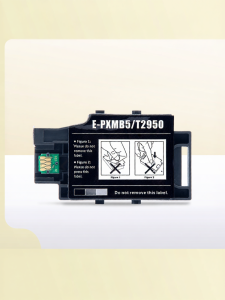
Ink Waste Collector for Epson Printers
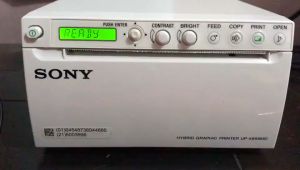
High-Quality Ultrasound Thermal Paper UPP-110S & UPP-110HG
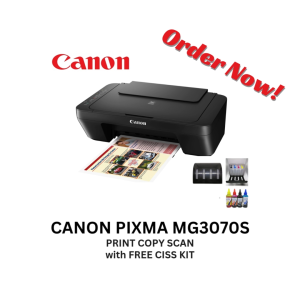
Canon PIxma MG3070s Inkjet Printer Wireless with FREE CISS Kit (not installed) Black

Original HP GT52 & GT53 Ink Bottles: A Comprehensive Guide

MX-5500 8-Digit Price Tagger: A Retail Inventory Management Solution

HRRT CPP601 Portable Color Photo Printer Print & Share Every Touching Photo
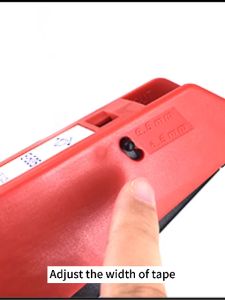
Original Motex E5500 E-505 Manual Label Maker e-5500 Fit For 6/9/12mm DYMO 3D Embossed Tape Can Replace 1610 12965 1880
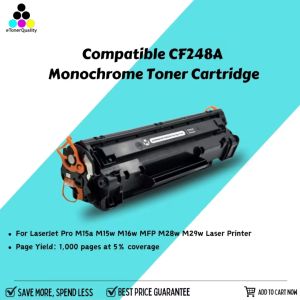
eTONER Compatible CF248A Monochrome Toner Cartridge for LaserJet Pro & MFP
![[COD] shiou Typewriter Ribbon Twin Spool Typewriter Ribbon Black Twin Spool Replacement Pack for Most Typewriter](https://img.lazcdn.com/g/p/8ce76c253cf43b947e6339ffb164626d.jpg_300x300q80.jpg)


















