Phomemo M02Pro 304DPI Bluetooth Thermal Label Printer Portable Mini Photo Printer Inkless Handheld Sticker Maker Machine Great For Picture/Notes/DIY Sticker/Barcode/Logo Labels
Phomemo M02Pro 304DPI Bluetooth Thermal Label Printer Portable Mini Photo Printer Inkless Handheld Sticker Maker Machine Great For Picture/Notes/DIY Sticker/Barcode/Logo Labels
Introduction to Phomemo M02Pro
The Phomemo M02Pro is a compact, versatile Bluetooth thermal label printer that offers a convenient solution for printing labels, photos, and notes. With its lightweight design, the Phomemo M02Pro weighs only 197g and measures 858546 mm (with a slight variation of 1-3mm). Made from durable ABS+PC material, this portable mini photo printer is perfect for DIY sticker labels, barcode, and logo printing.
Key Features & Specifications
- Max. Resolution: 304dpi
- Print Speed: 20ppm
- Double-sided Printing: No
- Paper Feed Mode: Roll Feed
- Support Paper Size: 15/25/53mm
- Interface Type: Bluetooth
- Brand Name: Phomemo
- Model: M02 PRO
- Battery Capacity: 1200mAh
- Charging Time: 2~2.5 hours
Ideal Use Cases
The Phomemo M02Pro is an excellent choice for various applications, including:
- Labeling products and packages
- Printing photos and notes
- Creating custom DIY stickers
- Generating barcodes and logos
How to Get Started with Your Phomemo M02Pro
Unboxing & Initial Setup
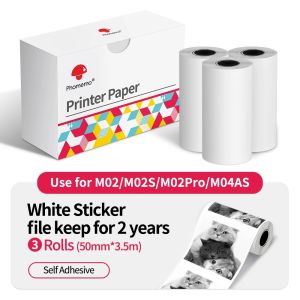
Upon unboxing your Phomemo M02Pro, you'll find the printer, thermal paper, and a USB charging cable. To begin, charge the device using the included cable for 2~2.5 hours until fully charged.
Connecting via Bluetooth
To connect your Phomemo M02Pro to a smartphone or tablet, ensure your device's Bluetooth is enabled. Press and hold the power button on the printer for 3 seconds to turn it on. Next, navigate to your device's Bluetooth settings and select 'Phomemo M02Pro' from the available devices list.
Loading Thermal Paper
To load thermal paper, gently pull out the paper feed mechanism and insert the roll of thermal paper. Ensure the paper is aligned with the printer's feed path before closing the mechanism.
Maximizing Your Phomemo M02Pro Experience
Creating Custom Labels
With the Phomemo M02Pro, creating custom labels has never been easier. Simply open the app on your smartphone or tablet, select the desired template, and customize the text and design according to your preferences.
Printing Photos & Notes
Printing photos and notes with the Phomemo M02Pro is a breeze. Simply take a photo or type a note, then use the app to send the file to the printer for instant printing.
Battery Life & Charging
The Phomemo M02Pro features a 1200mAh battery that provides ample power for continuous printing. When the battery runs low, simply plug in the USB charging cable to recharge the device.
Troubleshooting Common Issues
Connectivity Problems
If you experience connectivity issues with your Phomemo M02Pro, try restarting both the printer and your device. If the problem persists, ensure your device's Bluetooth settings are enabled and the printer is within range.
Paper Feeding Issues
If you encounter paper feeding problems, check that the thermal paper is properly loaded and aligned with the printer's feed path. If necessary, gently remove and reinsert the paper roll.
Printing Quality Concerns
If the printed output appears blurry or distorted, try adjusting the print quality settings in the app. Additionally, ensure the thermal paper is compatible with the Phomemo M02Pro and not damaged.

Phomemo official store
Review
You May Also Like
Double Sided Textured PEI PEO Plate 310x315mm Flexible Steel Sheet No Magnet for 3D Printer Build Plate
10 Sheets Fragile Sticker for Shipping and Moving Please Handle with Care Fragile Labels Warning Sticker
AOS Premium Compatible Fuser Unit For Brother DCP-L2550DW
Mini Portable Thermal Printer: A Wireless Bluetooth Pocket Printer for Everyday Use
Quali-Products - 1 Liter CUYI ECO-Solvent Ink for DX5 DX7 DX11 Printer Head
NIIMBOT B18/N1s Label Maker with Tape Bluetooth Label Maker Portable Thermal intelligence Transfer Label Printer
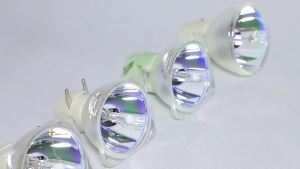
Bare Light DT01431 Compatible With Hitachi CP-X4041WNJ/CP-X4042/CP-X4042WN/DT01433/DT01481/DT01491/DT01511/HCP-K28E/TW-2505

fanghui Universal Ink Bottle For Printer L3110 L4160 L6190 L3150 ET-8550 L8160 L8180 L8050 101 103 105 502 522 544 T552
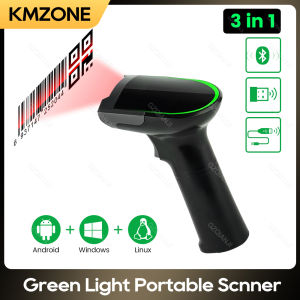
1D 2D Handheld Barcode Scanner Reader QR PDF417 Bluetooth 2.4G Wireless Wired USB Green Light Source for Pos Payment Scanning
3D Printing Build Plate 355x346mm Cold Printing High Temperature Support Upgraded Build Plate For H2D 3D Printer
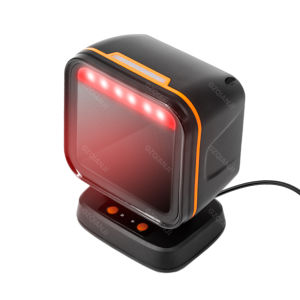
Square Desktop Scanner 1D 2D Barcode QR Code Scanning Omnidirectional Automatic Sensing Data Matrix Reader Supermarket Fast-Speed Hands-free