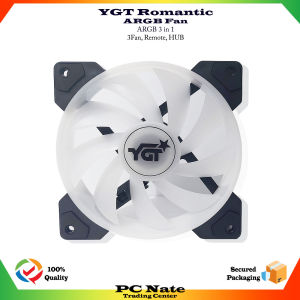
YGT ARGB FAN 1255 LED With Remote Controller (Sync)
YGT ARGB FAN 1255 LED With Remote Controller (Sync)
Overview of YGT ARGB FAN 1255 LED
The YGT ARGB FAN 1255 LED is a top-tier LED fan with remote control capabilities, providing users with unparalleled customization options for their PC cooling setup. This fan features a sleek, modern design that blends seamlessly with any build, making it a must-have for enthusiasts looking to enhance their system's aesthetics and functionality.
Key Features
- Sync RGB Lighting: Enjoy synchronized lighting effects that coordinate with your PC's RGB components.
- Remote Controller: Control fan speed and customize LED effects with ease using the included remote controller.
- Customizable LED Effects: Choose from various pre-set lighting modes or create your own unique patterns.
Specifications
- Fan Size: 120mm x 25mm
- Airflow: 57.2 CFM
- Noise Level: 24 dBA
- Voltage: 12V DC
- Power Consumption: 2.4W
- Color: Black with RGB LEDs
Installation Guide
Unboxing
Upon unboxing the YGT ARGB FAN 1255 LED, you will find the following items:
- YGT ARGB FAN 1255 LED: A high-performance LED fan with remote control capabilities.
- Remote Controller: A wireless remote controller for controlling fan speed and customizing LED effects.
- User Manual: A comprehensive guide to installing and using the YGT ARGB FAN 1255 LED.
Assembly Instructions
To install the YGT ARGB FAN 1255 LED, follow these steps:
- Identify the desired mounting location for the fan on your PC case.
- Remove any existing fan or grill from the mounting location.
- Align the fan with the mounting holes on your PC case.
- Secure the fan in place using the provided screws.
- Connect the fan's power cable to a compatible 4-pin PWM header on your motherboard.
Connecting the Remote Controller
To connect the remote controller, follow these steps:
- Insert two AAA batteries into the remote controller.
- Press and hold the "SYNC" button on the remote controller until the LED on the fan blinks once.
- Release the "SYNC" button.
- The remote controller is now paired with the fan.
How to Use YGT ARGB FAN 1255 LED
Sync RGB Lighting
To sync the RGB lighting with your PC's components, follow these steps:
- Ensure your motherboard supports RGB synchronization.
- Connect the fan's RGB cable to a compatible 3-pin or 4-pin RGB header on your motherboard.
- Configure the RGB settings in your motherboard's BIOS or software utility.
Controlling Fan Speed
To control the fan speed using the remote controller, follow these steps:
- Press the "FAN" button on the remote controller.
- Use the arrow keys to adjust the fan speed.
- Press the "OK" button to save your settings.
Customizing LED Effects
To customize the LED effects using the remote controller, follow these steps:
- Press the "LED" button on the remote controller.
- Use the arrow keys to select a pre-set lighting mode or create your own custom pattern.
- Press the "OK" button to save your settings.
Troubleshooting Common Issues
Remote Controller Not Working
If the remote controller is not working, try the following steps:
- Ensure the batteries are inserted correctly and have sufficient charge.
- Press and hold the "SYNC" button on the remote controller until the LED on the fan blinks once.
- Release the "SYNC" button.
- If the issue persists, contact YGT customer support for assistance.
Fan Not Spinning
If the fan is not spinning, try the following steps:
- Ensure the fan's power cable is securely connected to a compatible 4-pin PWM header on your motherboard.
- Check that the fan is properly seated and secured in place.
- If the issue persists, contact YGT customer support for assistance.
Sync RGB Lighting Problems
If you are experiencing issues with sync RGB lighting, try the following steps:
- Ensure your motherboard supports RGB synchronization.
- Connect the fan's RGB cable to a compatible 3-pin or 4-pin RGB header on your motherboard.
- Configure the RGB settings in your motherboard's BIOS or software utility.
- If the issue persists, contact YGT customer support for assistance.

supertech rjpc
You May Also Like
Circuitrocks Tamiya 70110 4-Speed Crank-Axle Gearbox Kit
Aluminum Heatsink Heat Sink Cooler and Copper Heatsink for Northbridge Southbridge Chipset
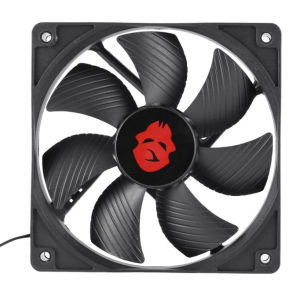
12cm 4 Pin High Speed Desktop Chassis Fan Large Air Volume PC Case Radiator
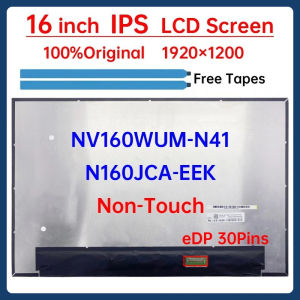
16 Inch Laptop LCD Screen NV160WUM N41 NV160WUM-N41 N160JCA EEK N160JCA-EEK Display Panel Matrix 1920x1200 eDP 30 Pins Non-Touch
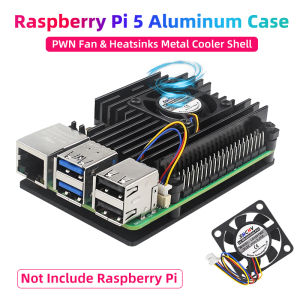
Raspberry Pi 5 Aluminum Case with PWN Fan Silicone Heatsink Active Passive Cooling Radiator Cooler Metal Shell For Pi 5
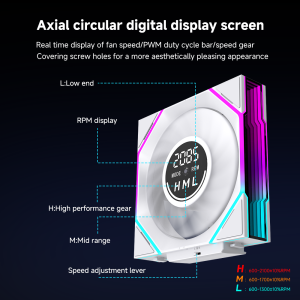
Jungle Leopard Interstellar V4 Digital Display Speed Control Infinite Mirror With Screen Ventilador UNI Fan
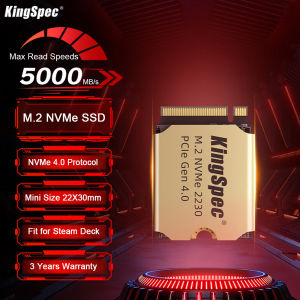
KingSpec M2 NVMe SSD 1TB Hard Disk M.2 PCIe 4.0x4 SSD 2230 Internal Solid State Drive For Steam Deck PS5
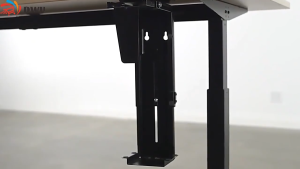
. Adjustable Under Desk CPU Holder Computer Stand Wall And Desk Mount 360° SwivelFits A Variety Of CPU Sizes And Shapes .
DIY Project Starter Kit For Arduino UNO R3 Kit Electronic DIY Kit Electronic Component Set With Box 830 Tie-points Breadboard
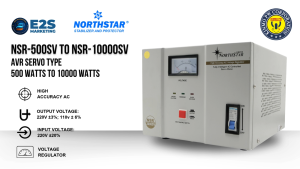
Northstar AVR Servo Motor Type 3000Watts to 5000Watts Automatic Voltage Regulator NSR-3000SV to NSR-5000SV Power Supply (Analog Display)
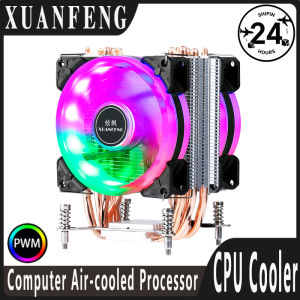
XUANFENG PC Air-Cooled Processor x79 x99 Cooler CPU Fan 4pin/PWM 2/4/6 Heat Pipe Compatible LGA775 115x 1200 1700 18xx 2011 2066