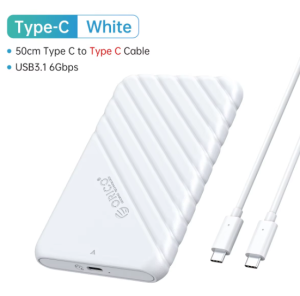
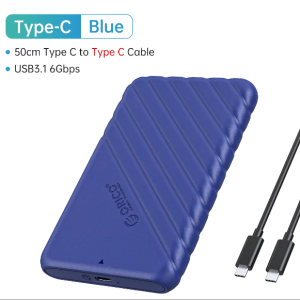
ORICO Hard Drive Enclosure 2.5 Inch Type-C USB3.1 SATA SSD Hard Drive Case 6 Gbps SSD HDD Tool-free UASP for Computer Accessory
ORICO Hard Drive Enclosure 2.5 Inch Type-C USB3.1 SATA SSD Hard Drive Case 6 Gbps SSD HDD Tool-free UASP for Computer Accessory
Understanding the ORICO Hard Drive Enclosure
The ORICO Hard Drive Enclosure is a sleek and compact solution designed to convert your internal 2.5-inch SATA SSD or HDD into a portable external storage device. This enclosure supports up to 6TB capacity and offers a variety of features that make it a perfect choice for professionals and enthusiasts alike.
Key Features
-
Tool-free UASP External Hard Drive: The enclosure features a tool-free design, allowing for easy installation and removal of your hard drive. Additionally, it supports the UASP (USB Attached SCSI Protocol) for faster data transfer rates.
-
6 Gbps SSD HDD Case: With a transfer rate of up to 6 Gbps, this enclosure ensures that your data is transferred quickly and efficiently.
-
2.5 Inch Type-C USB3.1 SATA SSD: The enclosure is compatible with 2.5-inch SATA SSDs and HDDs, making it versatile enough to accommodate various storage needs.
-
USB 3.1 Gen 2 Adapter: The enclosure features a USB 3.1 Gen 2 adapter, providing an external USB3.0 Micro-B output interface with a transfer rate of up to 5 Gbps.
Compatibility & Connectivity
The ORICO Hard Drive Enclosure is fully compatible with Windows, Mac, and Linux operating systems, making it a versatile choice for users across different platforms. The enclosure supports 4TB large-capacity hard drives and is compatible with 7-9.5mm thickness 2.5-inch SATA HDD/SSD solid-state drives. It can be connected to a wide range of devices, including PCs, laptops, smart TVs, smart routers, and PS4 consoles.
Setting Up Your ORICO Hard Drive Enclosure
Step-by-Step Installation Guide
To install your hard drive in the ORICO Hard Drive Enclosure, follow these simple steps:
- Remove the sliding cover from the enclosure.
- Insert your 2.5-inch SATA SSD or HDD into the enclosure.
- Slide the cover back into place.
Connecting to Different Devices
Once your hard drive is installed, connect the included Micro-B to USB-A cable to the external USB3.0 Micro-B output interface of the enclosure. Then, plug the other end of the cable into your desired device, such as a PC, laptop, smart TV, or smart router.
Maximizing Performance & Efficiency
Utilizing UASP & TRIM Protocol
The ORICO Hard Drive Enclosure supports the UASP protocol, which allows for faster data transfer rates compared to traditional USB protocols. Additionally, the enclosure supports the TRIM protocol, which helps maintain optimal performance by freeing up unused space on your SSD.
Optimizing Data Transfer Rates
To optimize data transfer rates, ensure that your device's operating system and drivers are up to date. Also, make sure that the hard drive is properly connected to the enclosure and that the enclosure is connected to a USB 3.0 port on your device.
Troubleshooting Common Issues
Addressing Connection Problems
If you experience connection issues, try the following solutions:
- Check that the hard drive is properly inserted into the enclosure.
- Verify that the enclosure is connected to a USB 3.0 port on your device.
- Ensure that the Micro-B to USB-A cable is securely connected to both the enclosure and your device.
Resolving Compatibility Concerns
If you encounter compatibility issues, check the following:
- Confirm that your hard drive is compatible with the ORICO Hard Drive Enclosure (up to 6TB capacity, 7-9.5mm thickness).
- Verify that your device's operating system is supported (Windows, Mac, or Linux).
- Make sure that your device has a USB 3.0 port available for connection.
With its tool-free design, UASP support, and compatibility with a wide range of devices, the ORICO Hard Drive Enclosure is a reliable and efficient solution for converting your internal hard drive into a portable external storage device.

ORICO HOME
Review
You May Also Like
Readystock+FREE Shipping+COD SAMSUNG Memory Card 16GB 32GB 64GB 128GB 256GB EVO EVO+EVO Plus PRO Plus MicroSD Card C10 MicroSD Micro SD SDXC
♥【Readystock】 + FREE+ COD ♥Oppo Class10 UHS-I High Speed Memory Card TF Card 1TBGB 512GB 64GB 32GB Micro SD Card
10Gbps M.2 NVME Hard Drive Enclosure Hard Drive Enclosure with LED Light Easy Installation for PC 2230 2242 2260 2280
New USB 3.0/2.0 HDD Enclosure 2.5 inch SATA SSD Hard Drive Case Support 6TB
Hard Shell Carrying Case for RTX5080 16G GPU Waterproof and Shockproof for Reliable Storage Solution
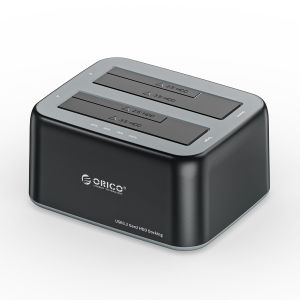
ORICO HDD Enclosure 3.5" SATA to Type-C 10Gbps Hard Disk Docking Station Support UASP 12V3A Power Adapter for HDD/SSD(Y20 SSD)
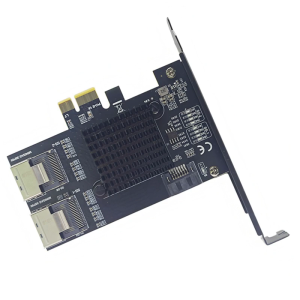
PCIE X1 SATA3.0 9 Port SATA3.0 Expansion PCIE to 2 Port SFF-8087 6Gbps Controller for Desktop PC Accessories
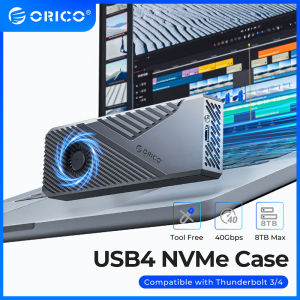
ORICO 7000MB/S M.2 NVME Enclosure: A Comprehensive Guide
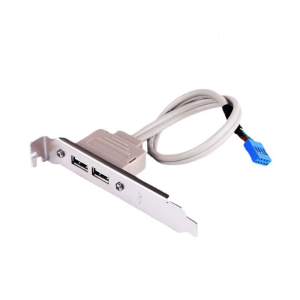
USB 2.0 Dual Port PCI Bracket Cable with Built-In 9-Pin Header USB 2.0 Motherboard Extension Cable for Computer for Case
Travel Case for Mini 2024 Shockproof Protective Storage Box Shock Absorbing Organization with Keyboard Compartment
Super 2TB Toshiba USB 3.2 Flash Drive: High-Speed Transfer USB3.2 Type-c Interface