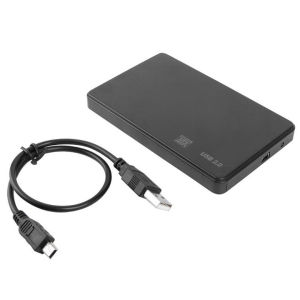
New USB 3.0/2.0 HDD Enclosure 2.5 inch SATA SSD Hard Drive Case Support 6TB
New USB 3.0/2.0 HDD Enclosure 2.5 inch SATA SSD Hard Drive Case Support 6TB
What is a Durable HDD Enclosure?
A durable HDD enclosure is a protective casing designed to house hard disk drives (HDDs) and solid-state drives (SSDs). These enclosures provide a compact solution for storing data while ensuring that the drives remain safe and secure. In this article, we will explore the benefits of a durable HDD enclosure, its key features, and how to choose the right one for your needs.
Understanding the Benefits of a Durable HDD Enclosure
Durable HDD enclosures offer several advantages over traditional storage methods. They provide a compact and portable solution for storing large amounts of data, making them ideal for both personal and professional use. Additionally, these enclosures offer enhanced protection against physical damage, dust, and moisture, ensuring that your data remains safe and secure.
Key Features of a Durable HDD Enclosure
Key features of a durable HDD enclosure include:
- Compact design
- Supports up to 6TB storage
- USB 3.0/2.0 compatibility
- 2.5 inch SATA SSD hard drive case
- Durable construction
How to Choose the Right HDD Enclosure
Selecting the right HDD enclosure can be a daunting task, given the wide range of options available in the market. Here are some factors to consider when selecting a HDD enclosure:
Factors to Consider When Selecting a HDD Enclosure
- Storage capacity: Choose an enclosure that supports the storage capacity you require.
- Compatibility: Ensure that the enclosure is compatible with your hard drive and computer.
- Durability: Look for enclosures made from durable materials to ensure long-lasting protection.
- Portability: If you plan to transport your drives frequently, choose an enclosure that is lightweight and compact.
Comparing HDD Enclosures: Features & Performance
When comparing HDD enclosures, consider their features and performance. Look for enclosures that offer fast data transfer speeds, reliable connectivity, and robust construction. Additionally, read reviews and compare prices to find the best value for your needs.
How to Install a HDD Enclosure
Installing a HDD enclosure is a straightforward process that can be completed in just a few simple steps. Here's a step-by-step guide to installing a HDD enclosure:
Step-by-Step Guide to Installing a HDD Enclosure
- Connect the power cable to the hard drive and plug it into a power outlet.
- Insert the hard drive into the enclosure, making sure to align the pins correctly.
- Secure the hard drive in place by tightening the screws or using the clamps provided.
- Connect the USB cable to the enclosure and plug it into your computer.
- Wait for your computer to recognize the hard drive.
Troubleshooting Common Issues with HDD Enclosures
If you encounter any issues while installing or using your HDD enclosure, here are some troubleshooting tips:
- Ensure that the hard drive is properly connected to the enclosure.
- Check that the USB cable is securely connected to both the enclosure and your computer.
- Try connecting the enclosure to a different USB port on your computer.
- Make sure that your computer has the necessary drivers installed to recognize the hard drive.
How to Maximize Your HDD Enclosure's Performance
To get the most out of your HDD enclosure, follow these tips for optimizing its performance:
Tips for Optimizing HDD Enclosure Performance
- Use a high-quality USB cable to ensure fast data transfer speeds.
- Keep the enclosure clean and free from dust to prevent overheating.
- Store the enclosure in a cool, dry place to extend its lifespan.
- Regularly check the hard drive for errors and perform maintenance tasks as needed.
Best Practices for Maintaining HDD Enclosures
Maintaining your HDD enclosure is essential to ensure its longevity and optimal performance. Here are some best practices for maintaining HDD enclosures:
- Handle the enclosure with care to avoid dropping or damaging it.
- Avoid exposing the enclosure to extreme temperatures or humidity.
- Store the enclosure in a safe place when not in use.
- Regularly check the hard drive for errors and perform maintenance tasks as needed.
Conclusion: Why Choose a Durable HDD Enclosure?
A durable HDD enclosure is an excellent choice for anyone looking for a compact and portable solution for storing large amounts of data. With its robust construction, fast data transfer speeds, and reliable connectivity, a durable HDD enclosure offers a convenient and secure way to store and transport your data. Whether you're a professional photographer, videographer, or simply someone who needs to store large amounts of data, a durable HDD enclosure is a must-have accessory for any computer user.

MOSTIN Household Supplies
You May Also Like
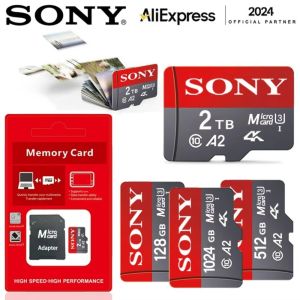
♥100%Original Product+FREE Shipping♥Sony Memory card Class10 TF 8GB 16GB 64GB 128GB 256GB 512GB 1TB 2TB Micro SD Flash Card
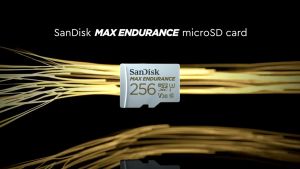
SanDisk Max Endurance Micro SD: A High-Endurance Solution for CCTV & Dashcams
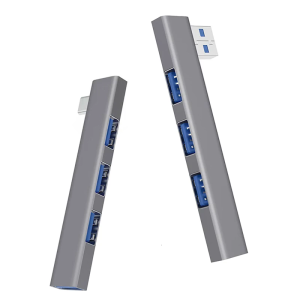
Aluminum Alloy Right Angle USB Hubs 4 Port USB3.0 Type C and USB2.0 Port Spaces Saving Desktop Organization Plugs and Play
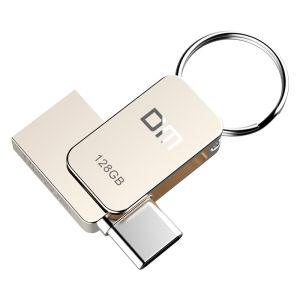
DM PD059 32GB 64G USB-C Type-C OTG USB 3.0 Flash Drive Pen Drive Smart Phone Memory MINI Usb Stick

Samsung USB Flash Drive: A Comprehensive Guide

USB FLASHDRIVE with Downloaded Song/Music Collection MP3 320kbps Quality | Arranged and Packed
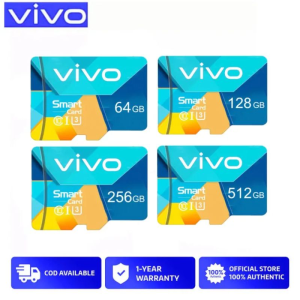
Vivo High Speed Memory Micro SD Card XC Microsd Mobile TF Card C10/512GB/256GB/128GB
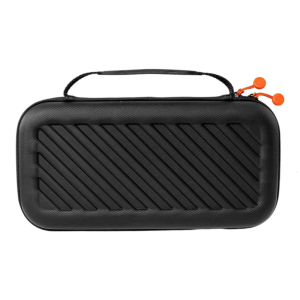
Travel Case for Mini 2024 Shockproof Protective Storage Box Shock Absorbing Organization with Keyboard Compartment

80s Non-Stop Music Videos Remix with 380 plus music titles in 32GB USB Flash Drive with a complimentary gifts
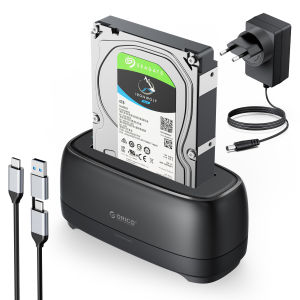
ORICO SATA USB3.0 Type C Hard Disk Docking Station for 2.5" 3.5" SSD Hard Disk Case 5Gbps Speed HDD Docking Station Hard Drive Enclosure

Move Speed A1 U1 16GB Micro SD Card 100M/s16gb Memory card For CCTV camera WiFi