Kingston Fury Impact DDR4 RAM: A Comprehensive Guide
Kingston Fury Impact DDR4 RAM: A Comprehensive Guide
What is Kingston Fury Impact DDR4 RAM?
Kingston Fury Impact DDR4 RAM is a top-tier memory solution designed specifically for laptops and notebooks. This RAM offers high-speed performance, reliability, and compatibility with various devices. It comes in different capacities - 16GB, 8GB, and 4GB - and supports multiple speeds, including 2400MHz, 2666MHz, and 3200MHz CL16.
Key Features
- High-speed performance: 2400/2666/3200MHz CL16
- Low voltage operation: 1.2v
- SODIMM form factor: 260PIN
- Compatible with most laptops and notebooks
Benefits of Using Kingston Fury Impact DDR4 RAM
Upgrading your laptop with Kingston Fury Impact DDR4 RAM offers numerous benefits, including improved multitasking capabilities, faster boot times, and enhanced overall system performance. Low voltage operation ensures energy efficiency, while the SODIMM form factor guarantees compatibility with most laptops and notebooks.
How to Choose the Right Kingston Fury Impact DDR4 RAM
When selecting the perfect Kingston Fury Impact DDR4 RAM for your laptop, consider the following factors:
Understanding Memory Capacity: 16GB, 8GB, and 4GB Options
Selecting the right memory capacity depends on your usage requirements. For general browsing, email, and light applications, 4GB or 8GB might suffice. However, if you frequently run resource-intensive programs, such as video editing software or gaming, 16GB is recommended.
Selecting the Right Speed: 2400/2666/3200MHz CL16
The speed of Kingston Fury Impact DDR4 RAM plays a crucial role in determining overall system performance. Faster speeds result in quicker data transfer rates, leading to improved multitasking capabilities and faster boot times. Consider your laptop's specifications and intended usage before choosing the appropriate speed.
Low Voltage RAM: Why 1.2v Matters
Low voltage operation reduces power consumption, resulting in increased energy efficiency and potentially extending battery life. Kingston Fury Impact DDR4 RAM operates at 1.2v, making it an ideal choice for laptops and notebooks.
How to Install Kingston Fury Impact DDR4 RAM
Installing Kingston Fury Impact DDR4 RAM in your laptop is a straightforward process. Follow these steps to ensure a successful installation:
Preparing Your Laptop for Installation
Before installing new RAM, ensure your laptop is powered off and unplugged from any power source. Ground yourself by touching a metal object to avoid static electricity damage.
Installing the RAM: Step-by-Step Guide
- Locate the RAM slots on your laptop's motherboard, usually found under a small panel on the bottom of the device.
- Gently remove the existing RAM module by pressing down on the retention clips on either side of the slot.
- Align the Kingston Fury Impact DDR4 RAM module with the slot, ensuring the notch on the module matches the slot.
- Press down firmly until the retention clips snap into place.
- Replace the panel and power on your laptop.
Verifying Installation and Performance
After installation, verify that your laptop recognizes the new RAM by checking system specifications through the operating system settings. To ensure optimal performance, consider running a memory test using tools like MemTest86 or Windows Memory Diagnostic.
Kingston Fury Impact DDR4 RAM: Compatibility & Support
Supported Laptops & Notebooks
Kingston Fury Impact DDR4 RAM is compatible with most laptops and notebooks that support DDR4 SODIMM modules. Check your laptop's specifications to confirm compatibility before purchasing.
Troubleshooting Common Issues
If you encounter issues during installation or after upgrading your RAM, consult Kingston's troubleshooting guide or reach out to their support team for assistance.
Contacting Kingston Support
For further assistance or support, contact Kingston's customer service at 1-800-KINGSTON (1-800-546-4786) or visit their website at www.kingston.com.

Best RAM Mall

Review
You May Also Like
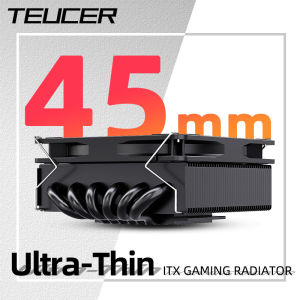
Teucer UT 45MM CPU Cooler ITX Small Ultra-Thin Air Cooling Radiator for Intel LGA 1150/1200 1700 2011-v3 AM4 AM5 FM1/2
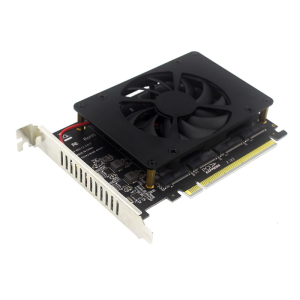
for M.2 PCIe 4.0 X16 Expansion Supports 4 NVMe for M.2 (2230-2280) 4x32Gbps for for AM4 Socket and for Intel VROC N
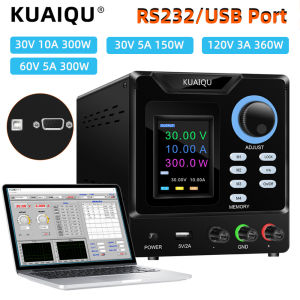
Kuaiqu Adjustable DC Power Supply with RS-232 interface 30V 10A Lab Programmable Memory Function Bench Power Supply 60V 5A Voltage Regulator Switch 120V 3A
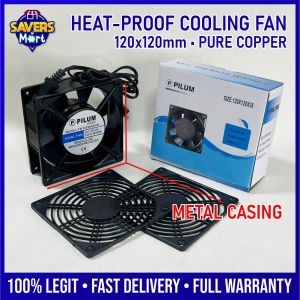
120x120mm Cooling Fan Ready to Use Metal Casing / Pure Copper Inside / Heat-proof / Complete Set
Rantoper 14inch Dual Screens Portable Monitor: The Ultimate Gaming Companion
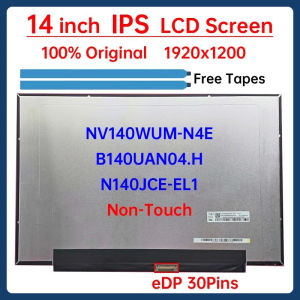
14 Inch Laptop LCD Screen NV140WUM N4E NV140WUM-N4E B140UAN04.H N140JCE-EL1 Display Matrix Panel 1920x1200 eDP 30 Pins Non-Touch
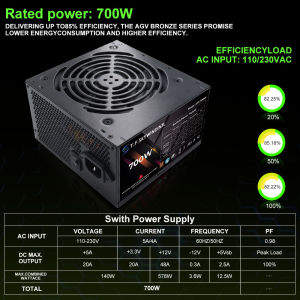
T.F.SKYWINDINTL 700W PC PSU Power Supply Unit Black Gaming Quiet 120mm Fan 110V 220V ATX Desktop Computer Power Supply For BTC

NICE-POWER SPS-E305: A High-Quality EU Plug DC Power Supply
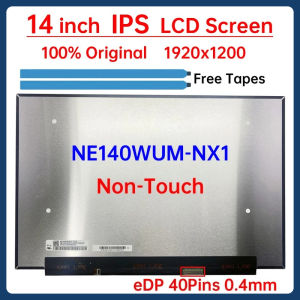
14 Inch IPS Laptop LCD Screen NE140WUM NX1 NE140WUM-NX1 V18.0 Display Matrix Panel Replacement 1920x1200 eDP 40 Pins
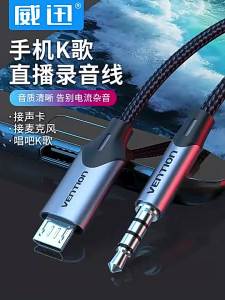
Vention Live Streaming Cable Micro Usb To 3.5mm V8 Sound Card Singing Bar Recording Microphone For Karaoke Tiktok
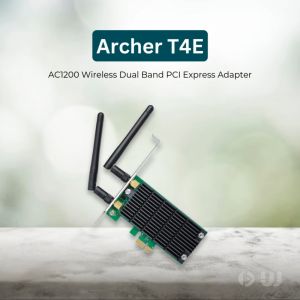
TP-Link Archer T4E AC1200 Wireless Dual Band PCI Express Adapter: An Overview