Baseus USB C HUB 9 in 1 USB 3.0 Type C Multi HUB for Macbook Pro Air Surface Pro 7 USB Ethernet Network HUB Dock Station Splitter
Baseus USB C HUB 9 in 1 USB 3.0 Type C Multi HUB for Macbook Pro Air Surface Pro 7 USB Ethernet Network HUB Dock Station Splitter
Introduction to Baseus USB C HUB 9 in 1
The Baseus USB C HUB 9 in 1 is a versatile accessory designed to expand the connectivity options of your devices, including Macbook Pro Air and Surface Pro 7. This multi-functional hub supports various connections, making it an ideal choice for enhancing productivity and efficiency.
Key Features & Benefits
- Compact Design: The Baseus USB C HUB 9 in 1 has a compact design that makes it easy to carry around.
- High-speed Data Transfer: With support for USB 3.0, data transfer rates are significantly faster than older USB versions.
- Versatile Connectivity: The hub supports multiple connection types, including USB-A, USB-C, HDMI, and Ethernet.
- Compatibility: The Baseus USB C HUB 9 in 1 is compatible with a wide range of devices, including Macbooks, Surface Pros, and other laptops equipped with USB-C ports.
Compatibility with Devices
The Baseus USB C HUB 9 in 1 is compatible with Macbook Pro Air, Surface Pro 7, and other devices equipped with USB-C ports. It allows users to connect multiple peripherals simultaneously, streamlining their workflow and increasing productivity.
How to Use Baseus USB C HUB 9 in 1
Using the Baseus USB C HUB 9 in 1 is simple and straightforward. Follow these steps to set up your USB Ethernet network hub and connect devices with the Surface Pro 7 splitter.
Setting Up Your USB Ethernet Network HUB
- Connect the Baseus USB C HUB 9 in 1 to your device using the provided USB-C cable.
- Connect your Ethernet cable to the hub.
- Power on your device, and the connection will be established automatically.
Connecting Devices with Surface Pro 7 Splitter
- Connect the Baseus USB C HUB 9 in 1 to your Surface Pro 7 using the provided USB-C cable.
- Connect your desired peripherals to the hub, such as USB-A devices, HDMI displays, or SD cards.
- Power on your Surface Pro 7, and the connection will be established automatically.
Troubleshooting Common Issues
If you encounter any issues while using the Baseus USB C HUB 9 in 1, refer to these troubleshooting tips to resolve common problems.
Identifying Connection Problems
- Check Connections: Ensure that all cables and devices are securely connected to the hub.
- Restart Devices: Restart your device and the hub to refresh the connection.
- Update Drivers: Update your device drivers to ensure compatibility with the hub.
Resolving Compatibility Concerns
- Check Device Compatibility: Verify that your device is compatible with the Baseus USB C HUB 9 in 1.
- Check Hub Compatibility: Verify that the hub supports the desired peripheral connections.
- Use Compatible Cables: Use compatible cables to connect your devices to the hub.
Enhancing Productivity with Baseus USB C HUB 9 in 1
The Baseus USB C HUB 9 in 1 can significantly boost productivity by enabling users to connect multiple peripherals simultaneously, streamlining their workflow and increasing efficiency.
Boosting Efficiency with Macbook Pro Air Dock Station
By using the Baseus USB C HUB 9 in 1 as a dock station for your Macbook Pro Air, you can connect multiple peripherals, such as USB-A devices, HDMI displays, and SD cards, to enhance your productivity.
Maximizing Performance with USB 3.0 Type C Multi HUB
The Baseus USB C HUB 9 in 1 supports USB 3.0, which allows for high-speed data transfer rates, making it an ideal choice for maximizing performance in various applications, such as video editing, gaming, and more.

BASEUS Digital store
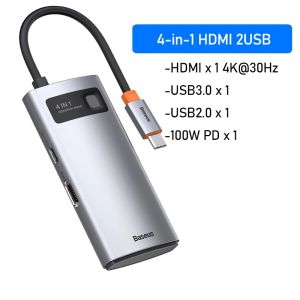
You May Also Like
VIVO V50 LITE / V40 LITE Tempered Glass FULL Glue Screen Protector
5 Pcs 15cm 20cm Plastic Ruler Straight Ruler Primary School Ruler Set Clear Ruler School Office Supplies for Students

Infinix GT 30 pro Tempered Glass Screen Protector Full Cover No Border Regular Film Wear Resistant Anti Fall Explosion Proof
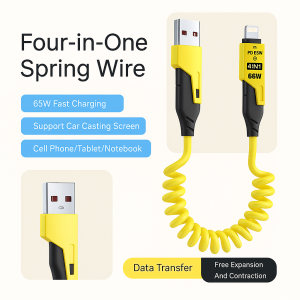
4 In1Car Charging Cable Multifunction 16 Retractable Spring Data Cable Telescopic Super Fast Charger Cord Charging
RBP three-fold 2-in-1 painted cute painted cartoon iPad case for iPad Pro 11 12.9 inch 2024 2020 2021 2022 Air 4 Air 5 10.9 Air 6 13 inch m2 iPad 10.2 7th 8th 9th gen mini 6 8.3 anti-bending no pen slot double-sided clip leather rotatable split case
TPU Shockproof Cover & Redmi Note 12 Cases: Aesthetic & Protective Phone Casing
400m Wireless Transmission System Video Transmitter and Receiver HDMI Extender with LCD Screen for Battery Camera Live Streaming

High Stretchy Elastic Water Dispenser Cover Dustproof Upper Opening Bucket Sleeve Reusable Household Barrel Dust Cover

【MPJow】 Y2K Fashion Snowflake Pendant Keychain Sweet Girly Keyring Phone Lanyard Car Key Holder For Girls Bag Charms Gift
【E-WOITD】 29V 2A AC DC Power Adapter Supply For Recliner Sofa Chair Charger Switching Transformer For OKIN LIKE Limoss Overload Protection
Tablet Keyboard Case For Samsung Galaxy Tab S6 Lite 10.4inch A8 10.5inch S7 S8 S9 11inch S9 FE 10.9inch S10 FE S7 Plus S7 FE S8 Plus S9 Plus S9 FE+ S10 Plus 12.4inch Magnetic Protective Cover