Christmas Gift Idea: Waste Ink Maintenance Tank Chip Resetter for Epson L6168 & More
Christmas Gift Idea: Waste Ink Maintenance Tank Chip Resetter for Epson L6168 & More
What is a Waste Ink Maintenance Tank Chip Resetter?
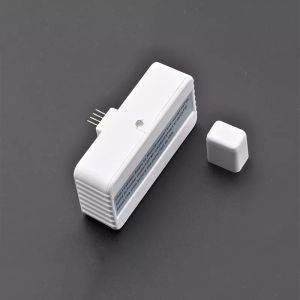
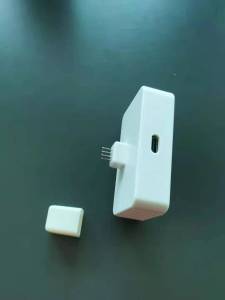
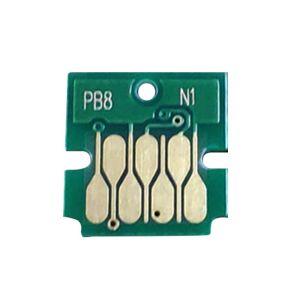
A waste ink maintenance tank chip resetter is a device designed to reset the ink usage count on your printer's maintenance tank chip, effectively extending the life of your printer. This device is compatible with various Epson printer models, including the L6168, L6178, L6198, L6170, L6190, L6191, and L6171. It features a one-piece cartridge design, making it easy to install and maintain.
Compatible Brands & Printer Models
The waste ink maintenance tank chip resetter is compatible with Epson printers, specifically the following models:
- L6168
- L6178
- L6198
- L6170
- L6190
- L6191
- L6171
Key Features & Benefits
The waste ink maintenance tank chip resetter offers several key features and benefits, including:
- Cost-effective solution: By resetting the ink usage count, you can extend the life of your printer and save money on ink replacement costs.
- Easy installation & maintenance: The one-piece cartridge design makes it simple to install and maintain, even for those with limited technical knowledge.
- Quality & reliability: Made by reputable brands like JACA and HYZEYE, this device is built to last and provide reliable performance.
How to Use the Waste Ink Maintenance Tank Chip Resetter
Using the waste ink maintenance tank chip resetter is straightforward. Follow these step-by-step instructions:
- Turn off your printer: Before beginning, make sure your printer is powered off.
- Remove the maintenance tank: Carefully remove the maintenance tank from your printer.
- Insert the chip resetter: Insert the waste ink maintenance tank chip resetter into the maintenance tank's chip slot.
- Wait for the reset process: Allow the reset process to complete, which may take a few minutes.
- Reinsert the maintenance tank: Once the reset process is complete, reinsert the maintenance tank into your printer.
- Power on your printer: Turn your printer back on, and it should recognize the reset maintenance tank.
Troubleshooting Tips
If you encounter any issues while using the waste ink maintenance tank chip resetter, try the following troubleshooting tips:
- Ensure proper installation: Double-check that the chip resetter is properly inserted into the maintenance tank's chip slot.
- Check compatibility: Verify that your printer model is compatible with the waste ink maintenance tank chip resetter.
- Contact customer support: If you continue to experience issues, reach out to the manufacturer's customer support team for assistance.
Why Choose the Waste Ink Maintenance Tank Chip Resetter?
The waste ink maintenance tank chip resetter is a cost-effective solution for extending the life of your Epson printer. With its easy installation and maintenance, you can save money on ink replacement costs and enjoy reliable performance. Plus, the quality and reliability of reputable brands like JACA and HYZEYE make this device a smart investment for any printer owner.
Cost-Effective Solution
By resetting the ink usage count on your printer's maintenance tank chip, you can extend the life of your printer and save money on ink replacement costs. This makes the waste ink maintenance tank chip resetter a cost-effective solution for any Epson printer owner.
Easy Installation & Maintenance
The one-piece cartridge design of the waste ink maintenance tank chip resetter makes it simple to install and maintain, even for those with limited technical knowledge. With just a few steps, you can reset the ink usage count on your printer's maintenance tank chip and enjoy extended printer life.
Quality & Reliability
Made by reputable brands like JACA and HYZEYE, the waste ink maintenance tank chip resetter is built to last and provide reliable performance. Trust in the quality and reliability of this device to extend the life of your Epson printer.
Frequently Asked Questions
Is the Waste Ink Maintenance Tank Chip Resetter Compatible with My Printer?
The waste ink maintenance tank chip resetter is compatible with Epson printer models L6168, L6178, L6198, L6170, L6190, L6191, and L6171. To determine if your printer model is compatible, check the list above or contact the manufacturer's customer support team.
Can I Use the Waste Ink Maintenance Tank Chip Resetter Multiple Times?
Yes, the waste ink maintenance tank chip resetter can be used multiple times to reset the ink usage count on your printer's maintenance tank chip. This makes it a cost-effective solution for extending the life of your Epson printer.
Where Can I Purchase the Waste Ink Maintenance Tank Chip Resetter?
The waste ink maintenance tank chip resetter is available for purchase from reputable online retailers and authorized resellers. To find a retailer near you, visit the manufacturer's website or search for the product online.

Sunny&happy
You May Also Like
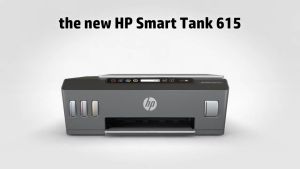
HP Smart Tank 615 Wireless Printer: The Perfect Choice for Students & Home Users
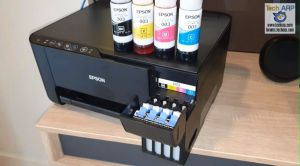
Epson Original 003 Ink Black Cyan Magenta Yellow for L1110/L3110/L3116/L3150/L3156/L5190/L5196/L1210/L3210/L3216/L3250/L3256/L3260/L5290

Kyocera Compatible Toner 500grams
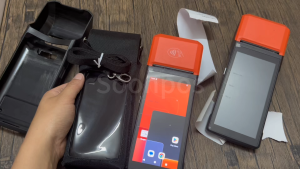
Soonpos Touchable Portable Case With Strap For Handheld Android POS Printer Terminal H10
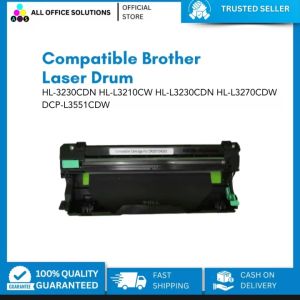
Compatible For Brother laser Drum HL-3230CDN HL-L3210CW HL-L3230CDN HL-L3270CDW DCP-L3551CDW
AOS Compatible Fuji M375z Fixing Film Replacement Sleeve With Grease
ZONESUN Digital Inkjet Printing Machine ZS-HIP254 Multilingual Character QR Barcode Printer Batch Expiry Date Number Logo
12A Q2612A Brand New Compatible Toner Cartridge for F HP Laserjet 1010 1012 1015 1018 1020 1022 3015 3020 3030 3050 3052
Toner Cartridge CE285A: A Comprehensive Guide
264x276mm PEI Magnetic Build Plate Steel Double Sided PEI Spring Steel Sheet Replacement For S1 3D Printer Part Hotbed

Peripage P10 Label Printer: A Portable & Efficient Mini Label Maker