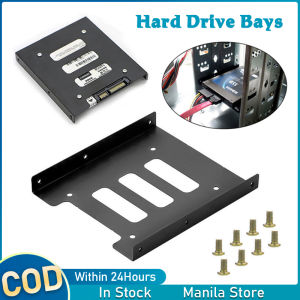
2.5\" To 3.5\" Ssd Hard Disk Drive Bays Holder Metal Hard Drive Bracket Ssd Solid State Disk Tray With Screws For Pc (Black)
2.5" To 3.5" Ssd Hard Disk Drive Bays Holder Metal Hard Drive Bracket Ssd Solid State Disk Tray With Screws For Pc (Black)
What is a 2.5" to 3.5" SSD Hard Disk Drive Bays Holder?
A 2.5" to 3.5" SSD Hard Disk Drive Bays Holder is a versatile mounting bracket designed to securely hold both 2.5-inch and 3.5-inch solid-state drives (SSDs) within a PC tower case. This metal hard drive bracket provides a convenient solution for organizing and securing your SSDs, ensuring optimal performance and reliability. With its universal compatibility and included screws, this bracket makes it easy to mount your SSDs safely and securely.
Features of the 2.5" to 3.5" SSD Hard Disk Drive Bays Holder
Here are some key features of the 2.5" to 3.5" SSD Hard Disk Drive Bays Holder:
- Universal Mounting Bracket: The bracket is designed to fit both 2.5-inch and 3.5-inch SSDs, making it a versatile solution for various storage needs.
- Includes Screws: The package comes with screws to ensure a secure installation of your SSDs.
- Fits Any PC Tower Case: The bracket is compatible with most PC tower cases, providing a convenient solution for organizing and securing your SSDs.
How Does It Work?
The 2.5" to 3.5" SSD Hard Disk Drive Bays Holder works by providing a secure mounting point for your SSDs within your PC tower case. By using the included screws, you can easily install the bracket and secure your SSDs in place. This ensures that your SSDs remain stable and secure, reducing the risk of damage or data loss due to vibrations or movement.
Benefits of Using a 2.5" to 3.5" SSD Hard Disk Drive Bays Holder
Using a 2.5" to 3.5" SSD Hard Disk Drive Bays Holder offers several benefits, including:
- Easy Installation: The bracket is designed for quick and easy installation, making it a convenient solution for organizing and securing your SSDs.
- Compatibility with Different PC Tower Cases: The bracket is compatible with most PC tower cases, ensuring that you can easily install it in your existing setup.
- Durability and Reliability: The metal construction of the bracket ensures that it is durable and reliable, providing long-lasting performance and protection for your SSDs.
How to Choose the Right 2.5" to 3.5" SSD Hard Disk Drive Bays Holder
When choosing a 2.5" to 3.5" SSD Hard Disk Drive Bays Holder, consider the following factors:
- Key Factors to Consider: Look for a bracket that is compatible with your PC tower case, has a sturdy construction, and comes with screws for easy installation.
- Popular Brands and Models: Some popular brands and models include the Lian Li 2.5" to 3.5" SSD Hard Disk Drive Bays Holder and the Fractal Design 2.5" to 3.5" SSD Hard Disk Drive Bays Holder.
How to Install a 2.5" to 3.5" SSD Hard Disk Drive Bays Holder
To install a 2.5" to 3.5" SSD Hard Disk Drive Bays Holder, you will need the following tools:
- Tools Required: A screwdriver and the included screws.
Here is a step-by-step guide to installing the bracket:
- Remove the Side Panel: Start by removing the side panel of your PC tower case.
- Position the Bracket: Position the bracket over the desired location for your SSD.
- Secure the Bracket: Use the included screws to secure the bracket in place.
- Install the SSD: Once the bracket is secured, install your SSD by screwing it into the bracket.
- Replace the Side Panel: Finally, replace the side panel of your PC tower case.
Conclusion
A 2.5" to 3.5" SSD Hard Disk Drive Bays Holder is a versatile mounting bracket that provides a convenient solution for organizing and securing your SSDs within a PC tower case. With its universal compatibility and included screws, this metal hard drive bracket makes it easy to mount your SSDs safely and securely. By following the steps outlined in this guide, you can easily install the bracket and start enjoying the benefits of a well-organized and secure storage setup.

K-K SHOP
Review
You May Also Like
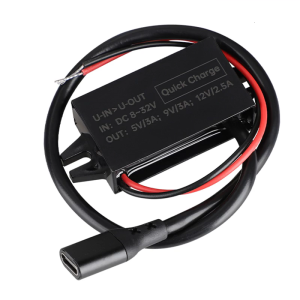
8V-32V to 5V/9V/12V PD 30W Type C Fast Power Module Car Power Converter Waterproof Modified Car Automobiles
GMKtec G10 ADM Ryzen 5 3500U DDR4 3200Mhz NVME Pcie 3.0 MINI PC Portable Mini PC
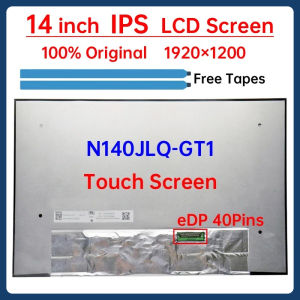
14 Inch Laptop LCD Touch Screen N140JLQ GT1 N140JLQ-GT1 Display Matrix Panel Replacement 1920x1200 100% sRGB 500Nits eDP 40 Pins
Enhanced Cooling Efficiency Heat Sink Engineered Motor Heat Sink Simple Installs for 731 732 733 734 Models
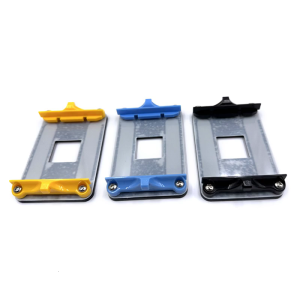
Original AM4 Motherboards Metal Backplate Bracket for Securing AMD4 Coolers Heat Sink Base Clamp
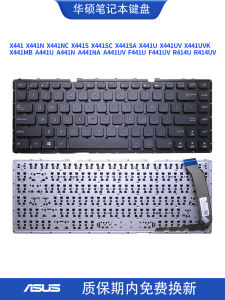
CompuQuest Laptop Keyboard C Shell Compatible with Asus-X441 623612913 Black Blue Brown Gray Pink Yellow Red Color Available
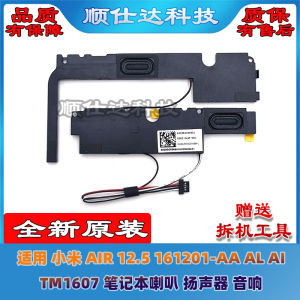
Universal Xiaomi Air 12.5 161201-AA AL AI TM1607 Laptop Speakers Sound System Compatible with Most Laptops Desktop Computers
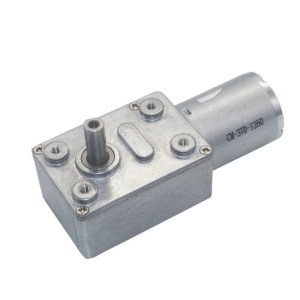
JGY370 2 RPM to 375 RPM High Torque Speed Reducer 6V/12V24V Metal Reversible Low Speed Worm Gear Motor
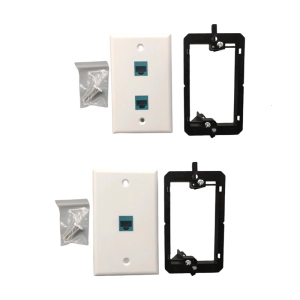
Ethernet Wall Plate Female Pass Through Outlet Panel for Networks Connectors Single/Double Port TV Cable Wall Plate
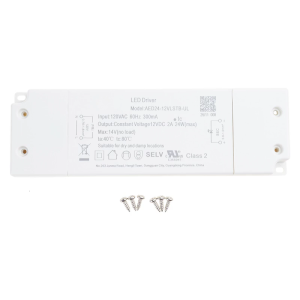
LED Dimmable Driver 12V 24W Dimming LED Power Supply Constant Voltage Adapter LED Driver for Light Bulbs Cabinet Lights
SV08 24V Cooling Fan Double Ball Bearing 30x30x10mm Quiet Fan 15000RPM For Extended Use In 3D Printers And Server Case