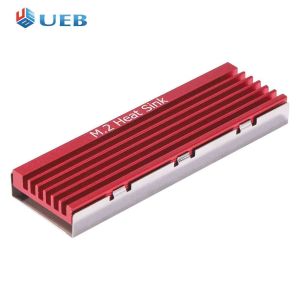
M.2 SSD Heat Sink: NVME NGFF M.2 2280 & Aluminum Heat Dissipation
M.2 SSD Heat Sink: NVME NGFF M.2 2280 & Aluminum Heat Dissipation
What is an M.2 SSD Heat Sink?
An M.2 SSD heat sink is a small cooling device designed to dissipate heat from solid-state drives (SSDs) that use the M.2 form factor. These heat sinks are compatible with NVMe NGFF M.2 2280 SSDs and help maintain optimal operating temperatures by using aluminum heat dissipation technology.
Key Features of M.2 SSD Heat Sinks
- Compatibility: Designed specifically for NVMe NGFF M.2 2280 SSDs
- Material: Made from high-quality aluminum for efficient heat dissipation
- Size: Compact design fits easily within most modern computer cases
- Ease of installation: Simple mounting process ensures quick and hassle-free setup
Why Use an M.2 SSD Heat Sink?
Using an M.2 SSD heat sink offers several benefits:
- Improved performance: By maintaining optimal operating temperatures, heat sinks help ensure your SSD runs at its best
- Increased lifespan: Reducing heat stress on your SSD can extend its overall lifespan
- Enhanced reliability: Cooler operating conditions contribute to better data integrity and reduced risk of failure
Choosing the Right M.2 SSD Heat Sink
When selecting an M.2 SSD heat sink, consider the following factors:
NVME NGFF M.2 2280 Compatibility
Ensure that the heat sink you choose is compatible with your specific NVMe NGFF M.2 2280 SSD. This will guarantee a secure fit and proper heat dissipation.
Aluminum Heat Dissipation Options
Look for heat sinks made from high-quality aluminum, which provides excellent thermal conductivity and ensures efficient heat dissipation.
Installing an M.2 SSD Heat Sink
Installing an M.2 SSD heat sink is a straightforward process. Follow these steps for a successful installation:
Tools & Materials Needed
- Screwdriver
- M.2 SSD heat sink
- M.2 SSD
Step-by-Step Installation Guide
- Power off your computer and unplug it from the power source.
- Open the case and locate the M.2 SSD slot.
- Install the M.2 SSD into the slot according to the manufacturer's instructions.
- Align the heat sink with the M.2 SSD and secure it in place using screws.
- Close the case and reconnect the power source.
- Power on your computer and verify that the SSD is recognized by the system.
Maintaining Your M.2 SSD Heat Sink
To keep your M.2 SSD heat sink functioning optimally, follow these maintenance tips:
Regular Cleaning Tips
- Dust removal: Periodically clean the heat sink and surrounding areas to prevent dust buildup, which can impede airflow and reduce cooling efficiency.
- Inspect connections: Check that the heat sink remains securely attached to the M.2 SSD and that no loose components are present.
Troubleshooting Common Issues
If you experience any issues with your M.2 SSD heat sink, try the following troubleshooting steps:
- Check compatibility: Verify that the heat sink is compatible with your specific NVMe NGFF M.2 2280 SSD.
- Inspect installation: Ensure that the heat sink is properly installed and securely fastened to the M.2 SSD.
- Clean the heat sink: Remove any dust or debris that may be obstructing airflow and hindering heat dissipation.

UEB Official Store
You May Also Like
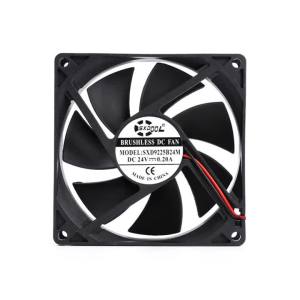
2PCS 24V Dual Ball 92mm cooling fan 90mm 9cm 92x92x25mm 0.20A 3000RPM PC Computer Cooling Fan DC Brushless cooling fan
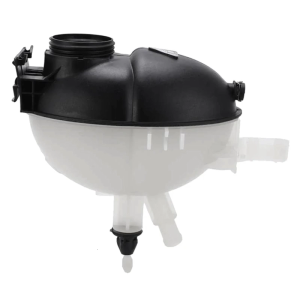
Coolant Expansion Tanks 2045000749 2045000549 2045000049 603-257 for W204 W207 C180 C218 Replacement Expansion Tanks

5.97" Mi 9 SE Display Screen Replacement for Xiaomi Mi 9 SE LCD Display Digital Touch Screen with Frame for Mi9 SE M1903F2G

Computer Set Intel dual core 4th gen 4gb ram 120gb hdd (2.5 upgradable) intel hd graphics 17sq lcd mini speaker ( preloved)

GUDGA Hard Drives: Desktop & Laptop SSD Solutions
800X480/1024X600 50Pin TTL Driver Board LCD Controller Board 800X480/1024X600 Resolution For Industrial Instrument Car Monitoring
Relays Power-on Delay Rotary Knob 0-60 Seconds Timers Timing Time Relays with Base Socket Delay Timers Easy to Use
aiqinhaimaoyi 10Pcs New black PCI slot cover dust filter blanking plate hard steel
12cm High Speed 12V 2.7A Mining Machine Chassis Exhaust Fan 120MM Violent Server Cooling Fan Welding Equipment
Fast Speed ADUM1201 Magnetic Isolation Module Support 2.7-5.5V Voltages and 125Mbps Signal Transfer Replace Optocouplers

JEYI M.2 NVME SSD to PCIE X1 Adapter Card: A Comprehensive Guide