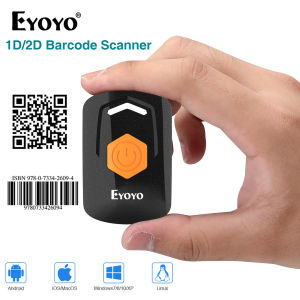
Eyoyo Mini 2D QR 1D Bluetooth Barcode Scanner: A Comprehensive Guide
Eyoyo Mini 2D QR 1D Bluetooth Barcode Scanner: A Comprehensive Guide
What is the Eyoyo Mini 2D QR 1D Bluetooth Barcode Scanner?
The Eyoyo Mini 2D QR 1D Bluetooth Barcode Scanner is a portable, versatile, and efficient barcode scanning device designed to work with various devices, including iPads, iPhones, Android tablets, and PCs. This compact scanner supports multiple connection modes, including Bluetooth, 2.4G wireless, and USB wired connections, making it an excellent choice for businesses and individuals seeking a reliable barcode scanning solution.
Package Contents
The Eyoyo Mini Barcode Scanner comes with a comprehensive package that includes:
- 1x Eyoyo 2D barcode scanner
- 1x USB charging cable
- 1x 2.4G USB dongle
- 1x Manual
Connection Modes
The Eyoyo Mini Barcode Scanner supports three connection modes:
- Bluetooth
- 2.4G wireless
- USB wired connection
These versatile connection options allow users to choose the most convenient method for their specific needs.
How to Use the Eyoyo Mini Barcode Scanner
Using the Eyoyo Mini Barcode Scanner is simple and straightforward. Here's how to connect it to your device using each connection mode:
Bluetooth Connection
To connect the scanner via Bluetooth, follow these steps:
- Ensure your device has Bluetooth enabled.
- Press and hold the power button on the scanner until the LED light turns blue.
- On your device, go to the Bluetooth settings and select the Eyoyo Mini Barcode Scanner from the list of available devices.
- Once connected, you can start scanning barcodes.
2.4G Wireless Connection
To connect the scanner via 2.4G wireless, follow these steps:
- Insert the 2.4G USB dongle into your device's USB port.
- Press and hold the power button on the scanner until the LED light turns green.
- The scanner will automatically connect to the USB dongle.
- Once connected, you can start scanning barcodes.
USB Wired Connection
To connect the scanner via USB wired connection, follow these steps:
- Connect the USB charging cable to the scanner and your device's USB port.
- Press and hold the power button on the scanner until the LED light turns red.
- Once connected, you can start scanning barcodes.
Benefits of Using the Eyoyo Mini Barcode Scanner
The Eyoyo Mini Barcode Scanner offers several advantages over traditional barcode scanners, including:
Improved Efficiency
With its fast scanning speed and easy-to-use interface, the Eyoyo Mini Barcode Scanner helps streamline inventory management, sales tracking, and data entry processes, ultimately boosting productivity and efficiency.
Easy Setup and Operation
Setting up and operating the Eyoyo Mini Barcode Scanner is simple and intuitive, requiring minimal training and setup time. This makes it an ideal choice for businesses and individuals looking for a hassle-free barcode scanning solution.
Compatibility with Multiple Devices
The Eyoyo Mini Barcode Scanner supports multiple connection modes, making it compatible with various devices, including iPads, iPhones, Android tablets, and PCs. This versatility ensures that users can choose the most convenient method for their specific needs.
Conclusion
The Eyoyo Mini 2D QR 1D Bluetooth Barcode Scanner is a versatile and efficient barcode scanning device that offers improved efficiency, easy setup and operation, and compatibility with multiple devices. With its compact design and support for multiple connection modes, it's an excellent choice for businesses and individuals seeking a reliable barcode scanning solution.

Eyoyo Barcode
Review

You May Also Like
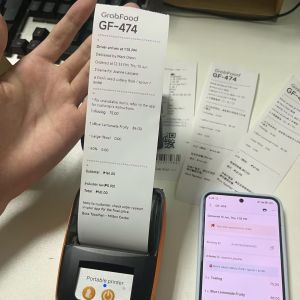
Support Grab Merchant Mini Portable Thermal Handheld 58mm Receipt Printer Maker for Retail Stores Restaurants Factories Logistics Printing POS
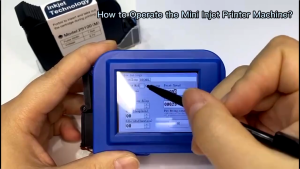
Mini Handheld Inkjet Printer with 12.7mm Nozzle for QR Barcode Batch Date Number Logo Expiry Date Mini Printer Portable with ink
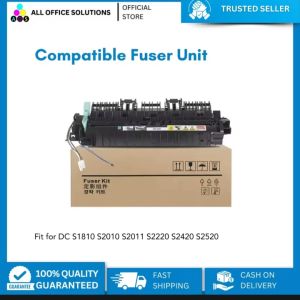
AOS Compatible DocuCentre sS2320 S2520 Copier MFP Fuser Kit
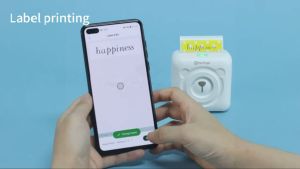
Fantasay E Life Peripage A6 Original Mini Portable Printer: On-the-Go Printing & Impeccable Precision
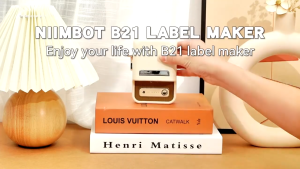
NIIMBOT B21S Bluetooth Thermal Label Printer - Portable Waterproof Sticker Maker for Food Packaging Shipping Retail
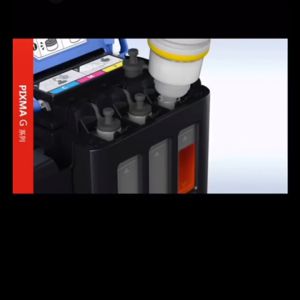
original Canon ink (BOX)set GI 790 / GI790 / GI-790 Black or Color ( Black / Cyan / Magenta / Yellow ) : PIXMA G100 / G1010 / G2000 / G2010 / G3000 / G3010 / G4000 / G4010
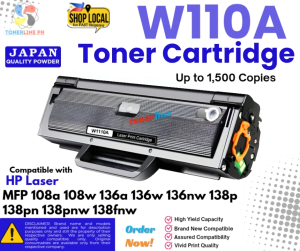
W110A 110A Toner Cartridge Compatible with HP Laser MFP 108a 108w 136a 136w 136nw 138p 138pn 138pn
W1107A toner 107a W1107A Premium Compatible Black Toner Cartridge for HP 107a 107w MFP 135a 135w 137fnw

SaleZone - Waste ink for EPSON Set maintenance box sponge pad with shell/ without Shell
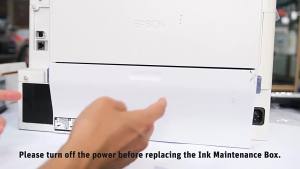
T6711 Maintenance with Chip for EPSON WF3620 WF3640 WF7110 WF7620 WF7610 WF-3520 WF-3540 7610/7620/7621/WF-7710/7720 Printer
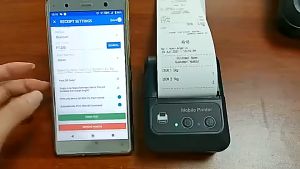
Officom PT280 57mm Thermal Receipt Printer Portable Label Sticker Printer USB/Bluetooth with Gift 5 Rolls Receipt Paper