EYOYO Omnidirectional Hands-Free Barcode Scanner: A Comprehensive Guide
EYOYO Omnidirectional Hands-Free Barcode Scanner: A Comprehensive Guide
Key Features & Benefits
Plug & Play Installation
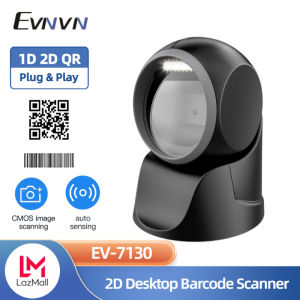
The EYOYO Omnidirectional Hands-Free Barcode Scanner offers a plug-and-play installation experience, eliminating the need to install any drivers or software. Simply connect the scanner to your device using a USB cable, and you're ready to start scanning barcodes and QR codes effortlessly. This feature allows users to save time and effort while maintaining a seamless workflow.
Compatibility with Multiple Systems
This barcode scanner works well with desktops, laptops, and POS systems via USB cable. It is compatible with various operating systems, including Linux, Android, Windows XP, 7, 8, 10, and MACOS. Additionally, it works seamlessly with multiple common software applications such as Word and Excel, providing users with a versatile scanning solution.
Support for Various Barcode Types
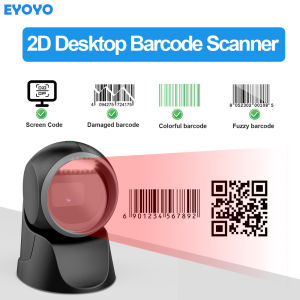
The EYOYO Omnidirectional Hands-Free Barcode Scanner supports scanning both 1D and 2D barcodes from paper and screens. It can easily identify 1D and 2D barcodes on computers and mobile phones, thanks to its super screen code recognition ability. Furthermore, it can scan damaged, distorted, colorful, and reflective barcodes, making it a reliable choice for various industries.
How to Use the EYOYO Barcode Scanner
Connecting the Scanner to Your Device
To connect the EYOYO Omnidirectional Hands-Free Barcode Scanner to your device, simply plug the USB cable into the appropriate port on your device. No drivers or software installation is required, making it easy to set up and start scanning immediately.
Scanning Barcodes & QR Codes
Once connected, aim the scanner at the barcode or QR code you wish to scan. The scanner will automatically detect the barcode or QR code and transmit the data to your device. The trigger sensitivity allows for quick and accurate scans, even when the barcode is close to the scan window.
Troubleshooting Common Issues
If you encounter any issues while using the EYOYO Omnidirectional Hands-Free Barcode Scanner, refer to the user manual for troubleshooting tips. Some common issues may include connectivity problems, incorrect scanning results, or hardware malfunctions. In most cases, these issues can be resolved by following the steps outlined in the user manual.
Applications & Industries
Retail & Supermarket
The EYOYO Omnidirectional Hands-Free Barcode Scanner is ideal for retail and supermarket environments, where quick and accurate scanning of products is essential. Its compatibility with POS systems makes it a valuable addition to any store's inventory management system.
Bookstore & Library
In bookstores and libraries, the EYOYO Omnidirectional Hands-Free Barcode Scanner can help streamline the process of checking out books and managing inventory. Its ability to scan both 1D and 2D barcodes ensures accurate and efficient scanning of book barcodes.
Warehouse Management
For warehouse management, the EYOYO Omnidirectional Hands-Free Barcode Scanner can help optimize inventory tracking and streamline the shipping and receiving processes. Its support for various barcode types, including damaged and distorted barcodes, makes it a reliable choice for warehouse environments.

Eyoyo Barcode
You May Also Like
TK4109 Toner Cartridge Compatible and For use In Taskalfa 1800 2200
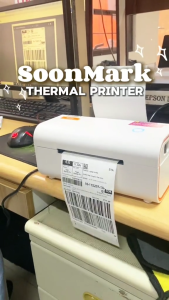
SoonMark M4202 Thermal Printer For THERMAL STICKERS NO INK NEEDED Waybill Shipping Label A6 and More (Windows/Mac OS)

GM803 Series UART USB DC 3.3V Barcode Scanner Reader Module 1D/2D QR Bar Code Reader For Android Arduino

Polymaker LW-PLA Lightweight Pre-Foamed 3D Printer Filament 1.75mm Good for Printing RC Plane High Rigidity & Easy to Paint 1kg
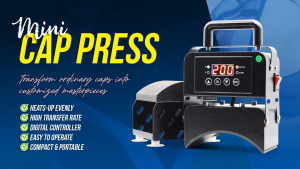
VSPH Mini Cap Press Machine Black Portable Handheld Heat Press for Net Cap Printing
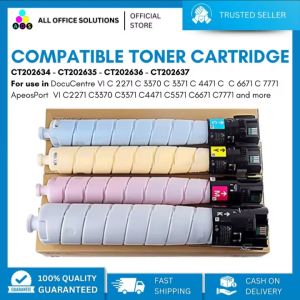
AOS Compatible Fuji Xerox Toner Cartridge CT202634 - CT202637 for ApeosPort-VI DocuCentre-VI C2271 C3370 C3371 C4471 C5571 C6671 C7771
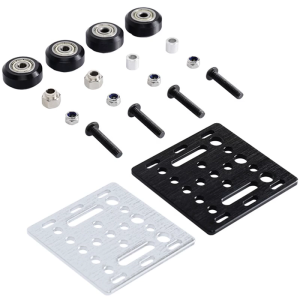
Modulars V Slot Rollers Assembly V Gantry Plate for 2020V slot Aluminum Profile in DIY 3D Printing Automation Projects
PPS 24V 3W Ink Pump Motor – Small and 24V 6.5W Ink Pump Motor – Big (Large Format Printer)
Charger for T80 Handheld Android PDA Scanner charge battery and device together only charger without device and battery
Fargo C50: A Comprehensive Guide to Single-Side PVC Card Printing

All U Want - Eco-Solvent Ink for DX5 DX7 DX11 Printer Head C/M/Y/K (1000ML)