Fargo C50: A Comprehensive Guide to Single-Side PVC Card Printing
Fargo C50: A Comprehensive Guide to Single-Side PVC Card Printing
Introduction to Fargo C50 ID Card Printer
The Fargo C50 ID card printer is a top-of-the-line single-side PVC card printer designed specifically for businesses and organizations in need of high-quality ID cards. With its robust build and user-friendly interface, the Fargo C50 ensures seamless operation and reliable output, making it a popular choice among desktop card printers in the United States.
Overview of the Fargo C50
The Fargo C50 ID card printer is a versatile, direct-to-card printer that supports both colored and monochrome printing. It is capable of producing high-resolution images and crisp text, making it suitable for a wide range of applications, from employee identification cards to membership passes. The Fargo C50 comes equipped with a set of essential accessories, including a colored ribbon, 100 PVC cards pack, USB cable, power cable, power adapter, ID card software, and CD installation.
Key Features of the Fargo C50
Some of the standout features of the Fargo C50 include:
- High-resolution printing capability
- Support for both colored and monochrome printing
- Easy-to-use interface
- Robust build and reliable performance
- Comprehensive set of accessories included
Setting Up Your Fargo C50 ID Card Printer
To get started with your Fargo C50 ID card printer, follow these steps:
Installation Guide
- Unpack the Fargo C50 and all its accessories.
- Connect the USB cable and power adapter to the printer and your computer.
- Install the colored ribbon and PVC cards as per the instructions provided.
- Insert the CD installation disc and follow the on-screen prompts to install the ID card software.
Connecting the USB Cable and Power Adapter
Ensure that the USB cable and power adapter are securely connected to the printer and your computer. This will establish a stable connection and enable smooth operation of the Fargo C50.
Installing the Colored Ribbon & PVC Cards
Carefully install the colored ribbon and PVC cards according to the manufacturer's guidelines. Proper installation will ensure optimal printing quality and minimize the risk of errors during the printing process.
How to Print ID Cards with Fargo C50
Printing ID cards with the Fargo C50 is a straightforward process. Here are the steps to follow:
Printing Colored & Monochrome Cards
Using the ID card software, select the desired card design and customize it according to your needs. Choose the appropriate printing settings, such as resolution and color mode, and then print the card.
Using the ID Card Software
The ID card software included with the Fargo C50 offers a wide range of customization options, allowing you to create unique and professional-looking ID cards. Utilize the software's features to personalize your cards and ensure they meet your organization's requirements.
Tips for Optimal Printing Quality
To achieve the best possible printing results with the Fargo C50, consider the following tips:
- Use high-quality PVC cards and colored ribbons
- Keep the printer clean and well-maintained
- Regularly check and replace worn-out parts
- Follow the manufacturer's guidelines for optimal printing settings
Maintenance and Troubleshooting
Proper maintenance and troubleshooting are crucial for ensuring the longevity and reliability of your Fargo C50 ID card printer. Here are some essential steps to follow:
Cleaning the Printer
Regularly clean the printer to remove any dust or debris that may interfere with the printing process. Use a soft, lint-free cloth and mild cleaning solution to gently wipe down the printer's exterior and interior components.
Replacing the Ribbon & PVC Cards
When the colored ribbon or PVC cards run out, replace them promptly to avoid any interruptions in your printing workflow. Follow the manufacturer's guidelines for proper installation.
Common Issues & Solutions
If you encounter any issues while using the Fargo C50, refer to the troubleshooting guide included with the printer. Some common problems and their solutions include:
- Printer not responding: Check the USB cable and power adapter connections, and ensure that the printer is properly installed.
- Poor print quality: Adjust the printer settings, clean the printer, and replace any worn-out parts as needed.
- Card jams: Carefully remove any jammed cards and check the printer's card feed mechanism.
Conclusion
In conclusion, the Fargo C50 ID card printer is a reliable and versatile single-side PVC card printer that offers high-quality printing capabilities and user-friendly operation. By following the steps outlined in this guide, you can ensure optimal performance and achieve professional-looking ID cards for your organization.
Recap of Key Points
- The Fargo C50 supports both colored and monochrome printing
- Proper setup and maintenance are crucial for optimal performance
- Utilize the included ID card software for customization options
Final Thoughts
The Fargo C50 is an excellent choice for businesses and organizations looking for a high-quality desktop card printer. With its robust build, user-friendly interface, and comprehensive set of accessories, the Fargo C50 is sure to meet your ID card printing needs.

Megakarte Smartcard Corp
Review

You May Also Like

Epson Ribbon Cartridge LQ-310 S015639/S015634
1D Barcode Scanner Wired USB Type Portable for POS P2P Warehouse Logistic
Heat Resistant 3D Printer Nozzle Hardened Steel 0.4 0.6 0.8mm Size Option For Smooth Consistent Printing
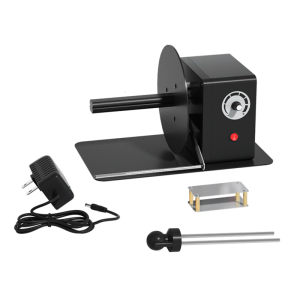
Industrial Label Rewinder Automatic Speed Adjustment 12cm Paper Length Support
HP 55X/CE255X Toner Cartridge Compatible with HP LaserJet P3015 P3016 P3011 P3010 MFP M521 M525
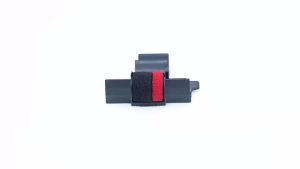
Compatible Calculator Printer Ribbons Ink Roller For Casio For Canon Printing Calculator Cash Regis Black & Red
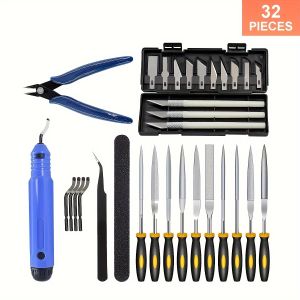
32-Piece 3D Print Tool Kit - Comprehensive Set for Deburbing Cleaning Finishing and Printing - Uncharged Multi-Functional Ac
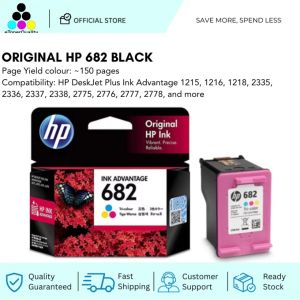
HP 682 Tri-Color Original Ink Advantage Cartridge
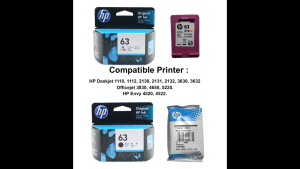
HP 63 100% Original Ink Advantage Cartridge For HP Deskjet 1110 1112 2130 2131 2132 3630 3632. HP Envy 4520 4522. HP Officejet 3830 4650 5220.

+2.0L Heavy Duty Blender - 3-in-1 Juicer Ice Crusher Food Processor - 500W Motor - Philippines.
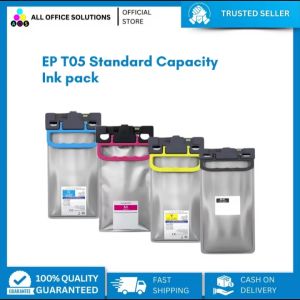
AOS STANDARD CAPACITY INK PACK FOR EPSON T05 C13T05A10N- C13T05A40N for WF-C879R WF-C878R