4K Xiaomi Mini RC Drone: Wide Angle HD 4K Dual Camera & Height Hold WiFi RC Foldable Quadcopter
4K Xiaomi Mini RC Drone: Wide Angle HD 4K Dual Camera & Height Hold WiFi RC Foldable Quadcopter
Introduction
The 4K Xiaomi Mini RC Drone is a compact, foldable quadcopter designed for both indoor and outdoor use. This versatile UAV comes equipped with a wide-angle HD camera, allowing users to capture stunning aerial footage. Perfect for beginners, this drone is easy to assemble and control, making it an excellent gift for kids aged 7-12 and beyond.
Product Overview
The 4K Xiaomi Mini RC Drone features a fixed camera mount and a plastic build, ensuring durability and ease of handling. It supports 1080p FHD and 2K QHD video capture resolutions, providing crisp, clear images. The drone has a remote distance of about 100 meters and operates using a MODE2 controller with 4 channels. It is app-controlled, compatible with Android and iOS devices, and includes Wi-Fi connectivity for seamless operation.
Key Features
- Wide-angle HD camera
- 4K mini RC drone
- Height hold feature
- Dual camera UAV
- Foldable quadcopter design
- 1080p FHD and 2K QHD video capture
- About 100-meter remote distance
- App-controlled operation
- Integrated camera and Wi-Fi connectivity
How to Set Up Your 4K Xiaomi Mini RC Drone
Setting up your 4K Xiaomi Mini RC Drone is a breeze. Follow these steps to get started:
Unboxing & Assembly
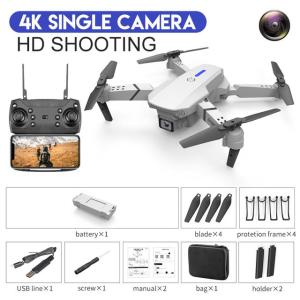
- Open the original box and remove the contents, including the camera, batteries, remote controller, charger, USB cable, and operating instructions.
- Assemble the drone according to the included instructions, ensuring that all components are securely connected.
Charging Batteries & Controller
- Charge the drone's battery using the included charger and USB cable. The charging time is approximately 100 minutes.
- Insert 3 AA batteries (not included) into the remote controller.
Mastering the Controls
To make the most of your 4K Xiaomi Mini RC Drone, familiarize yourself with its controls and basic flight techniques.
Understanding the Remote Controller
The remote controller is designed for MODE2 operation, with 4 channels for precise control. The buttons and joysticks allow you to navigate the drone easily.
Learning Basic Flight Techniques
Start by practicing takeoff and landing, then move on to simple maneuvers like hovering, ascending, descending, and turning. Gradually increase the complexity of your flights as you become more comfortable with the controls.
Capturing Stunning Footage
With its integrated camera and Wi-Fi connectivity, the 4K Xiaomi Mini RC Drone makes it easy to capture breathtaking aerial footage.
Using Integrated Camera & WiFi
Connect your smartphone or tablet to the drone's Wi-Fi network and use the app to control the camera and view live video feed. You can capture photos and videos directly from your device.
Tips for Aerial Photography
- Start with clear skies and good lighting conditions.
- Practice flying at different altitudes and angles to find the best perspectives.
- Experiment with the drone's height hold feature to maintain consistent altitude during filming.
Frequently Asked Questions
Warranty & Support
The 4K Xiaomi Mini RC Drone comes with a 30-day warranty. For any issues or concerns, please contact the manufacturer's customer support team.
Troubleshooting Common Issues
If you experience any problems with your drone, refer to the troubleshooting guide in the operating instructions. If the issue persists, don't hesitate to reach out to the manufacturer's customer support team for assistance.

PGYTECH STORE
You May Also Like
Suke A9 WiFi Mini Camera: A Comprehensive Guide
🔥COD🔥Hidden Camera Spy Camera A9 cctv camera 1080P HD cctv camera connect cellphone no need internet mini camera spy connect phone mini cctv connect to phone hidden camera spy wireless
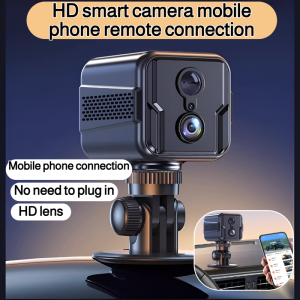
Home Remote Intelligent Surveillance Camera Wireless Infrared Night Vision Monitor 1080P HD Wide Angle Support SIM and WIFI
Viocky High-Definition 8mm Single Lens Industrial Endoscope: A Powerful Tool for Industrial Maintenance & Construction Inspection
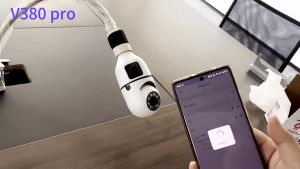
V380 Pro Bulb Dual Lens CCTV Camera: Connect Your Phone & Monitor Your Home
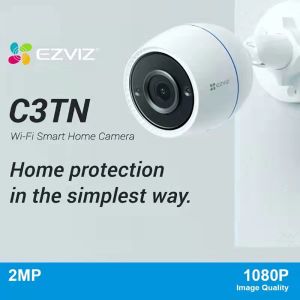
EZVIZ C3TN 3MP/2K Outdoor IP Camera CCTV Home Security Camera With Color Night vision/Two-way talk/IP67 Waterproof/EZVIZ cloud and SD card supported/Home Monitor Wifi IP Camera
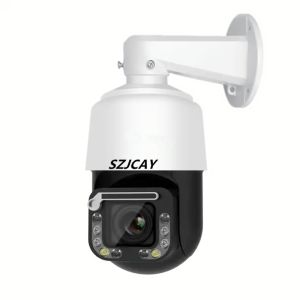
8MP POE Wiper High Speed Dome PTZ Wifi IP Camera Outdoor AI Human Tracking 4K Wireless Camera RTSP 30X Optical Zoom Color Camera
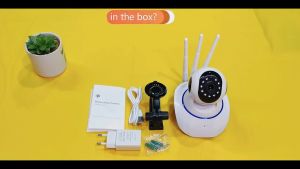
V380 Wireless CCTV 1080p IP Security Camera 2 Way Audio with Night Vision & Motion Detection Security Camera
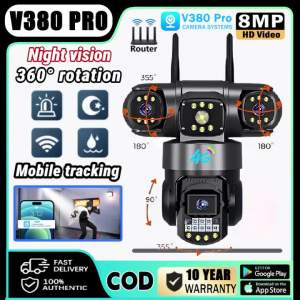
V380 PRO Three Lens CCTV Camera Outdoor No WIFI Needed Waterproof 4G Surveillance HD View Auto Tracking PTZ IP Camera
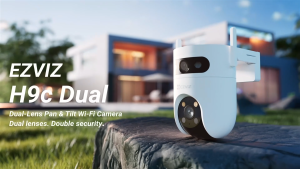
EZVIZ H9c DUAL 2K & 2K Dual-Lens 3MP Pan & Tilt Wi-Fi Camera Weatherproof Outdoor Color Night Vision Ip Security Camera
BNC 50 Ohm Female Socket Replacement for Q9 50KY Pure Copper Solderable Jack Compatible with Oscilloscope Probes & CCTV Cameras