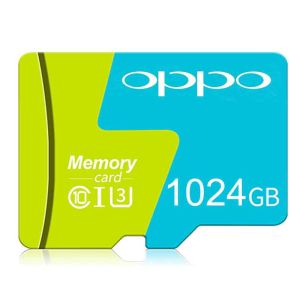
ReadyStock: Free Shipping & COD OPPO Micro SD Cards
ReadyStock: Free Shipping & COD OPPO Micro SD Cards
Micro SDXC memory cards are a popular choice for expanding storage capacity in various electronic devices, including smartphones, cameras, and PDAs. In this article, we will explore the features and benefits of OPPO Micro SD cards, including their compatibility, performance, and ease of use. Additionally, we will discuss how to avail free shipping and cash on delivery (COD) options.
What Are Micro SDXC Memory Cards?
Micro SDXC memory cards are a type of removable storage media designed for use in small electronic devices, such as smartphones, cameras, and PDAs. They offer significant storage capacity, with options ranging from 64GB to 1TB. These cards are backward compatible with all electronic devices that are SD-enabled, making them a versatile storage solution for various applications.
Backward Compatibility
Micro SDXC memory cards are backward compatible with devices that support SDXC or Mini SDXC memory cards. This means that you can use a Micro SDXC card in a device that supports SDXC or Mini SDXC cards by using an appropriate adapter.
Universal Compatibility
OPPO Micro SD cards are universally compatible, meaning they can be used in a wide range of electronic devices, including smartphones, cameras, and PDAs. They are designed to provide optimal speed and performance for microSDXC compatible devices, ensuring that you can store and access your data quickly and efficiently.
How to Use an Adapter
Using an adapter is simple. Simply insert the Micro SDXC memory card into the adapter and then insert the adapter into the device's SD card slot. This allows you to use the Micro SDXC memory card in devices that support SDXC or Mini SDXC cards.
OPPO Micro SD Cards: Key Features & Benefits
OPPO Micro SD cards offer several key features and benefits, including:
- 100% brand new and real capacity
- Optimal speed and performance
- Expand your smartphone or PDA capabilities
100% Brand New & Real Capacity
OPPO Micro SD cards are 100% brand new and offer real capacity, meaning you can trust that the storage space advertised is accurate. Available in various capacities, including 64GB, 128GB, 256GB, 512GB, and 1TB, these cards provide ample storage for your data.
Optimal Speed & Performance
OPPO Micro SD cards are designed to provide optimal speed and performance for microSDXC compatible devices. With a speed performance rating of Class 10 (based on SD 2.00 Specification), these cards ensure that you can store and access your data quickly and efficiently.
Expand Your Smartphone or PDA Capabilities
OPPO Micro SD cards can help expand the storage capacity of your smartphone or PDA, allowing you to store more data, including images, videos, and music. They are extremely lightweight, compact, and durable, making them easy to store and use.
Free Shipping & COD Options
ReadyStock offers free shipping and cash on delivery (COD) options for OPPO Micro SD cards. Here's how to avail these services:
How to Avail Free Shipping
To avail free shipping, simply add the desired OPPO Micro SD card to your cart and proceed to checkout. During the checkout process, select the free shipping option and enter your shipping address. Your order will be shipped to you free of charge.
How to Use Cash On Delivery (COD)
Cash on delivery (COD) is a payment method that allows you to pay for your order in cash upon delivery. To use COD, select the COD option during checkout and enter your shipping address. Upon delivery, the courier will collect payment in cash from you.
How to Purchase & Use OPPO Micro SD Cards
Before purchasing an OPPO Micro SD card, make sure to check the compatibility of your device. Once you have confirmed compatibility, follow these steps to purchase and use your OPPO Micro SD card:
Checking Device Compatibility
Before purchasing an OPPO Micro SD card, ensure that your device supports microSDXC memory cards. Check the device's specifications or consult the manufacturer's website for more information.
Installation & Usage Instructions
To install an OPPO Micro SD card, follow these steps:
- Turn off your device.
- Insert the Micro SD card into the device's SD card slot.
- Power on your device.
- Access the device's settings and enable the Micro SD card.
Once installed, you can use the Micro SD card to store and access your data, including images, videos, and music.
Troubleshooting Common Issues
If you encounter any issues with your OPPO Micro SD card, try the following troubleshooting steps:
- Restart your device
- Check the device's settings to ensure that the Micro SD card is enabled
- Format the Micro SD card
- Contact OPPO support for further assistance

Chai knows
Review

You May Also Like
DriverFree Debugger SWD Simulators USB Type C Plugs and Play for Compatibility

Memory card SAMSUNG Micro SDXC/HC 128GB 256GB 512GB 1TB Class 10 EVO Plus (130MB/s.) memory card
ORICO M.2 NVMe SATA SSD Enclosure Adapter Tool-Free 2 in 1 Cable Type C USB A 3.2 Gen 2 10Gbps NVMe 5Gbps NGFF SATA PCIe For Laptop Mobile
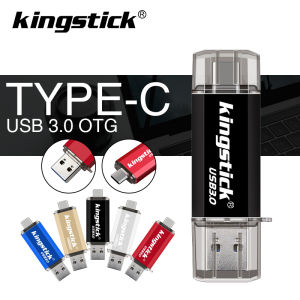
Readystock FREE Shipping+Cod NEW Pendrive 512 256 128 64 32 16 GB USB 3.0 Flash Drive Type C Pen Drive OTG USB Memory Stick for Computer/Phone
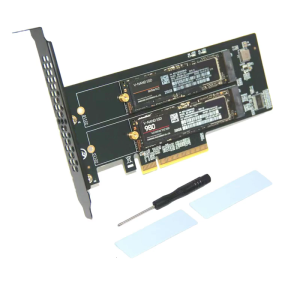
Enhanceds PCIExpress Adapters Supporting 2 Port Two M.2 NVME M Key Drive for 2230 2242 2260 2280 22110 NVME SSDs
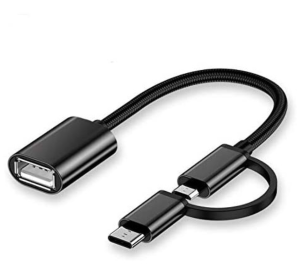
2in1 OTG USB Cable Adapter Micro USB Type C To USB Converter Cable
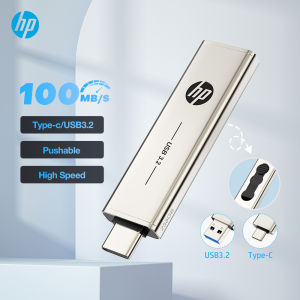
HP Original USB3.2 Type C Two in One Flash Drive 64GB 128GB 256GB for Computer Mobile Phone Dual Use USB Flash Drive
Toshiba Portable External Hard Drive 2.5 Inch USB3.0 1TB/2TB Hard Disk For Laptop/PC With Windows/Android
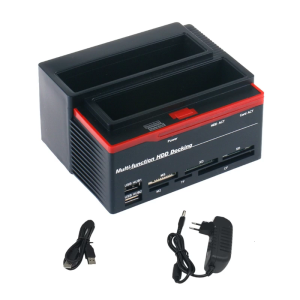
2 Slot Reader and Hard Drive Docking Station for IDE Solid Disk with USB3.0 Connection
Seagate Expansion 1TB/2TB USB 3.0 Portable External Hard Drive Super Speed Storage For Mac and Windows
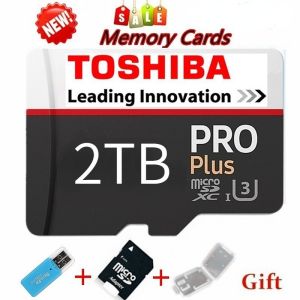
♥100%Original Product+Free Send adapter+card reader♥Original TOSHIBA 2025New Class 10 bestseller high speed USB 256GB 512GB 1TB 2TB drive Micro SD Micro SDHC Micro SD SDHC card 10 UHS-1 TF memory card