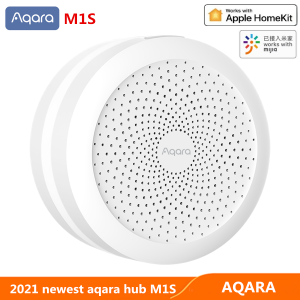
Aqara Smart Home Hub M1S: Zigbee 3.0 WiFi Gateway & LED Light Speaker
Aqara Smart Home Hub M1S: Zigbee 3.0 WiFi Gateway & LED Light Speaker
The Aqara Smart Home Hub M1S is a versatile, compact device that serves as a Zigbee 3.0 WiFi gateway and LED light speaker. It offers seamless integration with both Xiaomi Mi Home and HomeKit ecosystems, making it a perfect addition to any smart home setup. This comprehensive guide will help you understand the features, specifications, and installation process of the Aqara Smart Home Hub M1S.
What is the Aqara Smart Home Hub M1S?
The Aqara Smart Home Hub M1S is a multifunctional smart home device that combines a Zigbee 3.0 WiFi gateway, LED light speaker, and more. This hub supports various protocols, including Zigbee 3.0, Z-Wave, Bluetooth, and WiFi, enabling it to connect and control numerous smart devices from different brands.
Key Features & Specifications
- Zigbee 3.0 WiFi Gateway: Connects and controls Zigbee-based smart devices, ensuring reliable communication and energy efficiency.
- LED Light Speaker: Provides audio feedback and notifications through its built-in LED light speaker.
- Works with Xiaomi Mi Home: Seamlessly integrates with the Xiaomi Mi Home ecosystem, allowing users to control their smart home devices using the Mi Home app.
- HomeKit Compatibility: Supports Apple's HomeKit platform, enabling voice control through Siri.
- Multimode Connection Device: Connects to various protocols, including Zigbee 3.0, Z-Wave, Bluetooth, and WiFi, offering flexibility and compatibility.
Compatibility with Xiaomi Mi Home & HomeKit
The Aqara Smart Home Hub M1S works flawlessly with both Xiaomi Mi Home and HomeKit ecosystems. Users can easily control their smart home devices using the Mi Home app or Apple's Home app, respectively. This dual compatibility ensures a seamless experience for users regardless of their preferred smart home platform.
How to Set Up Your Aqara Smart Home Hub M1S
Setting up the Aqara Smart Home Hub M1S is straightforward and can be completed in a few simple steps.
Connecting to Wi-Fi Network
- Power on the Aqara Smart Home Hub M1S by plugging it into a power outlet.
- Open the Xiaomi Mi Home app and select 'Add Device.'
- Follow the on-screen instructions to connect the hub to your Wi-Fi network.
Pairing with LED Light Speaker
- Press and hold the button on the LED light speaker until it blinks rapidly.
- In the Xiaomi Mi Home app, navigate to 'Devices' and select 'Add Device.'
- Select 'LED Light Speaker' and follow the on-screen instructions to pair it with the hub.
Configuring Zigbee 3.0 Devices
- Power on the Zigbee 3.0 device you wish to add.
- In the Xiaomi Mi Home app, navigate to 'Devices' and select 'Add Device.'
- Select 'Zigbee 3.0 Device' and follow the on-screen instructions to pair it with the hub.
Maximizing the Potential of Your Aqara Smart Home Hub M1S
To get the most out of your Aqara Smart Home Hub M1S, consider implementing these tips and tricks.
Creating Custom Scenes & Automations
- Scenes: Create custom scenes to control multiple devices simultaneously, such as turning off all lights and locking doors when leaving home.
- Automations: Set up automations to trigger specific actions based on certain conditions, like turning on lights when motion is detected.
Integrating with Other Smart Home Devices
The Aqara Smart Home Hub M1S supports integration with various smart home devices from different brands, including Philips Hue, Samsung SmartThings, and more. Explore the possibilities and expand your smart home setup.
Troubleshooting Common Issues
If you encounter any issues while setting up or using the Aqara Smart Home Hub M1S, refer to the user manual or contact customer support for assistance. Some common issues include connectivity problems, device pairing issues, and software updates.
In conclusion, the Aqara Smart Home Hub M1S is a versatile and powerful device that offers seamless integration with both Xiaomi Mi Home and HomeKit ecosystems. With its Zigbee 3.0 WiFi gateway, LED light speaker, and support for various protocols, it's an excellent choice for anyone looking to build a smart home setup.

Milink Technology store
Review
You May Also Like

Washable Double Valve KN-95 3D Face Mask Smart Electric Riding PM2.5 Filter Mask Anti-fog Dust-proof Reusable Recharge intelligent air purifying technology HEPA 99% strong effect Replacement Breathing Cycling Cover Microfiber Full Anti-Dust

YUYIN4 10 x18650 battery storage case box organizer holder white for 18650 batteries
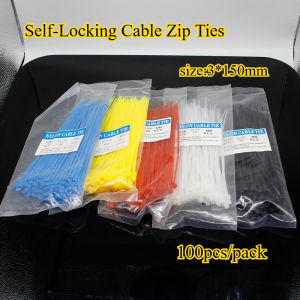
100pcs 3X150MM Self-Locking Nylon Wire color Cable Zip Ties.cable ties Red Blue Yellow White BlACK

BUILDMATE Ingco 20V Lithium-Ion Cordless Impact Drill Gun Driver Screw Set CIDLI200215 / COSLI23023 / CIDLI201452 - ICPT

500A 300A Welding Earth Ground Cable Clamp: Professional Tools for Welding Electrode Holder Grounding Cable Copper Clamp
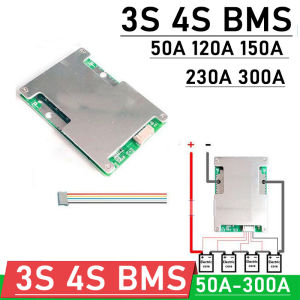
3S 4S BMS 12V 50A 120A 150A 230A 300A 18650 Li-ion LifePo4 Lithium Battery Protection Board W Balance car start RV Inverter
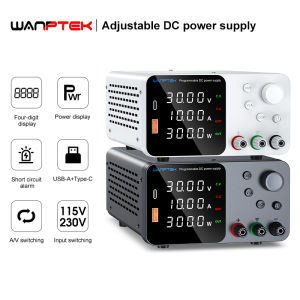
Wanptek Adjustable DC Laboratory Power Supply 30V 10A 60V 5A Encoder Adjustment Voltage Regulator Bench Switching Power Supply

Round Padlock With Key Heavy Duty

30pcs Floor Cleaner Cleaning Sheet Mopping The Floor Wiping Wooden Floor Tiles Toilet

High Quality Faucet Zinc Alloy Cold Tap Wall Kitchen/Washing Machine Faucet

DSPIAE AT-AP Multi Purpose Support Platform For Model Making Assembly Tool Assistance Table For Model Tool DIY Hobby