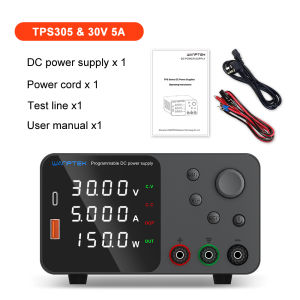
Wanptek Adjustable DC Laboratory Power Supply 30V 10A 60V 5A Encoder Adjustment Voltage Regulator Bench Switching Power Supply
Wanptek Adjustable DC Laboratory Power Supply 30V 10A 60V 5A Encoder Adjustment Voltage Regulator Bench Switching Power Supply
Introduction to Wanptek Adjustable DC Laboratory Power Supply
The Wanptek Adjustable DC Laboratory Power Supply is a versatile and reliable power source designed for various applications, including electronics testing, prototyping, and research. This robust bench power supply offers dual voltage outputs of 30V 10A and 60V 5A, making it an ideal choice for a wide range of electronic devices.
Key Features of the Power Supply
-
Dual Voltage Outputs: The power supply offers two voltage outputs, 30V 10A and 60V 5A, providing flexibility for different applications.
-
Encoder Adjustment: The encoder adjustment feature allows users to precisely set voltage and current levels using a rotary encoder, making it easy to fine-tune settings.
-
Precision Voltage Regulation: The power supply delivers accurate and stable voltage output, ensuring consistent performance for sensitive electronic components.
-
Compact Design & Portability: The compact size and lightweight design make the Wanptek power supply easy to transport and store, ideal for both laboratory and field use.
-
Versatility: The power supply can be used for various applications, including electronics testing, prototyping, and research, making it a valuable tool for professionals and hobbyists alike.
Comparison with Other Power Supplies
When compared to other power supplies, the Wanptek Adjustable DC Laboratory Power Supply stands out due to its dual voltage outputs, encoder adjustment feature, precision voltage regulation, compact design, and versatility. It offers a reliable and flexible power source for various applications, making it an excellent choice for professionals and hobbyists alike.
How to Use the Wanptek Power Supply
Connecting the Power Supply to Your Device
To connect the power supply to your device, follow these steps:
-
Connect the power supply to a stable AC power source using the included power cord.
-
Connect the output cables to the desired voltage output terminals (30V 10A or 60V 5A).
-
Connect the output cables to your device, ensuring proper polarity.
Adjusting Voltage and Current Settings
To adjust the voltage and current settings using the encoder adjustment feature:
-
Turn the rotary encoder to select the desired voltage output (30V 10A or 60V 5A).
-
Press the encoder button to enter the voltage adjustment mode.
-
Use the encoder to adjust the voltage level to the desired setting.
-
Press the encoder button again to exit the voltage adjustment mode.
-
Repeat steps 2-4 to adjust the current level.
Safety Precautions When Using the Power Supply
To ensure safe operation of the power supply:
-
Always use the power supply with proper polarity.
-
Do not exceed the maximum voltage and current ratings.
-
Keep the power supply away from water and other liquids.
-
Do not use damaged or frayed cables.
-
Follow all manufacturer guidelines and warnings.
Benefits of Using the Wanptek Power Supply
Precision Voltage Regulation
The precision voltage regulation feature of the Wanptek power supply ensures accurate and stable voltage output, which is crucial for sensitive electronic components. This feature helps maintain consistent performance and prevents damage to electronic devices.
Compact Design & Portability
The compact design and lightweight nature of the Wanptek power supply make it easy to transport and store, ideal for both laboratory and field use. Its portability allows professionals and hobbyists to work on projects wherever they go.
Versatility for Various Applications
The Wanptek power supply can be used for various applications, including electronics testing, prototyping, and research. Its dual voltage outputs and encoder adjustment feature make it a valuable tool for professionals and hobbyists alike, offering flexibility and reliability.
Troubleshooting Common Issues
Power Supply Not Turning On
If the power supply does not turn on:
-
Ensure that the power cord is properly connected to a stable AC power source.
-
Check for any visible damage to the power cord or power supply.
-
Try connecting the power supply to a different AC outlet.
-
If the issue persists, contact the manufacturer for further assistance.
Incorrect Voltage Output
If the power supply is not delivering the correct voltage output:
-
Verify that the desired voltage output is selected using the rotary encoder.
-
Double-check the voltage setting using a multimeter.
-
If the issue persists, contact the manufacturer for further assistance.
Overheating Issues
If the power supply is overheating:
-
Ensure that the power supply is placed in a well-ventilated area.
-
Check for any visible damage to the power supply.
-
If the issue persists, contact the manufacturer for further assistance.

Yisunder.sun
Review

You May Also Like
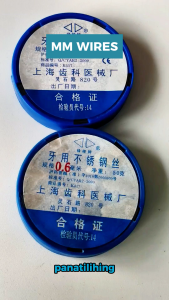
Pinkderby 1 roll Stainless Steel MM Wire 0.5 mm / 0.6 mm

8/4/2Pcs Washbasin Adjustable Suction Cup Hook / Free Punch Wall-Hung Clothes Holder / Bathroom Waterproof Wall Mounted Towel Racks / Strong Vacuum Adsorbed Reusable Bath Racks

DYT Cartoon Animal Door Stopper Windproof Function Silicone Anti Pinch Guard Slamming Prevention Hand Buffer Safety Door Stop Baby Safety

RIDGID 59138 Powerclear Drain Cleaning Machine: A Heavy Duty Solution
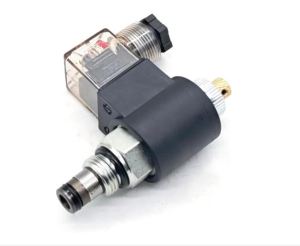
Hydraulic Threaded Cartridge Solenoid Valve 2 Position 2-Way Normally Closed DC12V/DC24V/AC220V for Industrial Use
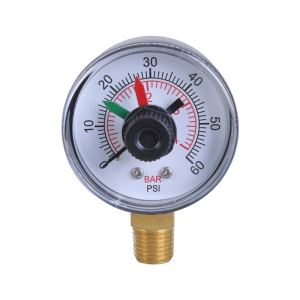
Reliable Precise Pool Pressure Gauge Replacement Part For Long Lasting Use Easy To Read Efficient Filtration Maintenance
High Performances Reusable Sound Blocking Silicone Earplugs for Sleep Studying Traveling Reducing Environmental Noise 2x

Thickened Fleece Toilet Seat Cover Stick-On Toilet Lid Cover All-Season Universal Home Use Toilet Mat Double-Nu Brand

Wearable Nail Art Display Stand Wooden Three Four Layers Nail Art Board Works Style Display Tool with Card Paper
Strong Magnetic Hooks Load Bearing Hook Multipurpose Storage For Home Kitchen Bar Storage Key Hanging Hanger

100pcs Shower Head Cleaning Brush Anti-Clogging Tool Kit for Bathroom/Mobile Phone Holes/Key Gaps