ORICO Mini Extreme Portable SSD: A Comprehensive Guide
ORICO Mini Extreme Portable SSD: A Comprehensive Guide
What is the ORICO Mini Extreme Portable SSD?
The ORICO Mini Extreme Portable SSD is a sleek, lightweight, and highly portable external solid-state drive (SSD) designed to meet the storage needs of tech enthusiasts, professionals, and casual users alike. This compact device offers three capacity options – 250GB, 500GB, and 1TB – to cater to various storage requirements. Equipped with USB 3.1 Gen2 Type C connectivity, the ORICO Mini Extreme Portable SSD delivers blazing-fast transfer speeds of up to 10Gbps, making it perfect for transferring large files, videos, and other data-intensive tasks.
Key Features & Specifications
- Capacity Options: 250GB, 500GB, and 1TB
- Connectivity: USB 3.1 Gen2 Type C
- Transfer Speed: Up to 10Gbps
- Technology: M.2 NVMe SSD
Compatibility & Connectivity
The ORICO Mini Extreme Portable SSD supports USB 3.1 Gen2 Type C connectivity, ensuring compatibility with a wide range of devices, including laptops, desktops, tablets, and smartphones. Its compact design makes it easy to carry around, and its rugged build ensures durability even during travel.
How to Choose the Right Capacity for Your Needs
Selecting the right capacity for your ORICO Mini Extreme Portable SSD depends on your specific storage requirements. Here’s a comparison of the available options:
Comparing 250GB, 500GB, and 1TB Options
- 250GB: Ideal for users who require a compact drive for storing documents, photos, and small files.
- 500GB: Suitable for those who need more storage space for larger files, such as videos, music libraries, and software installations.
- 1TB: Perfect for professionals and power users who demand maximum storage capacity for large datasets, high-resolution videos, and extensive software collections.
Factors to Consider When Selecting a Capacity
When choosing the right capacity for your ORICO Mini Extreme Portable SSD, consider the following factors:
- Storage Requirements: Assess the amount of data you need to store and choose a capacity that can accommodate your needs.
- Budget: Determine how much you’re willing to spend on a portable SSD and select a capacity that fits within your budget.
- Compatibility: Ensure that the chosen capacity is compatible with your device and operating system.
Setting Up Your ORICO Mini Extreme Portable SSD
Setting up your ORICO Mini Extreme Portable SSD is a straightforward process. Follow these steps to get started:
Connecting via USB 3.1 Gen2 Type C
Connect the ORICO Mini Extreme Portable SSD to your device using the provided USB 3.1 Gen2 Type C cable. Ensure that both the drive and the device are powered on.
Initializing Your New Drive
Once connected, your device will automatically detect the ORICO Mini Extreme Portable SSD. Follow the prompts to initialize the drive and format it according to your preferences.
Maximizing Performance with M.2 NVMe Technology
The ORICO Mini Extreme Portable SSD leverages M.2 NVMe technology to deliver exceptional performance and speed. Here’s what you need to know:
Understanding NVMe & Its Benefits
NVMe (Non-Volatile Memory Express) is a protocol designed specifically for accessing solid-state drives (SSDs) over a PCIe interface. It offers several benefits, including faster read and write speeds, lower latency, and improved power efficiency.
Optimizing Transfer Speeds with 10Gbps High-Speed Storage
To maximize the performance of your ORICO Mini Extreme Portable SSD, ensure that your device supports USB 3.1 Gen2 Type C connectivity and has the necessary drivers installed. Additionally, keep your operating system and firmware up-to-date to ensure optimal performance.
Maintaining & Troubleshooting Your ORICO Mini Extreme Portable SSD
To maintain the longevity and performance of your ORICO Mini Extreme Portable SSD, follow these best practices:
Best Practices for Data Protection
- Regularly back up important data to prevent loss.
- Avoid exposing the drive to extreme temperatures or physical shocks.
- Keep the drive clean and free from dust and debris.
Common Issues & Solutions
If you encounter any issues with your ORICO Mini Extreme Portable SSD, refer to the troubleshooting guide provided by the manufacturer. Some common issues include:
- Slow transfer speeds: Ensure that your device supports USB 3.1 Gen2 Type C connectivity and has the necessary drivers installed.
- Drive not recognized: Check the connection and try using a different cable or port.
- Data corruption: Back up important data and seek assistance from the manufacturer if necessary.

OricoCN
Review
You May Also Like
High Performances PCIe5.0 To NVME2.0 Adapter for Video Editing and 3D Modelings Applications Plugs and Play
🚚3 Days Arrive🚚 3.5 inch Hard Disk Drive Case SATA to USB3.0 Adapter External HDD Enclosure
♥FREE Shipping+COD♥ Hp USB flash drive USB2.0 2TB waterproof metal flashdrive
MacOS 13.7.5 Installation Disk for Apple Laptop All-In-One Smart System Universal Original Mac Storage USB Flash Drive
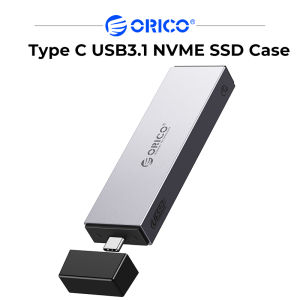
ORICO M2 NVMe SSD Case With Retractable Interface Type C USB3.1 UASP M.2 USB NVME Enclosure Aluminum Hard Drive Disk
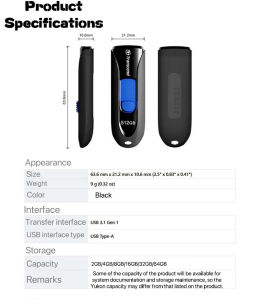
Lucky2 Transcend USB Flash Drive: High-Quality Storage Options
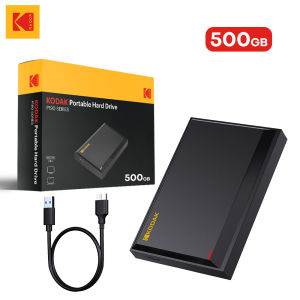
KODAK P190 512GB 2.5 Portable External HDD USB 3.0 5Gbps Gaming Storage Disk Compatible for Laptop Desktop External Hard Drive
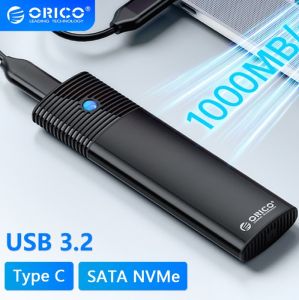
ORICO M.2 NVMe SSD Enclosure: A High-Quality External Storage Solution
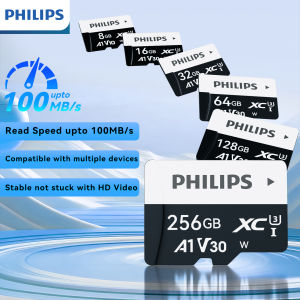
PHILIPS 256GB Mini SD Memory Card High Speed Class 10 Micro TF card 16GB 32GB 64GB 128GB 256GB 512GB for Smartphone
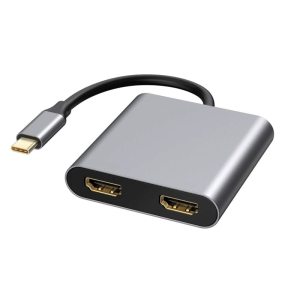
2/4 in 1 USB C Docking Station Two 4K 60Hz 30Hz Adapter with USB3.0 Hubs for Laptop
Universal OTG Adapter 5-in-1 for iPhone iPad Android - iOS to TF/SD Card Reader with Charging Port