


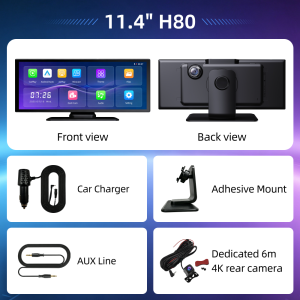
Imagebon 11.4" Car Smart Screen 4K+4K Dash Cam 60FPS Cinematic Image Wireless Carplay & Android Auto Car DVR Video Recorder
The new Imagebon H80, featuring a 4K front camera and a 4K rear camera, is now available. With cinema-quality image clarity and high-speed video recording, it delivers even clearer dashcam footage. The 60 fps high frame rate, combined with CarPlay and Android Auto, provides a smooth, fluid user experience.Q&A1.Why does it get stuck in the "welcome" interface after booting upPlease use our standard car charger(included in the package),Don't use USB cable or other car charger.2.Why does a restart occur after booting up?(1) Please use our standard car charger(included in the package),Don't use USB cable or other car charger.(2) Please use U3 high speed TF card.3. Which rear cameras are compatible with the product?The device is compatible with 2.5mm,4 pin,AHD 1080P Rear Camera.4.How to do the Upgrade?Please contact the vendor directly to obtain the latest firmware.5.Why can't CarPlay connect?Please forget the connected Bluetooth and try to reconnect.(1)If the connection is still unsuccessful, try restarting the phone and the device, wait for 15 seconds, and then restart and try again.(2)If only the pop-up windows "Bluetooth Pairing Request" and "Allow Contacts and Favorites Sync" appear when connecting, but the pop-up window "Use CarPlay with "CarPlay" does not appear, please check whether the phone's "Settings > General > CarPlay" has a connected CarPlay, if yes, delete it and try again.6.Why can't Android Auto connect?(Update the Android Auto program on your phone and turn on wireless connection in the Auto settings)(1) Disconnect the Bluetooth connection of other devices on the phone, ignore the Bluetooth of the device, and try to connect again.(2) Restart the device and try to reconnect the Bluetooth of the phone.(3) Restart the phone and turn off the device for 15 seconds, then try to connect the Bluetooth again.Pls search for "Android Auto" on the phone(If the above methods still cannot connect), select "Settings > Android Auto > Connection Help", and follow the prompts in the connection help to operate. Then restart the device (turn it off for 10 seconds).

Prime Supply_Play Life
Review

You May Also Like
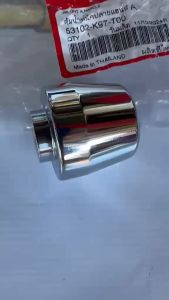
BAR END FOR HONDA PCX 160 | PCX 150 | HONDA GENUINE PARTS | 53102-K97-T00
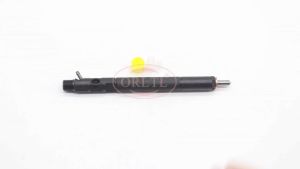
NEW EJBR04701D A6640170222 6640170221 Diesel Engine Injector R04701D 4701D For Euro 3 SSANGYONG KYRON D20DT A6640170021

Universal Tow Strap for RV Portable Waste Tanks Towing Bracket for Portable Waste Transport 15-3/4"Tote Tank Tow Adapter
[ZEST] BYD Atto 3 (2023 - Present) deep dish matting Car Floor Mats TPE Floor Mat Trunk Mat Carpet Waterproof Wear-resist Premium

SEAMETAL Memory Foam Car Headrest Neck Pillow Seat Back Lumbar Support Universal For Office Chair Cushion
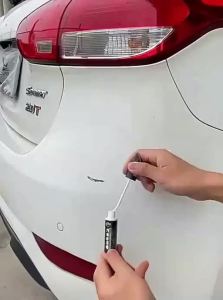
Scratch Repair Hand-shake Paint Pen
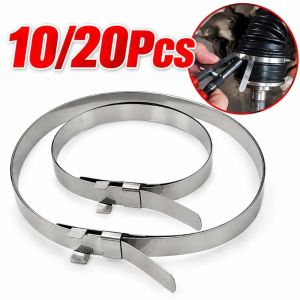
LUMINOU Stainless Steel CV Joint Boot Clamp Kit Double Buckle Adjustable Diameter CV Joint Crimp Clamp Anti Loosening Axle Boot Clamp Kit for Auto CV Joint Repair
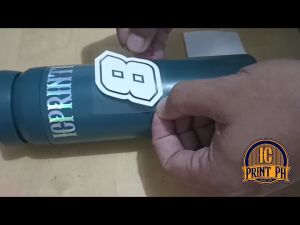
STAY HUMBLE HUSTLE HARD Sticker / Cutout Vinyl Sticker / Decal Waterproof
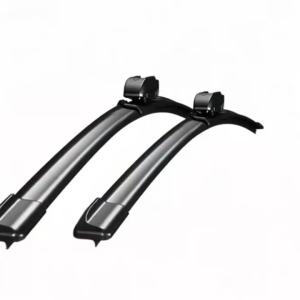
Clear Vision Rain or Shine 2Pcs Front Wiper Blades For Daihatsu Taft LA900 2020-2025 All-Weather Durability Safe Driving
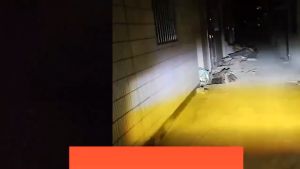
Motorcycle driving light General white + yellow High Quality Waterproof fog protection Driving Spotlight moto mini driving light full set for motorcycle

QUEENBEE Mitsubishi Fuso Fighter 355 Super Great Supergreat 8DC9 FV350 Head Lamp Head Light Assembly