Autel 16 Pin CAN FD Adapter Support CAN FD Protocol For GM Key Programming Work With Autel VCI Car Diagnosis Tool MX808IM MS906S
Features:1. Original Autel Brand Tool2. Support Can FD Protocol3. Cannot Work With AP200 or Maxiflash Pro4. Currently Compatible With All Autel VCI (Autel's MaxiFlash Elite J2534-VCI, Wireless Diagnostic Interface, VCI 100 and VCI Mini).5. Vehicles Supported: Designed to support diagnosis of vehicle models with CAN FD protocol, including the MY2020 for G-M models.6. Prior to Use, Update the VCI with The Latest Firmware.(To update the VCI, use the power supply and plug in the MaxiSYS tablet to electrical outlet. Attach the supplied USB cable to the MaxiSYS tablet. Tap the VCI icon on the Tablet toolbar. Next, tap the VCI firmware version and if an update is available, tap Update for the new version to install. A progress bar will display as the update is installed. Once completed, follow the instructions displayed and reboot the VCI by deteching the USB cable from the VCI and then plug the USB cable back into the VCI. The tabler will then connect to the VCI. A message will display once the VCI update is completed.)Description: The CAN FD Adapter from Autel is designed to connect to compatible vehicle communication interfaces (VCIs) to enable its tablets to communicate via the CAN FD (flexible data-rate) communications protocol and diagnose the vehicle. Vehicles currently using the CAN FD protocol include many General Motors and Ford 2019 and 2020 vehicles. Autel's MX808, MS905, MS906, MS906BT, MS906TS, MS908, MS908S, MS908P, MS908SP, MSELITE, IM508, and IM608 tablets will be able to diagnose CAN-FD equipped vehicles when the adapter is plugged into the VCI directly as in the case of the smaller VCI units or into the OBD-II cable that is connected to the larger VCIs and into the vehicle's OBD-II port.Notice:Can't work togther with AP200

Prime Supply_Play Life

Review

You May Also Like
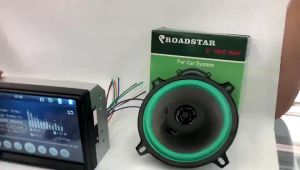
【Ready Stock】160W Car Speaker 2pcs 6 Inch Dual Cone Coaxial Auto Audio Stereo Full Range Frequency Hifi Speakers

For VESPA Sprint Primavera 180 150 CNC Aluminum Ducktail Rear Fairing Tailstock
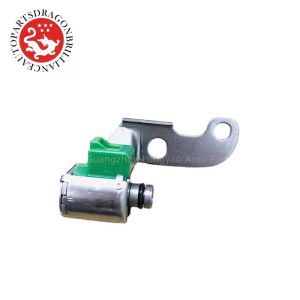
Transmission Solenoid Valve OEM 35250-12030 3525012030 TCS118 TCS51 2N1178 576563 TCS41 Fit Toyota Corolla
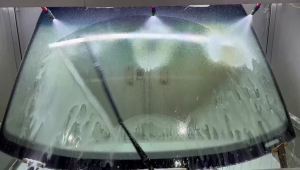
3PCS Front And Rear Windshield Wipers Suitable For Ford Mondeo Mk2 MK3 MK4 2001-2021 Automotive Windshield Accessories 2008 2018
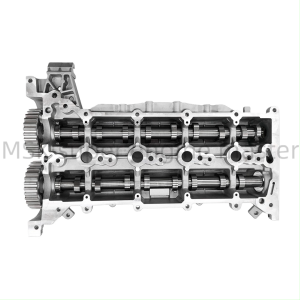
GK2Q-6E262-AG 2648544 for FORD TRANSTI TOURNEO CUSTOM ECOBLUE 2.0 DIESEL ENGINE Diesel Camshaft Kit

MC Universal WHEEL SPACER ALUMINUM PCD: 6x139.7 CB: 110MM T: 25MM M12x1.5 AWF014 Without Hub Centric

TUO29 Cartoon Plush Bear Vehicle Tissue Bag Creative Soft Hanging Tissue Holder Paper Organizer Cute Plush Tissue Box Dispenser Car Interior Accessories

Front Shock Absorber Spring for Xmax300/Forza350

8pcs Panel Removal Tool Kit Auto Car Stereo Radio Pry Tools Door Clip Hard Plastic Panel Dashboard Removal Install Kit
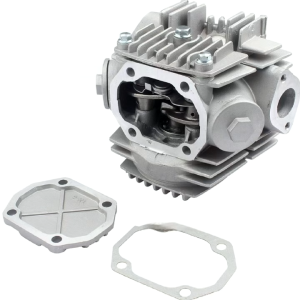
Lifan Rusi Mp100/110 horizontal engine Cylinder Head Assy Standard

TMX 155 Running Tail Light Signal Light Brake Light LED Tail Light Stop Turn Signal