


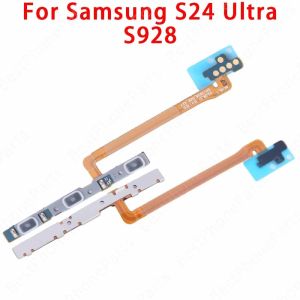
For Samsung Galaxy S22 S23 S24 Ultra FE S22+ S23+ S24+ 5G S901 S711 Side Button Switch Volume Key Power On Off Flex Cable Parts
.product-description {position: ;max-width: 944.0px;overflow: hidden;} .product-description span {max-width: 100.0%;word-break: break-word;} .product-description img {max-width: 100.0%;vertical-align: middle;} .product-description p {margin: 0;line-height: inherit;} .product-description pre {white-space: pre;white-space: pre-wrap;word-wrap: break-word;} .product-description .video-container-detail {justify-content: center;align-items: center;} .product-description div {} .product-description ul {list-style-type: disc;} .product-description ol {list-style-type: decimal;} .product-description ul, .product-description ol {margin-block-start: 1.0em;margin-block-end: 1.0em;margin-inline-start: 0.0px;margin-inline-end: 0.0px;padding-inline-start: 40.0px;} For Samsung Galaxy S22 S23 S24 Ultra FE S22+ S23+ S24+ 5G S901 S711 Side Button Switch Volume Key Power On Off Flex Cable Parts1. 100% Original, All Items Are Tested One By One Before Shipment.2. Fast Shipping Within 24 Hours After your Payment.How to install the mobile phone boot volume cable● Prepare tools: Make sure you have the right tools, such as screwdrivers, tweezers, removal parts, etc., to facilitate the removal of the phone case and Power&Volume Button Flex Cable● Remove the phone case: Depending on the phone model, carefully remove the phone case using the appropriate tools. Be careful not to use too much force to avoid damaging other parts of your phone● Locate the Power&Volume Button Flex Cable: Find the cable connectors for the boot and volume keys on the motherboard. These connectors are usually located on the main circuit board of the phone● Disconnect the cables: Gently unplug the cables from the connectors. Be careful not to pull the cable too hard to avoid damaging the cable or connector● Clean the connector: Use a clean cloth or cotton swab to gently clean the connector to make sure there is no dust or debris affecting the new cable connection ● Install the new cable: Plug the new Power&Volume Button Flex Cable into the original connector, making sure the cable is fully plugged in and not loose● Reassemble the phone: Reassemble the phone's case and other parts in the reverse order in which they were disassembled. Make sure all parts are installed correctly and the enclosure is tightly closed● Test function: Turn on and test whether the phone's power on and volume keys are working properly. If you find a problem, check that the cables are installed correctly or that there is no problem with the connectors● Please note that when performing any phone repair operation, it is important to be patient and make sure you have the appropriate technology and tools. If you're not sure how to proceed with certain steps, it's best to seek the help of a professional to avoid damaging your phone or causing further damage

gaomanzn
Review

You May Also Like
IPega PG-9228 Black Diamond Wireless Bluetooth Controller Telescopic Stand with RGB Colorful Lighting

10pcs 20X79cm Anti-Dust Pm2.5 Universal Filter for Air Purifier Xiaomi Mi

Luxury Silver Shockproof Case for Samsung A55 A56 A26 A36 5G A05 A06 S24 FE A34 A54 A15 A14 A16 A12 A13 A50 A50s A30s A52 A35 A52s Glitter Soft Back Cover
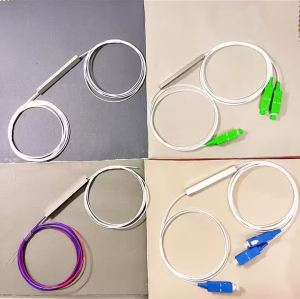
1/2 Micro PLC splitter 1/2 FBT SPLITTER 1/2 Fiber Optic splitter 1/2 Headless splitter 1/2 UPC PLC splitter 1/2 APC PLC splitter Cassette Separator micro PLC Connector splitter

(HD1) T6711 Maintenance L1455 Collector WF7728 7218 3641 3011 Waste ink tank PXMB3
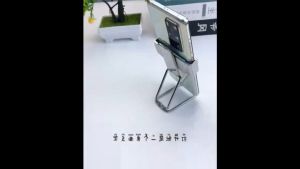
Folding phone stand Zinc Alloy Mini 360° Rotating phone holder Metal Portable Foldable Back Clamp cellphone stand
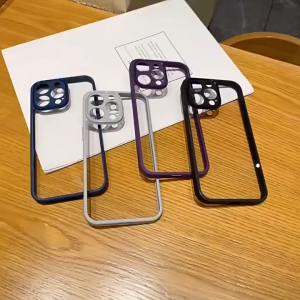
Acrylic Case foR SAMSUNG A27 A37 A57 A56 A55 A36 A17 A16 A15 A26 A07 A06 Transparent Back Cover
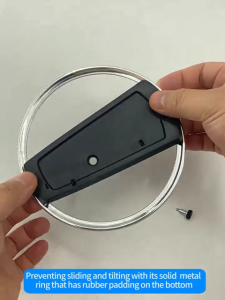
PS5 Slim Game Console Base Holder Metal Vertical Stand for Playstation 5 Slim Console Bracket

MILDGLOW Stainless Steel Metal Bezel Ring Protective Decorative Watch Case Cover Smart Watch Accessories Anti-Scratch Watch Bezel Shell for Xiaomi Watch S4 S3

Tempered glass screen protector film for Huawei Watch D 3 smartwatch easy-to-install film
SHPYHT Universal Vacuum Nozzle Suction Brush For 35mm Vacuum Cleaner Parts Accessories