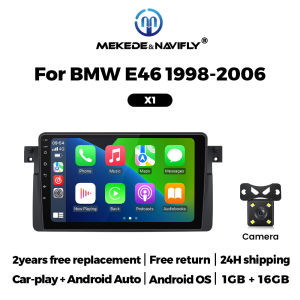
Mekede Car Radio Android Auto Carplay Car Stereo For BMW 3 Series E46 M3 1998-2006 2Din Multimedia Player WIFI GPS Autoradio FM
Why Choose Yelloberry Car Radio Store?1. our goal is to keep working hard to make innovative hardware & software of the Car Multimedia player radio to give you that personalized experience. We provide updates for Firmware, Software, UI, GPS Navigation maps for FREE.2.All products have been passed strict quality test before shipment, make sure high quality.3.365 days after receipt confirmation, such as product problems, support within 15 days to return the refund, or directly for you to replace the new machine, but please contact us to communicate first!4.Our products have a 1-year warranty period. If we have new software, we will update it at any time to bring you a better experience. If you give 5-star praise, after feedback to us Warranty can be extended to 2 years5.After-sales issues. We have a strong team of engineers if you encounter any problems in the purchase and installation process, we will be for you to solve, and can provide you with technical support for the installation, as well as guidance tutorials!Suitable car models:For BMW E461998-2006Car-play + Android AutoCar dvd player comes with car- play function, no neet purchase additional accessories.(Both X1 and X2 support wireless connection between Carplay and Android Auto, and can also be connected to Carplay and Android Auto via USB)Resolution 1024* 600The ultra-clear screen display effect is greatly improved, the screen display is more delicate.Support 1080P Video1080P video decoder, True Color 24 HD- Display, Support perfect APE music 3D acceleration allows fluent playback at any section of yourUSB/ SD quality video.Support BT FunctionBuilt-in smart BT system, can support mobile phone BT pairing,hands-free doaling support steering wheel button street listening,accompanying chat to ensure your driving safety.Support steering Wheel ControlTake control of the music or use hands-free calling function for safety to and concerntrate on the road ahead. This head units steering which control(SWC) works with a digital SWC.Support FM RadioIt supports outomatic search and manual search, you can drag the icon of target station and replace it into channel list.Support GPS NavigationBuilt in global positioning system, omni- directional map display,synchronous display real- time traffic conditions, rapid and accurate positioning.Support reversing VideoThe picture quality of rear -view video is clearer than that of ordinaty camera.(We have now launched a package with a rearview camera at a discounted price. This package is limited in quantity, first come, first served)ADAS DVRAnti-collision warning driving recorderFront vehicle distance prediction, front vehicle anti- collision warning and lane departure warning make driving safer.(Now we have launched a package with ADAS DVR at a discounted price. This package is limited in quantity and available on a first come, first served basis)Support multiple LangeuagesEnglish, German, French, Spanish, Italian, Portugese, Rusian, Dutch,Polish, Japanese, Simplified and Traditional Chinese, Arabic, etc.FAQQ: How to connect the view camera?A: 1) Red cable ② is connected to the backup light "+"2) Black cable ① is connected to the “GND”3)The reverse detection cable ④(Brown color) is connected to the red cable ③ which extending from the video input cable, please follow the picture below to connect.Q: How to set steering wheel controls?1. if you buy the unit with canbus box:A. Before starting the setup, please confirm the canbus box and 8pin serial cable are connected to the multimedia.B. Then please refer to the picture to set your car model.2. If your buy the unit haven't the canbus box, setting the steering wheel control please refer photo go do it.Q. How to connect wireless Carplay and Android Auto?For the first connection, need to turn on the phone's Bluetooth to peer with the car's Bluetooth.After the pairing is successful, the car radio will automatically jump to the ZLink or AutoLink interface,At this time, the phone pop up a prompting message "use CarPlay with Zlink or AutoLink,Then turn on the WiFi of the mobile phone, and the CarPlay will be connected.

Prime Supply_Play Life
Review

You May Also Like
🔥9.9 MEGA SALE🔥 Car-mounted inflatable pump portable for cars electrically powered tire pump high-power 12V refueling pump air pump cylinder
Gas Struts For Toyota Wigo Agya 2012-2022 Daihatsu Ayla B100 Rear Tailgate Trunk Boot Gas Spring Lift Support Damper Shock Absorber Car Parts 2PCS【Original+24hours delivery】
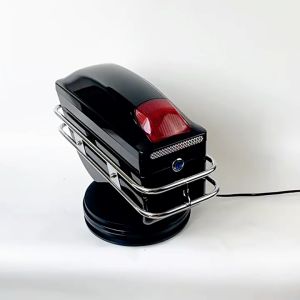
HOL Motorcycle Saddle Bag Side Box Universal Motorcycle Box Hard ABS With Lock and stand Honda Yamaha Suzuki Kawasaki
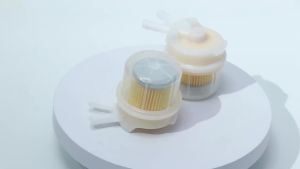
Corrosion Resistant Inline Fuel Filter Sturdy Plastic Housing for Car Motorcycle Engine Repair Replacement Parts

3W | High-end Alcantara Car Pillow for AITO M Series Models
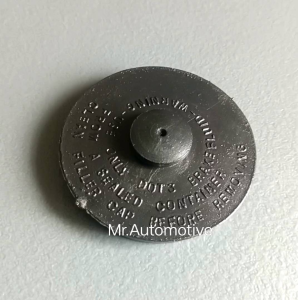
Universal Brake Fluid Cap(sold per piece)
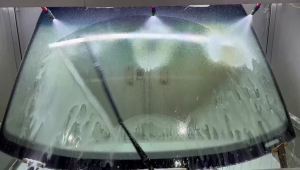
Suitable For Hyundai Creta IX25 MK1 2014-2021 Front And Rear Windshield Wipers Durable Accessories For Car Windshields 2016 2018
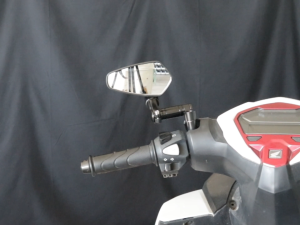
Alloy Clamp Bar End Mirror Universal Clean Flat Rear View Side Mirror 7/8 22Mm Adjustable Carbon Flexible 360° Rotation
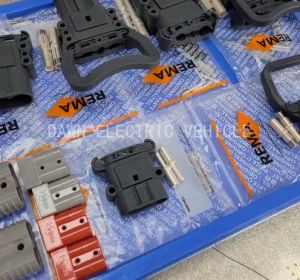
Genuine REMA DIN 160A 150V Power Connector Male Charger Plug Battery Socket Electric Forklift Accessories Pallet Truck Stacker
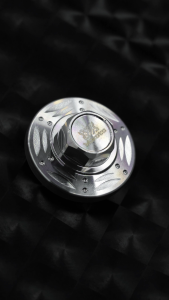
MOKOTO ELITE TAPPET CAP COVER STAINLESS 304 WITH O-RING FOR SNIPER155 NMAX V1V2V3 TURBO AEROX V1V2V3 TURBO MOTORCYCLE
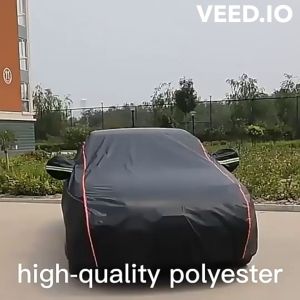
Mitsubishi Mirage Hatchback Car Cover High Density Polyester Water Resistant Strong and Durable With Zipper 2S+