


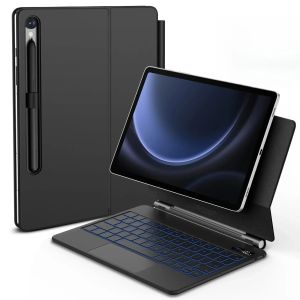
Magic Keyboard Case for New Samsung Tab S11 S10 Lite FE S9 FE S8 S7 11" S10+/S9 FE +/S8+/S7FE + Plus 12.4" Floating Magnet Cover
Magic Keyboard Case for New Samsung Tab S11 S10 Lite FE S9 FE S8 S7 11" S10+/S9 FE +/S8+/S7FE + Plus 12.4" Floating Magnet CoverCompatible with Samsung Galaxy Tab11 inch: NEW S 1 1 11 inch 2025 NEW S10 Lite 11 inch 2025 NEW S10 FE 11 inch 2025 S9 FE 11 inch 2023: SM-X510/ SM-X516BS9 11 Inch 2023: SM-X710/ SM-X71681 SM-X718U S8 11 inch 2022: SM-X700 1 SMX706 S7 11 inch 2020: SM-T870 / SM-T8751 SM-T87612.4 inch:S10 Plus 12.4 inch:SM-X820/SM-X826BS9 FE Plus 12.4 inch:SM-X610/SM-X616BS9 Plus 12.4 inch:SM-X810/SM-X816BS8 Plus 12.4 inch:SM-X800/SM-X806S7 Plus 12.4 inch:SM-T970, SM-T976B, SM-T975S7 FE 12.4 inch:SM-T730, SM-T733, SM-T736B, SM-T735Note 1:You need to upgrade the system to version 14.5 or higher to use the touchpad.Note 2:Please check in the size and detail model of your Tablet. it is very importtant ! ! !Note 3:After Open the Power, Please Click "Fn" and "C" 【Fn+C】Button Together to Open the Keyboard's Bluetooth. It is Very Important.(Pictures are for reference only)Floating Cantilever StandMulti-Trackpad Responsive & Reliableboost work and study productivityLCD Digital Display Screen7-Color LED Backlit Keyboard 3 Brightness LevelsProduct Details: 1. Number of buttons: 84 2. Battery: Lithium battery 500mAh 3. Stand-by time: 90 days 4. Working Time: 5 hours (with backlit on),350 hours (with backlit off) 5. Working Voltage: 3.0 - 4.2V 6. Charging current:<225 mA 7. Effective distance: 10 meters 8. Charge Port: Type-c 9. Material: Anti fouling and durable PU material 10. Key life:3 million 11. Charging times: 3 hours 12. Color: Black 13. Modulation system: GFSKHow To Verify Your Tablet Model 1.Turn iPad tablet to the back find your specific model,Par exemple: SM-**** 2.Find the "Settings"--Click the "About"--Find the "Model"3.Please select the correct model number for your tablet purchase after viewing it.Note:These models are all universal.Note: Tablet and stylus are not included in the packaging!!Attention PleaseEnglish versionkeyboard : There are English letters on the keyboard only.Multi-language versionkeyboard : English letters and carved language letters together ..(Due to the difference in the number of keyboard keys compared to a normal office keyboard, some special character engraving positions are the same, which is a normal phenomenon)The keyboard Core defaults to English, and the characters engraved on the keyboard are only a Surface display.so in some countries, even if the input method is switched, the special symbols do not necessarily match the keyboard function layout(You can hold down the Shift combination).If you mind, please do not purchase!!.【1】1. After connecting Bluetooth, open your iPad - Settings - Keyboard - Add New Keyboard【1-1】Input method switching: control+spacebar.(Choose the language you need)【3】For detailed instructions, please read the user manual. The resolution of the machine is different, and there may be color differences in the images, which is a normal phenomenon. The actual product received shall prevail

Global Merch Park
Review

You May Also Like

D517617 AP6989099 D517616 PS17001227 Dryer Switch Push Button
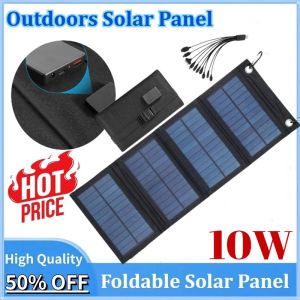
Newly upgraded Portable Outdoors Solar Panel 5V 10W Foldable Waterproof USB Solar Cells Smartphone Mobile Power Battery Charger
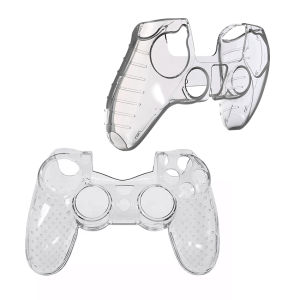
ABS PS4 Controller Case Crystal Transparent Protective Cover SONY PlayStation PS4 Accessories

Flexible Extension Hose For Dyson V7 V8 V10 V11 V15 Vacuum Accessory Durable Telescopic Extension Tube High Suction Crevice Tool

For Samsung Galaxy A57 A56 A55 A54 A37 A36 A35 A34 A25 A24 A04S A16 A15 A14 A17 5G Phone Case Magnetic Leather Wallet 10 Card Slots Couples Flip Cover Casing
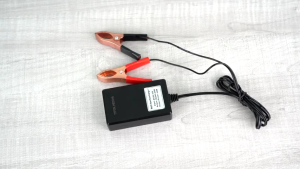
Battery Clip Charger 3USB Clip Three USB Clip Charge DC12V 24V to 5V 3USB Charging Port 3A Wall Charger for CP Mobile Phone Tablet Laptop
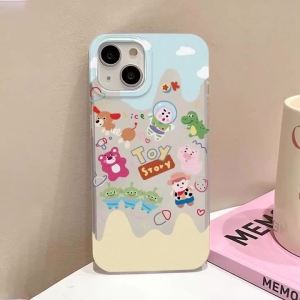
Flowers Phone Case Silicone For iPhone 18 Pro Max 17 18 Pro 16 15 13 12 11 13 Mini Air 16 Plus Capinha Caha Frosted Cover Funda
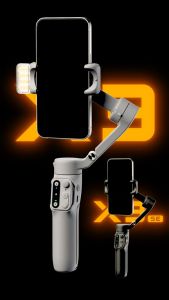
Hohem iSteady X3 Gimbal Stabilizer for Android iPhone AI Tracker Gimbal 3-Axis Smartphone Gimbal with 3 Color Fill Light Detachable Remote Control Built in Extension Rod Extendable Foldable Gimbal Hohem X3 Phone Stabilizer for Content Making Vlog Blogger
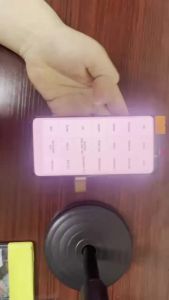
AMOLED screen has defects suitable for Samsung S9 Plus G965/SM-G965F AMOLED touch screen replacement component display

UTOPUS Ultra Thin Bag Wool Felt Portable Cover Ultrabook Sleeve Laptop Case
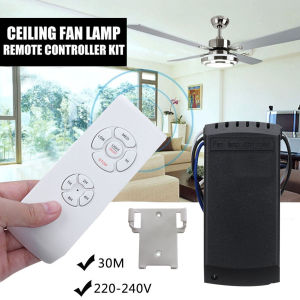
[Ueb Wholesale Center] Universal Ceiling Fan Lamp Remote Controller Speed Controller Timing Switches