



For iPad 10th Generation 10.9 Inch Keyboard Case For iPad Pro Air 4 5 iPad Air 2 5 6th Air 3 Pro iPad 9/8/7th Covers Funda
Please Note:We will send an English keyboard by default.(Tablet and Pen Not include)English Keyboard: There is only English letter layout on the keyboard.Other language keyboards: The keyboard has English letter layout and that language letter layout.2,The Keyboard default English input ,if you want to input other languages,you need to add keyboard first. Take the iPad as an example, open "General"--"Keyboard"--"Keyboards"--"Add New Keyboard". (For other systems, please set them in the system settings according to the tips of the iPad example.) 2,For iPad 9.7''/10.2''/10.5''/10.9''/iPad Pro 11,the keyboard is 10 inch 3,Touchpad only available while your ipad system is above ios13 (ipad air 1 can not use touchpad). You can use touchpad directly while your tablet is andriod or window system. How to connect keyboard & Mouse?1,Connect the mouse first, then connect the keyboard. For iPad,open the settings, find the Accessibility, turn on the Assistive Touch.Mouse:Push the switch to the "Bluetooth" icon, find the Bluetooth connection with "Mouse" in the device Bluetooth list.Normal Keyboard:Push the switch in the upper right corner to "ON", press "Connect", and find the Bluetooth connection with "Keyboard" in the device Bluetooth list.Touchpad Keyboard:turn on keyboard ,press Fn+C to,then find the Bluetooth connection with "Keyboard" in the device Bluetooth list. Detachable Wireless Bluetooth Keyboard with TouchpadThe Bluetooth keyboard is easy to attach and remove from the magnetic cover. With the U S Chipset helping you to type stable and fast. Built-in Apple Pencil holder & adapter slot easily to carry your for iPad pencil with your device.Pen or iPad NOT included Auto Sleep & Wake & Heat dissipationPrecise cutouts allow full access to all features (buttons speakers cameras). Moreover the case is honeycomb grid pattern design which is better for thermal dissipation. Support multi-system compatibilityFn + Q Fn + W Fn + E quick switchUltra-thin design and convenient travel, new office experience ,switch office /entertainment needs anything ,anywhere.Multi-function Shortcut Keys Let you operate iPad more convenientlyBasic key combinationSwitch apple system: FN+EChinese and English input method switching: FN+SpaceShow physical keyboard: FN+ControlSwitch software: Conmmand+TabCase switching: Capslock (If the iPad cannot be set first: Set one +general + keyboard + physical keyboard + turn off the caps lock keyto switch the Latin keyboard)Note: If you need to use various countries (Korean, Japanese,etc.), please set the system toadd a keyboard (IPAD Settings-General-Keyboard-Add Keyboard) Keyboard is easy to use, please charge it when Power indicator flashing Red. Charge indicator will be red when charging and will Turn Off after full charged(not turn green).Attention: Touchpad only available while your ipad system is above ios13 (ipad air 1 can not use touchpad). You can use touchpad directly while your tablet is andriod or window system. Rechargeable Bluetooth Keyboard and Mouse DUAL MODE BLUETOOTH MOUSE (BT 4.0 + 2.4GHz): dual mode wireless mouse realizes free switches between two devices with one mouse only by only one click.【Please turn on the "Assistive Touch" on iPad: Setting-Accessibility- Assistive Touch for an iPad usage.】 How to connect BluetoothStep 1: Turn on bluetoothStep 2: Press and hold the three keys at the same time to connect successfully.note:1. If you use Bluetooth mouse and touch keyboard, the ipad system must be upgraded to OS13 or above2. After the upgrade, open and set up an auxiliary function. You can use the mouse as soon as you open the auxiliary touch3. Bluetooth mouse and keyboard can be connected to ipad at the same time Fast Bluetooth ConnectionKeyboard Bluetooth connects to ipad,4 steps to open a new era of office.1.Push the button to on power light is on2.press the connect button ,the bluetooth light is on3.ipad select keyboard bluetooth4.After the first connection,the next time you start using the keyboard, it will automatically connectMulti-function Shortcut KeysLet you operate iPad more convenientlyBasic key combinationSwitch apple system: FN+EChinese and English input method switching: FN+SpaceShow physical keyboard: FN+ControlSwitch software: Conmmand+TabCase switching: Capslock (If the iPad cannot be set first: Set one +general + keyboard + physical keyboard + turn off the caps lock keyto switch the Latin keyboard)Note: If you need to use various countries (Korean, Japanese,etc.), please set the system toadd a keyboard (IPAD Settings-General-Keyboard-Add Keyboard)

Oneodio Speciality Stores

Review

You May Also Like

For SONY Xperia 1 5 10 IV V III VI VII 1V 1IV 5IV 10IV 5V Screen Protector Tempered Glass Protective Easy Auto-Dust Removal Kit

GOLDVAULT Quick Release Xplorer Grip Kit Camera Frame Shutter Button Aluminum Alloy StreetGrip Vlog Holder Comfortable Grip Rabbit Cage for Insta360 Ace Pro 2/Ace Pro Camera Accessories

Full Coverage TPU Soft Protective Cases for Huawei Watch Fit 5 Fit5 Pro Case Screen Protector Cover case

100% Original Fast Charging 66W 120W 240W Type C Cable USB 2IN1 Adapter Set For Android Charger Type-C Charger Set

Ulanzi | Multifunction Bluetooth Remote Shutter for Phone Camera with Timed Photo Video Control Countdown Reminder Compatible with Apple Android 15g Compact Wireless Button
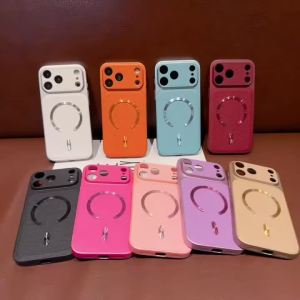
szhaiyu | Luxury Leather Magnetic for Magsafe Wireless Charging Phone Case for IPhone 13 14 15 16 17 Pro Max Shockproof Protector Cover
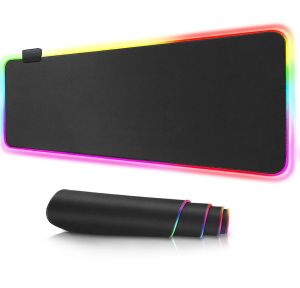
JNL 80x30cm RGB Colorful LED Light Soft Large Gaming Mouse Pad GMS-WT-5

Microfiber Dustproof Cleaning Cloth / Notebook Palm Keyboard Blanket Cover / Laptop Screen Cleaner Polish Cloth / for IPhone IPad Tablet

9Pin USB Header Splitter Female 1 To 2 Male Extension USB 2.0 Motherboard Cable 184A
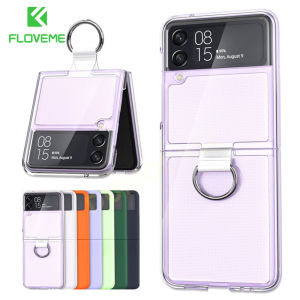
FLOVEME Matte With Ring Phone Case For Samsung Galaxy Z Flip 4 Z Flip 3 5G Clear Smooth PVC Hard PC Shockproof Back Cover For Galaxy Z Flip 4 Z Flip 3
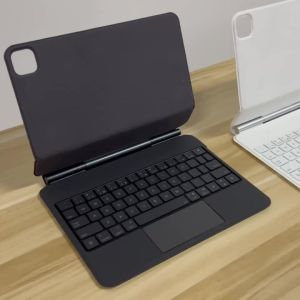
Magic Keyboard For Xiaomi Pad 8 7 Pro 11.2" Case For Xiaomi Pad 6 5 Pro 11" MiPad 5 6 7 8 Tablet Smart Magnetic Book Cover Folio
![NEW Air-Con to Fan Timer [Meiji Electric Automatic Air-Con to fan Timer] TC-V003R](https://img.lazcdn.com/g/ff/kf/S835901dbdaef42c4a376eb7dde9a2733O.jpg_300x300q80.jpg)


















