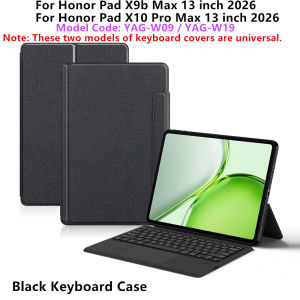
AJIUYU | TouchPad Keyboard For Honor Pad X9b Max 2026 Case Funda for HONOR Pad X9b Max 13 inch YAG-W09 YAG-W19 Tablet Stand Cover Folio
Note: The main image page video is for reference only.This is an "all-in-one" keyboard case, TPU soft shell protective case, which can effectively protect your tablet. The keyboard and protective case cannot be separated .Keyboard with Backlight and TouchPad.Bluetooth connection, with touch pad, No Backlight.A keyboard and protective case in oneOne product ,dual uses,when unfolded , it is a Tablet Keyboard,and when closed,it is a protective Case,enabling it to meet the needs of more scenariosHow To Verify Your Tablet Model1.Turn Huawei tablet to the back find your specific model,For example: YAG-***2.Find the "Settings"--Click the "About"--Find the "Model"3.Please select the correct model number for your tablet purchase after viewing it.Applicable Models:For Honor Pad X9b Max 13 inch 2026 Tablet (Model:YAG-W09 /YAG-W19).For Honor Pad X10 Pro Max 13 inch 2026 Tablet (Model:YAG-W09 /YAG-W19).Note: The keyboard covers for these two models are universal.Other models cannot be used.Please confirm your machine model before purchasing~Note: Tablet and Pencil are not included in the packaging~Attention PleaseEnglish versionkeyboard : There are English letters on the keyboard only.Multi-language versionkeyboard : English letters and carved language letters together .(Due to the material of the keyboard, the engraved characters are dark gray)【For example, if you choose French , the keyboard will display English and French letters. Please note that the same letters will not be engraved repeatedly-You can simply switch the keyboard to your desired input language to use it normally.】The keyboard Core defaults to English, and the characters engraved on the keyboard are only a Surface display.so in some countries, even if the input method is switched, the special symbols do not necessarily match the keyboard function layout.If you mind, please do not purchase)【1】 Method of connecting Bluetooth: Turn on the keyboard switch, press the Fn+C button, and then search for your Tablet Bluetooth connection keyboard.【2】Switch language: Open Settings - Language and Input Method - Physical Keyboard - Add Language Layout.Input method switching: ctrl+spacebar (Choose the language you need)Reminder: The back bracket needs to be manually opened.

Prime Supply_Play Life
Review

You May Also Like

AMBITFUL | Portable Foldable Background Board for Photography and Lighting
PALO LP-E17 battery matching Canon EOS 200D M3 M6 750D 760D T6i T6s 800D 8000D Kiss X8i
MECHANIC | Eco-friendly No-lead PCB Cleaner
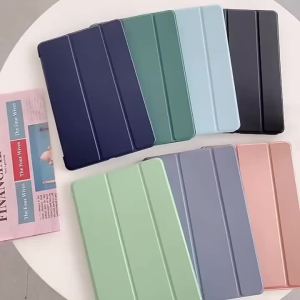
Funda For Honor Magic Pad 4 Case 12.3 inch Trifold PU Leaher Soft TPU Back Stand Tablet Shell For Honor Magicpad 4 Case 2026

Tylex XP-881PD Powerbank with 22.5W Fast Charging 20000mAh Battery Capacity Built-In Cables LED Digital Display

Logitech | Office Wireless Keyboard and Mouse Set
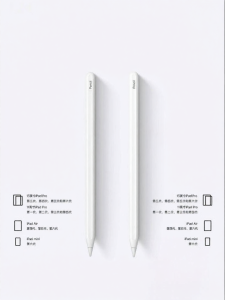
OUXUAN | Apple Compatible Touchscreen Stylus

MASTERYX Aluminum Alloy Protective Case Built-in Cold Shoe Quick Release Camera Cage High Quality with Lens Cover Metal Frame for Insta360 X5 Action Camera Accessories

BILIBILI | Navy Mixed Stripe For Samsung Galaxy S26 S25 S24 A56 A36 Dual Layer Luxury Fashion Full Lens Protective Case
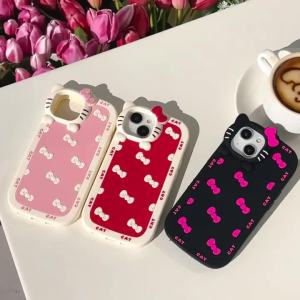
Sanrio | INS Korea Bowknot Sanrio Hello Kitty Silicone Phone Case For iphone 17 16 15 14 13 12 Pro Max 11 Matte Shockproof Soft Cover
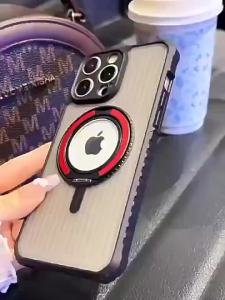
szhaiyu | 360° Rotating Magnetic Case For IPhone 18 17 16 15 14 Pro Max 13 12 11 Pro Plus Anti-Slip Frame Armor Translucent Cover Fundas