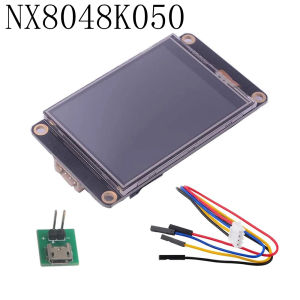
Nextion Enhanced 2.4/2.8/3.2/3.5/5 inch HMI Display Resistive Touch Screen 5V TFT LCD 320x240 for Arduino ESP32 Board NX3224K024
Product Description-The Enhanced Series hardware feature of 3.5″ and above is more powerful than Nextion Basic Series in terms of MCU, Flash Storage and SRAM.-The Enhanced Series integrates RTC for keeping accurate time, EEPROM for users’ data storage and 8 digital GPIOs (4 PWM capable).-For Nextion Enhanced, users also can develop HMI GUI project via Nextion Editor software, the easy Drag-and-Drop components and simple ASCII text based instructions will dramatically reduce HMI project development workloads.-Compared with NX3224T024, NX3224K024 add new functionssupport save data to Flash, GPIO, larger flash capacity and faster CPU.-Uploading TFT file via sd card is faster than the usb to ttl, but pls ensure cardFAT32 format, only one tft file(no folder), and no more than 32GB.Nextion Editor Software-Easy-to-Use Nextion HMI software-ASCII text based instructions over serial-Assignable attribute value components at runtime-Drag-and-Drop components for GUI design and interaction-User Event Code pane for GUI interaction and peripheral MCU communication(Note: If your HMI project was developed via 0.53 or prior version Nextion Editor, we recommend you to use the LTS version for project maintenance as the latest version is not fully compatible with your exsisting source code and GUI desgin.)Questions & AnswersQ1: Can Nextion display be used with other MCU?A: Nextion works with many MCUs, but we only offer Library for arduino and Linux. You need to develop Lib for other MCUs, and all instructions must strictly follow Nextion Instruction SetQ2: How to upload the designed project?A: USB to TTL module, and SD card.Q3: Can Nextion read file in SD card?A: No, SD card is only used to upload TFT project file.Q4: My project is successfully made in Nextion Editor. How to get the TFT file?A: Choose HMI file in Nextion Editor -Click "Compile" and it'll show "Compile Successful!" in the bottom of software -Choose "File","TFT file output" -Click "Output" and save TFT file.Q5: Can I output the TFT file in Nextion screen?A: NoQ6: I want to update my project. Why the TFT file can not be revised?A: The file in Nextion Editor is HMI, and the output one is TFT. You should edit the HMI file in software.Q7: Why Nextion Editor shows "Can not open this file (Your HMI file is made by low version Editor)?A: The project is made in old version of Nextion Editor. You need to download the newest version.Q8: The Nextion display "Model does not match" "File Infor ERROR!". How to solve it?A: The TFT file was made in another model number, you need to reselect right model number in Nextion Editor.Q9: How to upload a project via SD card?A: Prepare a SD card ( FAT32 format and less than 32GB) -Copy TFT file from PC to SD card (ensure only one TFT file in it) -Insert SD card into Nextion card slot -Power on Nextion -File uploaded automatically and displays "Update Successed!" after completed -Power off Nextion -Remove SD card -Power on and project will show on Nextion..aplus-v2 .aplus-review-right-padding {padding-right: 0.1rem;}.aplus-v2 .aplus-review-right-padding {padding-right: 0.1rem;}.aplus-v2 .aplus-review-right-padding {padding-right: 0.1rem;}.aplus-v2 .aplus-review-right-padding {padding-right: 0.1rem;}.aplus-v2 .aplus-review-right-padding {padding-right: 0.1rem;}.aplus-v2 .aplus-review-right-padding {padding-right: 0.1rem;}.aplus-v2 .aplus-review-right-padding {padding-right: 0.1rem;}.aplus-v2 .aplus-review-right-padding {padding-right: 0.1rem;}.aplus-v2 .aplus-review-right-padding {padding-right: 0.1rem;}.aplus-v2 .aplus-review-right-padding {padding-right: 0.1rem;}.aplus-v2 .aplus-review-right-padding {padding-right: 0.1rem;}

GlobalTechMart
Review

You May Also Like

LPO Laptop Battery M5Y1K Compatible with Dell Inspiron 15 3000 Series 3558 5451 5455 5551 5555 5558 5758
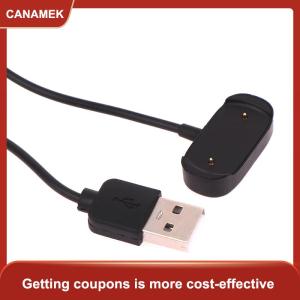
【CANAMEK 】 Smartwatch USB Charging Cable for Amazfit GTR3 Smart Watch Charger Adapter USB Chargeable Adapter

FUNG MALL Stitch Handhold 2X Magnification Low Vision for Reading Sewing with 5 Led Lights Magnifier LED Loupe Optical Instrument Magnifying Glass

Matte Ceramic Full Film For IPHONE 16 16PLUS 16PRO 16 PRO MAX iPhone 12 mini 12pro 12 pro max iPhone 11 XR iphone 11 Pro X XS 11 Pro Max XSMax 6.5 | Anti-Glare & Anti-Fingerprint 9H Anti-Scratch + Free Kit
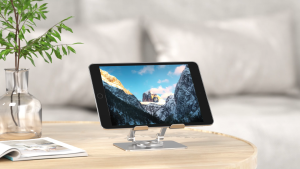
Meewoo Tablet Stand Holder For iPad Stand Adjustable Full Aluminum Alloy Desk Phone Tablet Holder
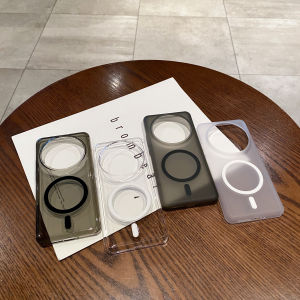
Wireless Charging Magnetic Hard Case For Xiaomi 15 Ultra Mi 14 Ultra 13Ultra Magsafe Slim Translucent Clear Phone Cover Funda
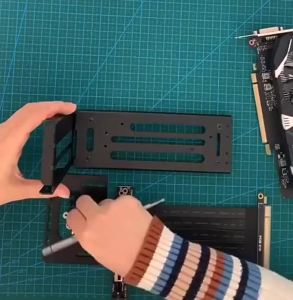
Vertical GPU Mount Bracket 2 Slots Graphics Card Steering Holder With Hardware EGPU Dock External GPU Docking Station
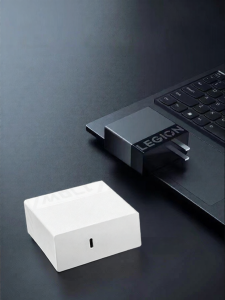
Lenovo | GaN Type-C Charger Adapter
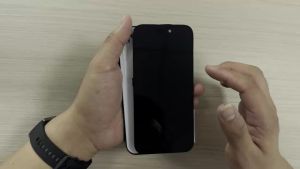
FHD INCELL For iPhone 11 12 13 14 15 16 17 Pro Max LCD 3D Touch For iPhone X XR XS Max LCD 12 13 Mini Display 14 15 Plus Screen
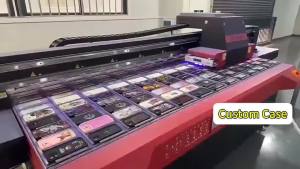
BILIBILI | Black Rainbow Splash Flower Phone Case for iPhone 18 17 16 15 14 13 12 11 Air Pro Max Plus Double-layer Cover

SPARAK Washable Suction Cup Bracket Silicone Sucker Double Side Rubber Sucker Pad Phone Accessories Sucker Support