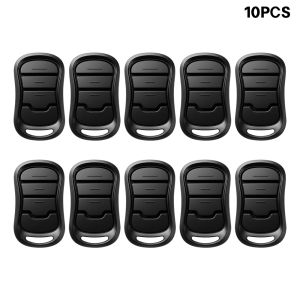
G3T-BX G3T-R G3T-A 01T-BX 03T-BX OCDTR-3 OCDT-1 0CDT-2 Garage Door Opener 315MHz / 390MHz Remote Intelli Code
SCIMAIGC-rc remote, third-party replacement accessory, only indicates compatibility.Highlight* Garage Stop G3T-BX G3T-R G3T-A is a replacement garage door remote compatible with all Overhead Door CodeDodger and IntelliCode garage door opener remote. Note: NOT compatible with dip switches.* Compatibility List: G3T-BX G3T-R G3T-A G1T-BX G1T-A O1T-BX O1T-A GITR-3 GIT-1 GIT-2 GIT-3 O3T-BX OCDTR-3 OCDT-1 OCDT-2 OCDT-3. Note: NOT universal garage door opener remote, for Intellicode openers (1997+)* Advanced Security Mechanisms works with CodeDodger technology featuring auto seek capabilities that respond to 315 or 390 Mhz frequencies, mitigating potential interference for uninterrupted protection.*Experience convenience and efficiency with our garage door remote replacement, a sleek and compact device equipped with large, easy-to-access buttons capable of operating up to 3 garage door openers.*Long Range Distance,Seamlessly fast and safe access, long distance.The garage opener remote has a visor clip that can be clipped to the sun visor of your car, where you can easily open the garage by pressing the button from the driver's seat.*Included compatible replacement remotes with CR2032 lithium battery inside, Visor Clip, Free Do-It-Yourself programming video and instructions provided.*Customer Satisfaction is our primary focus at Garage Stop, where we strive to offer budget-friendly alternatives at a fraction of the OEM cost. Each of our products undergoes thorough testing to ensure optimal quality and reliability. If you're not entirely satisfied with your purchase, please don't hesitate to contact us for immediate assistance.Programming a Remote to your OpenerNOTE: Once in programming mode, you will have! approximately 30 seconds to perform this step.1. Pull protective battery tab from remote.Note: While programing remote buttons, standat least 5 feet away from the opener. This ensuresyou have proper communication between theremote and the opener.2. Slowly press and release the remote buttonof your choice two times.The opener LEDs willfash and go off, indicating you have successfullyprogrammed your remote.3. Press and release the same button a third time and door will open orclose. lt is possible to press the remote button too quickly or lightly. lfthe LEDs do not go OFF, press the remote button several more times toachieve confrmation.

GlobalTechMart
Review

You May Also Like
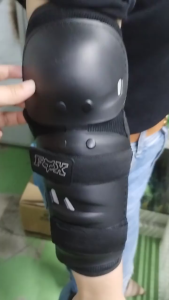
Motorcycle Knee and Elbow Protectors Set 4PCS-ABS Off-road Protection for BMXCycling Equipment

3M/5M With Spring Pipe Drain Cleaner Clog Remover Plumbing Tool Electric Drill Connector

304 Stainless Steel Anti-Burst Braided Hose

XIANXIANWUFANG | Solid Color Waterproof Self-Adhesive Wallpaper 120cm
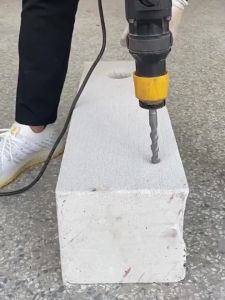
16mm/18mm Rock Stone Splitter Plug Wedges Feather Shims Stone Splitting Wedges For Granite Concrete

12PCS High-Quality Ratchet Socket Wrench Set 6.35mm/6.35mm with 1/4" and 3/8" Ratchet Wrenches
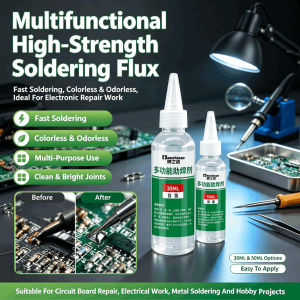
Multi-Material High-efficiency Liquid Flux Stainless Steel Liquid Flux Soldering Paste Flux Liquid Solders Water Durable Liquid Solders

TG | Stainless Steel HSS Straight Shank Twist Drill Set
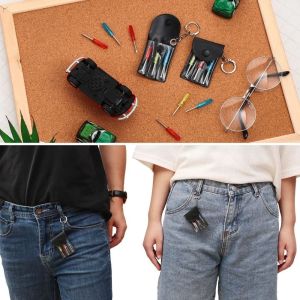
WEETE Flat Bits Mini Screwdriver Set Y-type Bits Leather Keychain Multifunctional Screwdriver Set Compact Size Storage Bag Portable Tool Kit Digital Products Repair
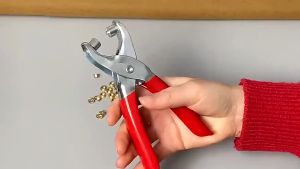
Snap Button Pliers 100 Pcs Makapal na Bakal - Pang-DIY Bahay at Negosyo Pampadali ng Tahian sa Bahay
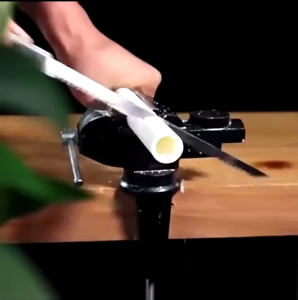
(Fast Delivery)Fruit Trees Saw Hand-held Wood Saw Cocktail Saw Fast Logging Saw