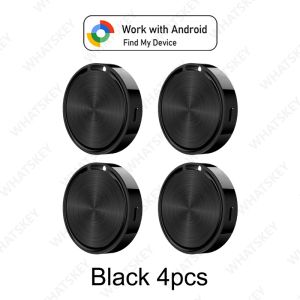
Smart Tag for Android Bluetooth GPS Tracker Find my App Bluetooth Tracker Wallet Anti Lost Item Locator Suitable suitcase 4-Pac
Please note before ordering:♥.This product is not applicable to Huawei series products and Apple products. It is only suitable for the Android system.♥.And it is not available in the Russian region. Please place your order with caution.♥.If your mobile phone is from Apple or Huawei, please do not place an order as this product is not supported.♥.Can't connect to the device? Please follow the steps below to connectManual Connection Steps1. How do I know if my device supports it?Android 9.0 or later, support google find my device App and network.Please Use with Google Find My Device App (Renamed "Find Hub" as of May 2025)⚠ Before purchasing, ensure your phone supports Google Find My Device (now called "Find Hub" in some regions). This tracker works like Apple AirTags but for Android.Note, North Korea, Iran, Cuba, Crimea, Syria, Russia, Central Asian countries, Pakistan, etc,Please check if your device is available with the Google Find My Device App and Network.♥.Can't connect to the device? Please follow the steps below to connectManual Connection StepsIf the automatic popup doesn't appear, follow these steps to connect manually:1. Open phone settings2. Go to Google3. Select All services4. Go to Devices5. Turn on Scan for nearby devices6. View Available devices nearbyQ1: Why can't my Android phone connect to Tag ?A: This is usually because the user missed the automatic pop-up window of Tag, you can try to restore the factory settings. Please refer to the product manualManual Connection StepsIf the automatic popup doesn't appear, follow these steps to connect manually:1.Open phone settings2.Go to Google3.Select All services4.Go to Devices5.Turn on Scan for nearby devices6.View Available devices nearbyTo search for devices from the Google Find Hub APPTroubleshooting GuideStep 1: Check Google Service Version1.Open device settings2.Go to "Google" option and ensure you're logged into your Google account3.Go to "About phone" option4.Confirm that Google Play Service version is after March 1st, 2025By phone model:•Google Pixel: Android version -> Google Play System Update -> Check for updates•Samsung: Software information -> Google Play System Update -> Check for updatesStep 2: Check Google Play PermissionsPlease ensure the following permissions are enabled:•Google Play Service: Enable "Nearby devices" permission•Google Play Store: Enable "Nearby devices" and "Display over other apps" permissionsStep 3: Manual Connection StepsIf the automatic popup doesn't appear, follow these steps to connect manually:1.Open phone settings2.Go to Google3.Select All services4.Go to Devices5.Turn on Scan for nearby devices6. View Available devices nearbyCommon Issues and SolutionsStill no popup after system update?1. Restart your phone2. Reset device: Press quickly four times, then press and hold on the fifth time until you hear confirmation soundCan't find the device? • Ensure Bluetooth is enabled•Ensure device is within range (usually within 10 meters)•Try restarting Bluetooth servicePairing failed? • Check if network connection is normal•Ensure Google account is properly logged in•Try clearing Google Play Service cache and retry

GlobalTechMart
Review

You May Also Like
MiBro C3 | Smartwatch | 1.83" Full HD Screen | 70 Sports Mode | Dual Core 2 in 1| Stress Monitoring | 2ATM Waterproof
MOES | MOES Star Ring Series ZigBee Smart Dimmer Switch for Light Dimming Smart Life APP Work with Alexa Google Home Dimmable 1-3Gang

1-4Pack Google Location Google Find Hub GPS Tracker Android Item Finder Smart Tag Compatible with Android Key Bag Wallet Finder
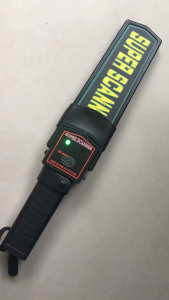
Handheld Metal Detector Portable Scanner with Sound Alarm High-sensitivity Safety Tool
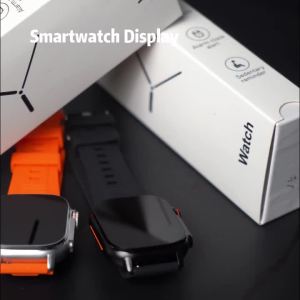
Metal Body Smart Watch Bluetooth Call Answer Outdoor Sports Watch Men Compass Voice Assistant 30 Days Use Time Smartwatch 2025
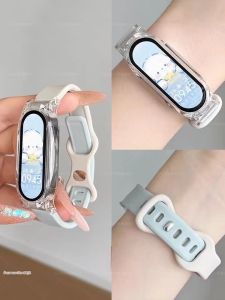
COJR | Heart Rate Monitoring Smart Bracelet for Women Students 2026 New Model
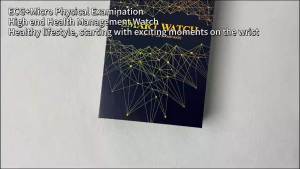
2026New Micro Physical Examination Smart Watch For Men Uric Acid Body Fat Five Organ Health Watches Bluetooth Call SmartBracele
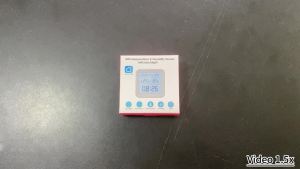
Tuya Temperature Humidity Sensor Mini LCD Digital Display Compatible With Smart Home APP Remote Control Thermometer Hygrometer
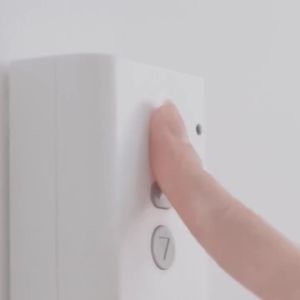
Type-C Rechargeable Tuya Zigbee Smart Touch Fingerbot Plus 5V Robot Button Pusher Arm Switch Support Alexa Google Home Alice
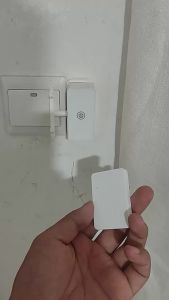
Wireless Control Light Switch Off Tool Automatic Button Pusher Intelligent USB Rechargeable Lazy Remote Control Switch.▪
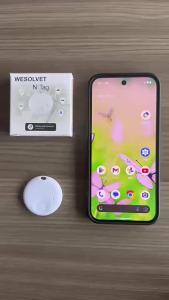
Mini Smart Bluetooth Tracker Tag Works With Android & IOS Find My APP Item Locator For Keys Wallet Bicycle Vehicle Tracking Tag