


JJRC | AI voice control Demon Eyes Car LED Display DIY Text Programmable Flexible LED Display Soft Sign Board Pixel Led Panel Christmas
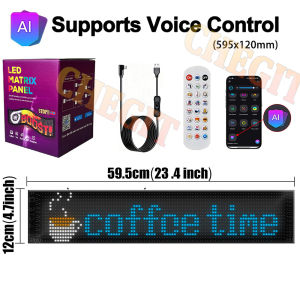
Buy Now and Get a Free USB Car Charger1Dear, we have 3 sizes for your choice, pls kindly check the Smallest Size of 7X17.3CM/1632LEDs:if the 1632LEDs size can't meet your demands, pls kindly choose other size, Thank youAttention: Please use a 5V/2A plug for connection to avoid unstable product current,USB plug-and-play for simple convenience.AI Voice Function:1.Connect Bluetooth and allow the app to access the phone microphone2.Say "Show Text" to wake up Ai voice function,speak the text you want to display, wait for the app to receive the text and upload it to the display screen3.Say "Show Animation"to wake up Ai voice function,speak out the pattern to be displayed (the pattern name set in the app), wait for the application to receive the information and upload it to the display screen.Note:Talking during the process of receiving information on the app can affect normal reception(Network signal may be interrupted during phone calls.)Product Name:AI Voice Function DIY LED Matrix Pane LightCase material: PC+ABSLED Color: RGBProduct power: 10WWaterproof Rating:IP65Power supply: USB 5V/2A (please use 5V-2A adapter, otherwise it will lead to insufficient power supply, the product can not work properly)Size: 1632 (17CM7CM); 1664(37CM9.2CM);;1696(59.5CM12CM)【Worthy of Displaying】Turn your road rage into road respect with LED signs it's a great potential of de-escalating conflict between individuals and groups. As well as that it allows for a re-categorization from others to us even taps into prosocial tendencies, tendencies towards empathy and compassion.【Programmable LED Matrix Panel】Built around a bright, pixel-dense LED display, smart nice LED sign display as you would expect! It can be programmed to say what you want it to and produces high-resolution messages for drivers & facilitates safer driving environments.【USB powered LED Car Sign】With 5V USB upgrade voltage technology, the scrolling LED sign is extremely low heat, touchable and safe to use. No socket limitation, you can charge your LED panel with power bank, laptop, TV, etc.. (Note: Do not use a usb interface with output voltage exceeding 5v or a rated current lower than 2A for power supply.)【Bluetooth APP Control & Upgrade AI Voice Control Functionality】Download the APP to your phone and connect the LED matrix panel through bluetooth. You can edit text, DIY patterns, adjust the brightness of the led car display screen, and music rhythm, meet your various needs perfectly.The app features built-in patterns for various holidays, including Halloween and Christmas, and also allows custom text.This soft screen upgrades the AI voice control section within the app based on last year's model. Updates are being rolled out via the “Surplife” app. AI voice support now includes 12 languages (Chinese, English, Russian, Spanish, French, German, Korean, Portuguese, Italian, Turkish, Japanese, Vietnamese). Users can enable voice control in their native language by selecting their country's language within the app. For countries not listed above, voice control remains available via pattern/text input within the app.【High-quality and High Brightness】This programmable LED sign for car windshield is a 16 X 64 pixel full-color LED display. The high-quality LED car sign can not only emit high-intensity light, but also has low power consumption, and the full-color effect is brighter and soft without glare.Product packing list:1 * LED matrix pixel panel.1 * Controller with USB plug.1 Remote controller,Batteries not included (requires installation of lithium batteries)1 * Double sided tape.1 * Instruction manual.For vehicle “Demon Eyes” installations, we recommend purchasing two of the largest size units. These can be connected via smartphone app to synchronize animations. Set each screen individually to display a single eye animation.If you purchased two panels and wish to set up Demon Eye, follow these steps:Long-press one device, select both units, then choose “Merge” (first option below). After merging, configure both units as a single group. Enter the group settings under Animation > Devil's Eye to synchronize animations across both screens simultaneously—no need for individual adjustments.To remove the group and restore two independent settings, long-press the combined group.

Prime Supply_Play Life
Review

You May Also Like
Car Door Seal Strip Rubber 5m thickened 3-layer 6-hole soundproof dustproof waterproof anti-aging
Waterproof Nylon Car Cover for Subaru Forester Portable & Easy to Use Cover for Regular SUV With Clean Cham

Men Summer Riding Pants Black Kevlar Motorcycle Jeans Abrasion Resistant Windproof Dirt Bike Protective Gear 032
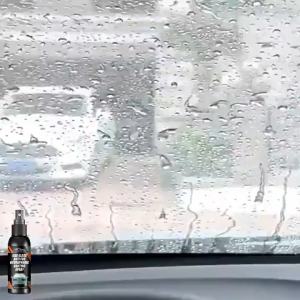
Anti Rain spray 100ml acid rain remover Anti Fog Spray Car glass cleaner Windshield Cleaning agent

MRP-VALVE SEAL FOR MIO I 125 FOR MOTORCYCLE
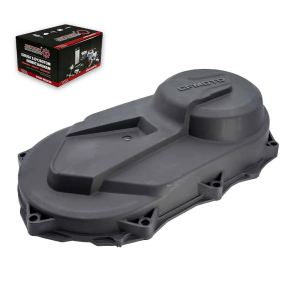
Bnnm CVT Cover For CFMoto 400 450 191Q 500S 520 500HO 550 191R 600 Touring 625 191S 0GR0-013002 0GR0-013002-20000 0GR0-013002-20001 6M2T5
ORIGINAL JRP SEAT COVER FOR RUSI MACHO 150 | BLACK JRP THAI RUBBER LOGO WALA TAHI
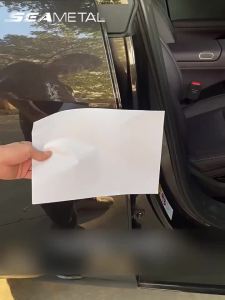
SEAMETAL | SEAMETAL 2pcs Car Door Seal Strips B Pillar Universal Rubber Sealing Strip Sound Insulation Protector Seal Sticker Accessories
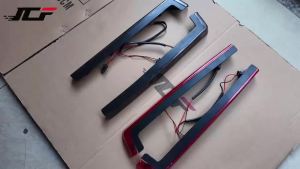
JNYD Motorcycle Tour Pak Pack Luggage Accent Side Panel LED Light For Harley Touring Road King Electra Road Glide 2006-2022
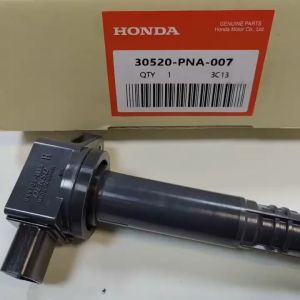
1 PCS Lgnition Coil for Honda Civic FA/FD/FG 2005-2011 CRV Accord 2003 To 2005 ODYSSEY 30520-PNA-007
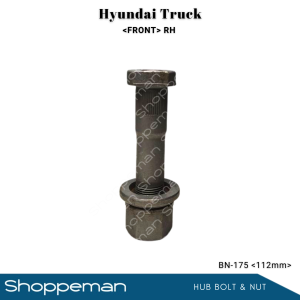
UNIVERSAL HYUNDAI TRUCK FRONT HUB BOLT AND NUT WHEEL STUD NUT LH 112mm BN-175