


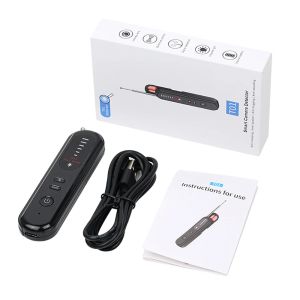
Anti Camera Detector Upgraded Anti Spy Gadget GPS Tracker Finder Bug Detector Wireless RF Signal Infrared Scanner
DescriptionPower on/off:Power on: Press and hold the power button for 3 seconds, hear a "beep" sound, then turn on the device.The 5 white lights in the middle will light up in sequence and then turn off in sequenceShutdown: Press and hold for 3 seconds to shut down, and hear a "beep" sound to complete the shutdownFull frequency detection mode:Press the button and the blue light will turn on to enter the full frequency range detection.Signal detection will be carried out within the range of 100MHZ-2.7G.Press the power button to adjust the sensitivity in a loop.The more white lights are on, the higher the sensitivity, which can expand the search range.Adjust the sensitivity.The less white lights are on, the lower the sensitivity, narrowing the detection range, and finding the emission source.The top red light is the strongest signal light, and there will be a "beep beep" sound when sensing the signal (the higher the signal, the more lights will be on)Signal detection mode:1.Press the button to turn on the red light and enter the 2.4G frequency band for detection, scanning the 2.4G signal source.Press the power button to cycle and adjust the sensitivity.The more white lights are on, the higher the sensitivity, which can expand the search range.Adjust the sensitivity to reduce the amount of white light on, decrease the sensitivity, narrow the detection range, and find the emission source.The top red light is the strongest signal light, and there will be a "beep beep" sound when sensing the signal (the higher the signal, the more lights will be on)2.Press and hold the button for 5 seconds, and there will be a "beep" indicating that the alarm sound will be turned off (press and hold the button for 5 seconds to restore the alarm sound)Camera detection mode:1.Press the button to enter infrared mode (it is recommended to turn off the room lights).The four infrared lights will remain on.Move the instrument up, down, left, and right to scan the surrounding environment and observe through the dedicated filter attached to the device.If there is a camera lens in front of you, you will notice a very strong bright spot flickering;2.Press the power button to control the speed of the red light flashing (there are 5 levels).The frequency of the LED light flashing will increase with each press, and you can choose according to your personal preference. Power management:Startup current: 10.06mASignal/frequency band operating current: around 49mALens detection current: around 50mALow voltage: 3.3VMaximum charging current: 358mAFull charge voltage: 4.2V

Prime Supply_Play Life
Review

You May Also Like
4/5 Inch Hook Loop Sanding Discs 100PCS Multi-Grit Aluminum Oxide Sandpaper Set with Backing Pad for Orbital Sander Drill Angle Grinder Wood Metal Car Paint

Stainless Steel Detection Liquid for Identification
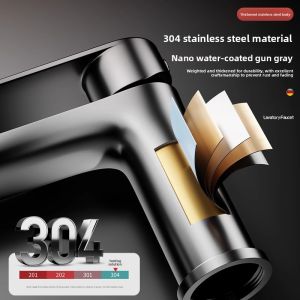
TEM | Dual Temperature Stainless Steel Faucet for Bathroom Sink

300CM Microfiber Duster Brush Adjustable Telescopic Bending Duster Feather for Cleaning
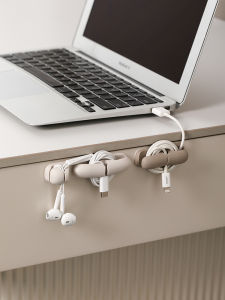
FaSoLa | Data Cable Organizer Desk Wire Management Clip
Heavy Duty SUS304 Anti Rust Wall Mount Bracket Toilet Bidet Spray Holder

REAIM 4000RPM Car Polisher Cordless Wireless Electric Polishing Tool Variable Speed Portable lithium batteries

40pcs Allen bits set 1/2 drive and 3/8 drive heavy duty
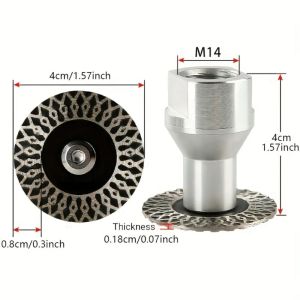
FFDWAA 1Pcs M14 Thread Diamond Saw Blade Wet Use Removable Flange Stone Engraving Blade Durable 40mm Marble Granite Cutting Tool for Granite Marble Concrete Ceramic
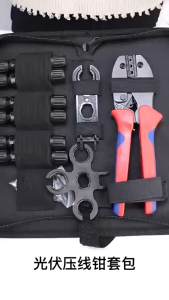
LY-2546B Crimping Tool for 2.5-6mm²/26-10AWG with Accessories Set

COUPLECOL 360°Adjustable Suction Cup Shower Head Holder with Hook Self-adhesive Shower Fixed Base Universal Wall Hanging Shower Head Stand Bracket Bathroom Accessories