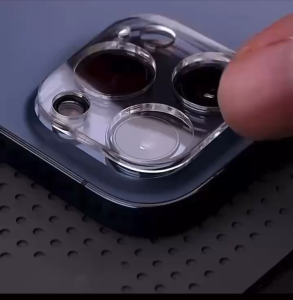



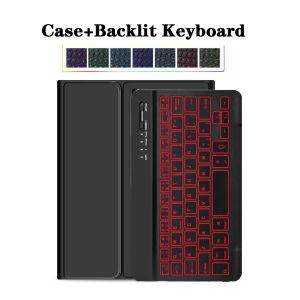
For Lenovo LEGION Y700 8.8 lnch Keyboard CaseTablet Protective cover for Legion Y700 2nd /3rd /4th Gen with Detachable Keyboard
The tablet case in this link is only compatible with models:Lenovo Legion Y700 2023/Lenovo Legion 2nd Gen 8.8 inch (TB-320FC)Lenovo Legion Y700 3rd Gen 8.8 inch (TB-321FU)Lenovo Legion Y700 4th Gen 8.8 inch (TB322FC)How to verify tablet model1. Go to the back and find your specific model.2. Find "Settings" - Click "About" - Find "Model"3. Please purchase the correct compatible model case according to the tablet after viewing.Note:The digital tablet and stylus are not included in the package. The detailed description is for reference only. Please refer to the actual product for the color of the product.How to connect keyboard and mouse?1. Connect the mouse first, then the keyboard.2. Mouse: Push the switch to the "Bluetooth" icon and find the Bluetooth connection with the "mouse" in the device Bluetooth list.3. Keyboard: Push the switch in the upper right corner to "ON", press "Connect", and find the Bluetooth connection with "Keyboard" in the device Bluetooth list.FAQQ:What should I pay attention to when connecting the mouse for the first time?A:When the mouse is connected for the first time, you need to press the left button, the right button and the scroll wheel at the same time for about 3-5 seconds.Q: Is the scroll direction of the mouse USB connector and Bluetooth connection the same?A: No, they are different. When using the USB connector, the scroll wheel slides in the same direction as the computer mouse. Bluetooth connection is the opposite.Q: How to switch between different systems?A: Fn+Q=Android, Fn+W=Windows, Fn+E=IOS.Please note that please switch the system before connecting the tablet.Q:The bluetooth keyboard letters are messy?A: Please check the settings according to the prompts,a. Check whether the keyboard language set on the device is English.b. Disconnect the keyboard Bluetooth, click Ignore the connected device, reopen the Bluetooth keyboard, select system, Fn+E (IOS system).Note: Fn+Q=Android, Fn+W=Windows, Fn+E=IOSc. Press the L S Z buttons at the same time to reset the keyboardQ:How to configure the input method for different languages keyboard?A:Take the samsung tablet as example,open "Settings--"ystem"--"Language & input"--"Add New Keyboard". (For other systems, please set them in the system settings according to the tips of the iPad example.)Q:How does the mouse change teh scroll wheel sliding direction on the device?A: The mouse is connected, open "General" - "Trackpad & Mouse" - close "Natural Scrolling".

Prime Supply_Play Life
Review

You May Also Like
For Xiaomi Pad 8 / 8 Pro 2025 Case Transparent Air-bags Soft Silicone TPU Protection Shockproof Case For XiaomiPad 8 / 8Pro 11.2inch

Air Conditioner Wind Guide Plate 2026 New Universal
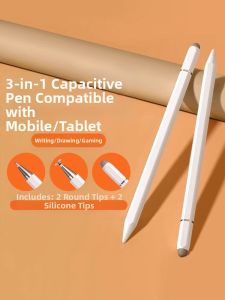
SENQIAOBU | Universal Capacitive Stylus for Learning Drawing and Editing
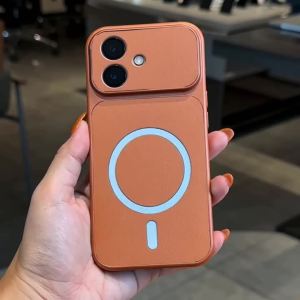
FEADSHIP Case for realme 13 14 15 pro plus 15t 13 pro + 5g phone casing Softcase Silicone shockproof Cover new design aesthetic magnetic cute Orange for girls KNBS01

Solid Color Phone Case for iPhone 17 AIR 16 Pro Max 15 14 13 12 11 Pro Max XS 8 7 6PLUS with Stand Shockproof Protective Case
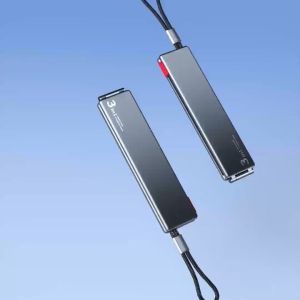
OATSBASF 3 IN 1 Magnet PD Fast Charging Cable Type C IWatch Charger 480W Date Transmission Cable

199 Level Cooling Handheld Fan Mini Fan High Speed Digital Display Air Cooler Fan Turbo Rechargeable Fan USB Fan

(HD1) Suitable for Epson EPSON SC9MB Waste ink tank SC-T3450 T3450N T3455 P9550 Maintenance
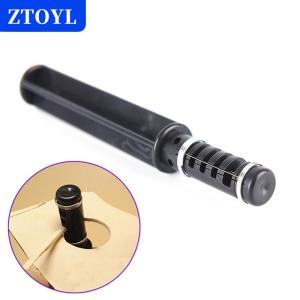
[COD]🔥🔥🔥ZTOYL DIY Leather Craft Lacing Lace Cord Maker Design Strip Cutter Tool with 3 Blades
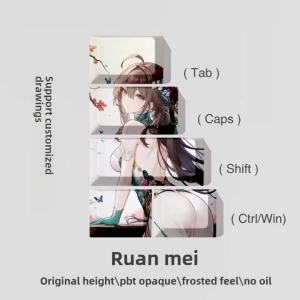
LOBO Custom Anime Keycaps Rail Ruan Mei Kafka Artisan Keycap PBT Cherry Profile Keycaps for Mechanical Keyboard Caps DIY PC Gift

Case for REDMI NOTE 10 5G POCO M3 PRO 5G phone casing Softcase Silicone shockproof Cover new design aesthetic Cute cartoon orange for girls KNCXX1