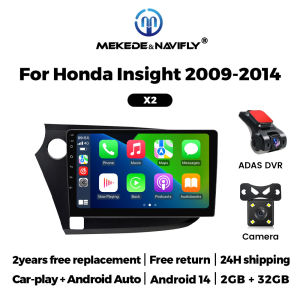
9 Inch 2 Din Wireless Carplay Android Auto For Honda Insight 2 2009-2014 Car Radio Stereo Multimedia Player GPS Navigation WIFI
9 Inch 2 Din Wireless Carplay Android Auto For Honda Insight 2 2009-2014 Car Radio Stereo Multimedia Player GPS Navigation WIFI Support wireless carplay Wireless Android AutoUse your phone in a smarter, safer way while you drive. Get directions, make calls, send and receive messages, and enjoy your favorite music. Siri & Google Assistant can help you do all of these things. All you have to do is ask. Support Steering Wheel ControlYou can use the vehicle's steering wheel buttons to answer and end calls, play music, switch modes and much more, so that you can focus on your driving. Screen Resolution 1024*600the ultra-clear screen dispaly effect is greatly improved,the screen display is more delicate. Support 1080P Videosupport the perfect APE music 3D acceleration allows fluent playback at any section of your usb quaility video. Support BT Funcitonbuilt in smart BT system,can support mobile phone bt pairing,hands-free doaling support steering wheel control listening,accompanying chat to ensure your driving safety. Support FM Radiosupport outomatic search and manual search,you can drag the icon of target station and replace it into channel list. Support GPS NavigationBuilt-in global positioning system,omni-directional map display,synchronous display real-time traffic onditions,rapid and accurate positioning. Support Reversing camera(Attention! Rear view camera is optional, please choose the package with camera to buy) Support ADAS DVR(Attention! ADAS DVR is optional, please choose the package with DVR to buy) Support Multiple Langeuages Support Change theme UI FAQ: 1.Please note!If the product contains CANBUS, if the steering wheel control does not work, please check whether the operations in the picture below have been performed. If you encounter any questions, please leave us a message in time.Thank you! If you have problems installing the rearview camera, please check the following picture, if you still can't solve the problem, please contact us through the message 3. How to connect wireless Carplay and Android Auto? For the first connection, need to turn on the phone's Bluetooth to peer with the car's Bluetooth. After the pairing is successful, the car radio will automatically jump to the R link or AutoLink interface At this time, the phone pop up a prompting message "use CarPlay with ZLink or AutoLink ",click confirm it, Then the CarPlay will be connected

Prime Supply_Play Life
Review

You May Also Like
Universal 12V Car Seat Heating Ventilation Massage 3-level Control Switch Four Seasons Luxury Accessories Upgrade Kit
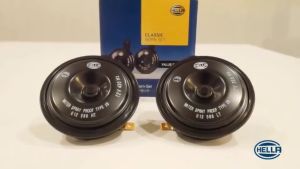
【FAST Delivery】Original HELLA Horn Classic Horn Set Value Range for Motorcycle and Cars 12V 1pair
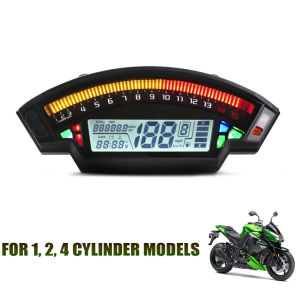
CZ4055 Universal LCD Motorcycle Gauge RPM Tachometer Speedometer Tachometer Digital Odometer Turn Signal Light Indicator Instrument For 124 Cylinder Motorcycle

FURY INDO SEAT COVER Motorcycle Tahi w/ Etiketa Concept Checkered Design High Quality 1pc (S)
MOTORCYCLE STICKER FOR RS 125FI SJ RACING DECALS HD PRINT ( MORE COLORS AVAILABLE )

Ext. elbow for Dominar 400 w/ akrapovic 370mm fullsystem + Silencer

Slide Hammer Tool Auto Body M16 Puller Claw Hook 6 Finger Dent Repair Body Dent Tool Car Sheet Metal Repair Universal
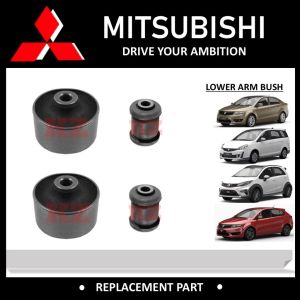
1 SET 4PCS - FRONT LOWER ARM BUSH MR-130983 / PW-827050 -PROTON EXORA / PREVE /SUPRIMA-S
TIGERAUTO Toyota - Rush 2018 2019 2020 2021 2022 Garnish Matt Black Combo Complete Set Perfect Fit / High Car SUV Sedan Quality Accessories Head Light Cover Tail Light Bowl Handle Gas Tank Matte styling Made in Thailand
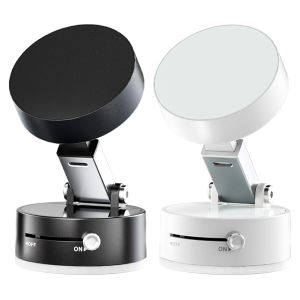
Double-Sided Magnetic Phone Holder for Car - Perfect for Smooth Surfaces and Navigation

12V-24V Colorful LED Module Lights Ultra-Bright LED Module Truck Side Marker Indicator Light Waterproof COB 6LED Warning Lamp Self-Adhesive 1Pc