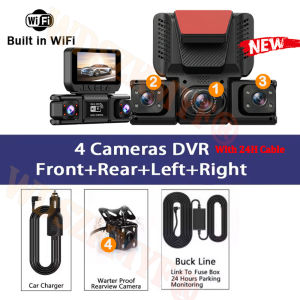
New Quad Lens Car Camera WIFI 1080P FHD dashcam 360° Coverage Car DVR 24H Parking Monitor G-Sensor Car Security Accessory
Q: Does the camera require a connection cable?A: Yes, please understand that all 100% dashcams on the market require a connection cable (Reason: To prevent lithium batteries from overheating in high-temperature vehicle interiors).After connecting the cable, you can perform a hidden installation by tucking the cable under the soft trim strip along the edge of the roof-door panel.4 Lens 1080P Dash Cam 360° Panoramic Recording | WiFi Phone Connection | 24H Parking Monitor | Portable 3M Bracket Car DVR CameraFunction:------360° Panoramic Recording with Compact DesignEquipped with 4 high-quality 4 lenses and 1080P resolution. Left and right lenses support manual 180° rotation for full coverage without blind spots. Ultra-small and lightweight body ensures it does not block the view, portable and unobtrusive for daily driving.------WiFi & 0-Data Phone TransmissionBuilt-in WiFi for fast connection with smartphone APP. Easily view real-time footage, playback and download video clips directly to your phone. Support zero-data transmission, making it convenient to save and share driving records anytime and anywhere.------24H Parking Monitoring (Optional Hardwire)Support 24-hour all-day parking protection with hardwire kit. When the vehicle is turned off, the dash cam stays in standby mode. Once collision or vibration is detected, it automatically wakes up and records evidence videos to protect your car at all times.------Intelligent Loop RecordingAdopts automatic loop recording technology. When the memory card is full, it will overwrite the oldest unlocked videos to ensure uninterrupted recording. No need to manually delete files frequently, simple and practical for long-term use.------Portable & Flexible 3M MountComes with a strong 3M adhesive bracket supporting 90° angle adjustment. Tool-free installation, firm and stable. The portable and detachable design allows quick installation or removal, suitable for different cars and easy to carry around.4 Channels Front & Rear & Inside CameraWhen all four lenses are turned on simultaneously, the image quality will be compressed to 1080P+720P*3Super Night VisionBuilt-in Wi-Fi & APP ControlBUILT-IN WIFIFUNCTION : Smart dash cam built-in WiFi module, support APP control (Work with Android and iOS devices)Reverse imageWhen hanging in the "R" gear, the screen will automatically switch Reverse image, and the accurate inverted auxiliary line provides you with better parking prediction.24-Hour Parking MonitoringBuilt-in G-sensor activates automatic recording when a sudden shake or collision is detected. When emergency video is recorded, a voice will alert you when you return to the car. In addition,supports time-lapse recording, which maximizes storage usage and ensures that no moments of evidence are missed.Friendly reminder: parking monitoring needs to be configured with a special buck cable for use, otherwise 24-hour monitoring is not possibleBuilt-in G-sensorWhen your car is subjected to an impact or other emergency,the G sensor is triggered, so that the recorder immediately records and locks the video.Loop- Cycle RecordingWhen the TF card is full,it will automatically delete former video and keep recording all the timeInstallation Diagram1.Secure the recorder to the windshield of the vehicle , recommended near the rearview mirror area2.Hide the power cord in the window gap along the red line in the figure above 3.Insert the car charge wire into the cigarette lighter, connect the power supply, and complete the installation3.Rear camera if you need reverse camera function please connect the red wire, the red wire connects to the power supply of the reverse light behind the car.4.All car recorders need to be connected to the power supply to use, please understand the small battery safety design of the recorder. The battery of electrical appliances in the car is not allowed to be installed too large.To protect your privacy, the TF card needs to be formatted for the first time. There are two solutions:1. Insert the TF card correctly into the dash cam, open the camera settings, find the storage card format, confirm that the formatting is complete, and then restart the camera to use.2.Connect to the mobile application, search for settings in the mobile application, format the memory card, confirm formatting is complete, and then restart the camera to use it. Sincere wishes to you and your family.

Prime Supply_Play Life
Review

You May Also Like

HONDA XRM 110 MOTORCYCLE SEAT COVER COLOR RED LIMITED EDITION LIHA TEXTURE

Transparent super car body adhesive sealant transparent waterproof adhesive suitable for handles interior metal plastic
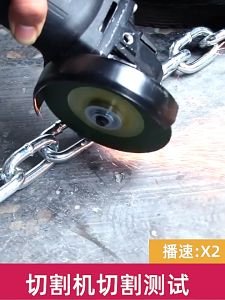
Motorcycle lock anti theft lock Bicycle Lock Chain with lock chain Glass Door Lock Shop Door Lock
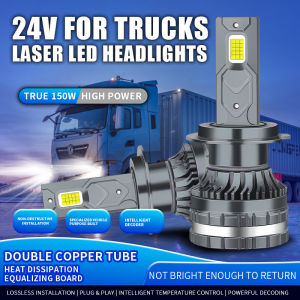
2 PCS 24V LED Truck Headlight 150W Power H7 H1 H4 H3 Led 24v Headlight Truck 30smd CANBUS Led Truck Lorry Light 6000K

GASHER 2PCS 1/2" NPT Male to 5/8" Barb 90 Degree Hose Fitting Fuel Line Adapter Aluminum Alloy Red Anodized
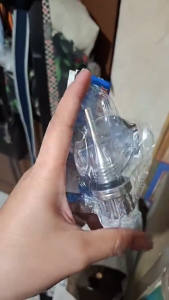
Motorcycle Engine Oil Dipstick CNC Aluminum Oil Filler Cap Universal Hex Screw Durable

1Pcs /2Pcs 12V or 24V Eagle Eye LED Car Fog DRL Daytime Running Light Pink Yellow Ice Blue Backup Reverse Tail Rock Lights Small bulb for Motorcycle Truck RV Car Bus Trailer Van Caravan Boat
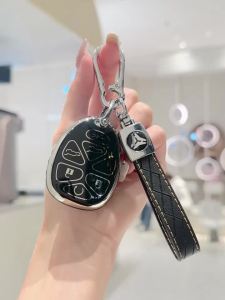
TPU Remote Car Key Cover Case for Chevrolet Silverado Suburban Tahoe Traverse GMC Sierra Yukon Cadillac Escalade Car Key Fob
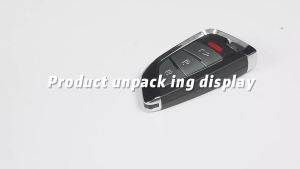
1/2/5 Piece XHORSE XKKF20EN Knife Style Wire Remote Smart Car Keys for VVDI2 Key Programmer English Version
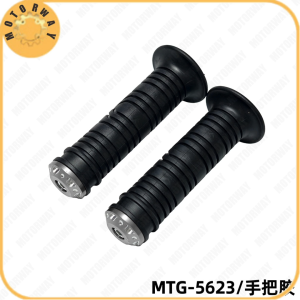
MOTORWAY MTG-5623 Motorcycle Handlebar Grips Black Rubber with Metallic Accents Universal fitment
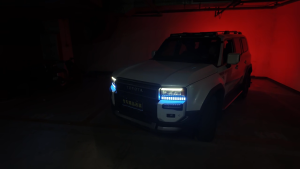
For Toyota Land Cruiser Prado 250 LC250 FJ250 J250 2024-2026 Daytime Running Light Under Headlight DRL Upgrade Kit