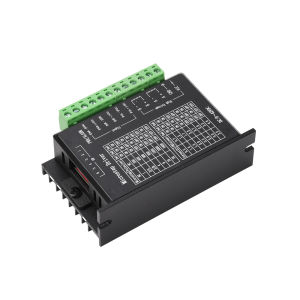
Aideepen | TB6600 Stepper Motor Driver 8 Speed Adjustment 32-Step 4A DC9-42V for 42/57 Single-Axis Motor Overcurrent/Overheat Dual Protect
Features:1. Eight-step fine-tuning to meet precision requirements in various scenarios2. Automatic half-current mode + large-area heat sink for lower temperature rise3. Input reverse connection protection + optocoupler isolation for safer operation4. Built-in overcurrent and overheat protection for enhanced reliability5. Drive current up to 4.0A for powerful and stable performanceProduct SpecificationsInput Voltage: 9–24 V (Recommended: 12–24 V)Input Current: Recommended switching power supply with 5 A outputOutput Current: 0.5–4.0 AMaximum Power Consumption: 160 WMicrostepping: 1, 1, 2/A, 2/B, 4, 8, 16, 32Temperature: Operating temperature: –10–45 °C; Storage temperature: –40–70 °CHumidity: 40–90% RHGas: Flammable gases and conductive dust are prohibitedProduct OverviewThe TB6600 Upgraded Stepper Motor Driver (note: this does not refer to a driver containing a TB6600 chip) is a professional two-phase stepper motor driver featuring 8 microstep control levels (1, 2, 4, 8, 16, 32) and 6 current control settings (0.5 A, 1 A, 1.5 A, 2 A, 2.5 A, 3 A, 3.5 A, 4 A). The driver supports universal pulse signals of 3.3 V, 5 V, or 24 V without the need for series resistors. The power supply input is 9–40 V DC (24 V DC recommended).Frequently Asked QuestionsQ: How can I quickly get started with this stepper motor driver for the first time?A: After correctly connecting the power supply and motor, connect only the pulse signal (set the frequency to within 1K first) with microstepping set to 16. Leave the direction and off-line pins floating. At this point, when power is applied, the motor will rotate clockwise by default. Once operation is confirmed, test the acceleration (increase frequency), direction, microstepping, and off-line functions one by one.Q: If the control signal exceeds 5V, is it necessary to add a series resistor?A: Yes, otherwise the driver’s control interface circuitry may be damaged.Q: The power indicator lights up after wiring, but the motor does not rotate. What is the cause?A: If the wiring is correct but the motor still does not rotate, it indicates insufficient drive capability in the control section. This situation typically occurs when using direct control via a microcontroller’s front-end I/O port. Please ensure the control interface has a drive capability of 5mA.Q: How do I determine the pin assignments for the four wires of a stepper motor?A: Connect any two wires of the motor together. If you feel resistance when turning the motor rotor by hand, these two wires belong to the same phase and can be connected to the driver’s A+ and A- terminals. If shorting the other two wires together still results in resistance, connect these two wires to the B+ and B- terminals.Package ContentsStepper Motor Driver *1

Prime Supply_Play Life
Review

You May Also Like
DORADO Durable Rhombic 8mm 10mm 12mm 15mm Thrust Bearing ZINC Alloy KP000 KP001 KP002 Pillow Block Bearing
Daytona Brakeshoe Honda Beat Beat Fi Click and PCX150
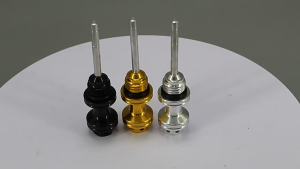
Motorcycle CNC Oil Dip Stick Filter Accessories Aluminum alloy material is corrosion-resistant

Car Paint Scratch Removal Kit Instant Remover And Repair Paste Suitable for Any Car Paint Color Surface Treatment

OTTER Universal Car Cover – All-Weather Waterproof Oxford Polyester for AUV Hatchback Sedan Pickup SUV and Van (Indoor/Outdoor Use)
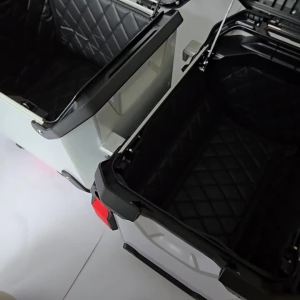
R1300GS ADV Rear Luggage Top Box Side Case Inner Container Bag Cover Saddlebag For BMW R 1300 GS ADVENTURE R1300 GS R1300GSA
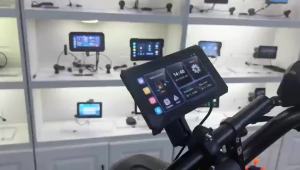
EKIY Wireless CarPlay Moto Android Auto Portable Digital Dashboard GPS Motorcycle Navigation 5.0 inch Removable Display Screen
ACERBIS 2PCS Universal Motorcycle Handguard Scooter Pit Bike Handlebar Protector Hand Guards
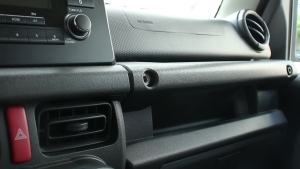
HH8 TESIN Co-pilot Dashboard Hook Pull Buckle Screw Hook For Suzuki Jimny JB64 JB74 2019 2020 2021 2022 Car Interior Accessories P3Q8M
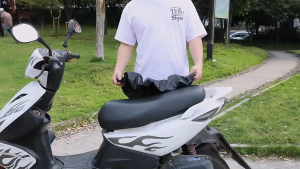
Leather Motorcycle Seat Cover Waterproof Dust Protector Strong Elastic Motor Seat cover Universal Motorcycle Cover
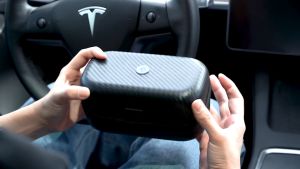
Spigen Tesla Model 3 2023 2024 Highland and Model Y Lifting Jack Pads Premium Protection with Storage Case Designed for Tesla Model 3 2023 2024 Highland/Y/S/X Accessories