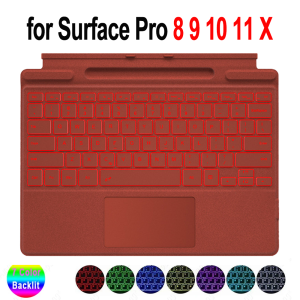
Keyboard for Microsoft Surface Pro 11/10/9/8/X 13 inch Ultra-Thin Detachable Bluetooth Backlit Multi-Touch Trackpad Pen Holder
Buyer's ordering instructions.Note 1: What you choose, what you will get!Please Pay More Attention to the Size and Detail Model of Your Tablet Before ordering it. Note 2:Our product does not include the Tablet! Please know it.Compatible Models:Microsoft Surface Pro 8 13 inchMicrosoft Surface Pro 9 13 inchMicrosoft Surface Pro 10 13 inchMicrosoft Surface Pro 11 13 inchMicrosoft Surface Pro X 13 inchProduct Parameters:1. Standard 3.0 Bluetooth Solution2. Effective distance: 10 meters3. Standby time: 60 days4. Continuous working hours: 3 (with the backlit on) / 100 h (with the backlit off)5. Charging time: 2-3 hours6. Lithium battery capacity: 450 mA (with light) 7. Lithium battery life: 3 years8. Button life: 500 million times9. Optional color: grey/red 10. Size: 29.5220.5 cm (12.3-inch) / Size: 29230.6 cm (13-inch) 11. Charging port: Type-C 12. Bluetooth: Press Fn + Cat the same time to open Bluetooth13. Feature: ABS chocolate key core. PU leather material. Fn + function keys use media functions. Size is specially designed for Microsoft Surface; the keyboard supports all Windows systems.Mouse:1. Bluetooth Stand: 5.0 Bluetooth + 2.4 GHZ2. Weight: 70 g3.Color: BlackProduct features:1. [Touchpad and Gesture Functions]The keyboard comes with a touchpad and supports 3 gesture functions, single finger: click and move the cursor; double finger: selection and page turning; three fingers: switching applications.2. [Magnetic adsorption]The keyboard attaches securely to the side of the tablet with magnets, so you can use the keyboard as if it were a cover for the tablet.3. [Hot keys]This keyboard supports the hotkey function and you can use it with the Fn key.4. [Scissor Foot Construction Keycaps]Provides comfortable and accurate key rebound feedback, as well as crisp keystrokes that aren't loudFrequently Asked Questions1. Why doesn't the keyboard work when I turn it on? / Why does the keyboard light go out (or the keyboard turns off) 3 seconds after the keyboard is turned on?A: When the keyboard is turned on, the indicator light will be on for 3 seconds and then turn off, the keyboard is not turned off at this time, just turn on the Bluetooth and connect to the tablet to use.2. Why don't the characters typed on the keyboard match those on the keyboard? / Why can't I type the characters I want in my language?A: Please set the desired input language in the tablet, and then just press win + space on the keyboard to switch the input language.Product photo:

Prime Supply_Play Life
Review

You May Also Like
Newyu | Fingerprint Resistant Full Screen Protection for OPPO Smartphone
4K HDMI Matrix 4x4 with Audio 4K 60Hz Video Switcher Splitter 4 in 4 Out Seamless Switching RS232
EXIUPAI | Universal iPhone Screen Assembly Replacement
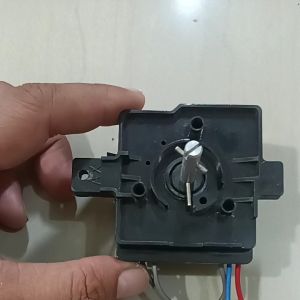
Panasonic Washing Machine Timer 3 Wire Timer Switch for Washing Machine with Local Supplier Warranty
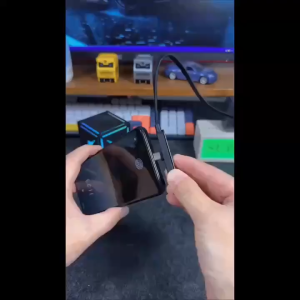
Portable 2 in 1 Type C 240W Fast Charging Nylon Braided Cable with Foldable Phone Stand Holder Widely Compatible
![[COD] New 4Pins Pole Female To Female Speakon Coupler Adapter Audio Cable Connector](https://img.lazcdn.com/g/p/c7cbf4a4ceb0ed7b8e2ad47cc8b2ddc0.jpg_300x300q80.jpg)
[COD] New 4Pins Pole Female To Female Speakon Coupler Adapter Audio Cable Connector

Nisi | Protective HD Thin Frame Filter 52mm
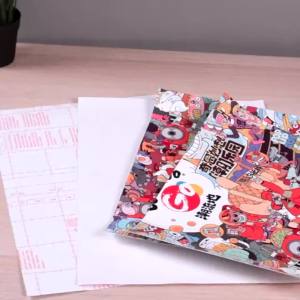
1 Piece Laptop Notebook Skin Sticker Marble Art Cover Decal 13.3" 14" 15.6" 17" Inch Vinyl Decal For Computer Cover
Kase | Lens and Sensor Cleaning Kit

Exquisite Woven Strap Phone Lanyard Hanging Neck Crossbody Strap Adjustable Universal Anti-lost Mobile Phone Lanyards
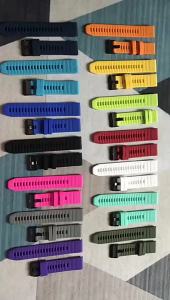
20 22 26mm Silicone Strap For Garmin Fenix 7X 7S 7 Pro Solar/6X 6 Sapphire 6S 5 5X Plus 3 3HR 945 Epix Gen 2 QuickFit WatchBand