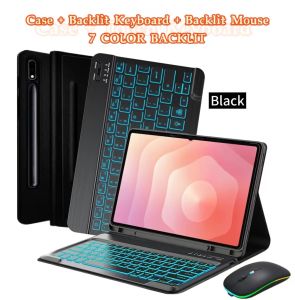
Case for Galaxy Tab S11 Ultra 2025 14.6 Inch Wireless Keyboard Leather Cover with S Pen Holder for SM-X936B/ SM-X930 Black
The tablet case in this link is only compatible with models:Samsung Galaxy Tab S11 Ultra 14.6-inch(SM-X930/X936B)How to verify tablet model1. Go to the back and find your specific model.2. Find "Settings" - Click "About" - Find "Model"3. Please purchase the correct compatible model case according to the tablet after viewing.Please noteEnglish keyboard:There are only English letters on the keyboard.Multilingual version keyboard:English letters and engraved language letters together. Keyboard size Non-touch keyboard:27.515.50.6 cm Touch keyboard:27.5180.6 cm Note:The digital tablet and stylus are not included in the package. The detailed description is for reference only. Please refer to the actual product for the color of the product.Non-touch keyboard Bluetooth connection stepsTouch keyboard Bluetooth connection stepsFAQQ:What should I pay attention to when connecting the mouse for the first time?A:When the mouse is connected for the first time, you need to press the left button, the right button and the scroll wheel at the same time for about 3-5 seconds.Q: Is the scroll direction of the mouse USB connector and Bluetooth connection the same?A: No, they are different. When using the USB connector, the scroll wheel slides in the same direction as the computer mouse. Bluetooth connection is the opposite.Q: How to switch between different systems?A: Fn+Q=Android, Fn+W=Windows, Fn+E=IOS.Please note that please switch the system before connecting the tablet.Q:The bluetooth keyboard letters are messy?A: Please check the settings according to the prompts,a. Check whether the keyboard language set on the device is English.b. Disconnect the keyboard Bluetooth, click Ignore the connected device, reopen the Bluetooth keyboard, select system, Fn+E (IOS system).Note: Fn+Q=Android, Fn+W=Windows, Fn+E=IOSc. Press the L S Z buttons at the same time to reset the keyboardQ:How to configure the input method for different languages keyboard?A:Take the samsung tablet as example,open "Settings--"ystem"--"Language & input"--"Add New Keyboard". (For other systems, please set them in the system settings according to the tips of the iPad example.)Q:How does the mouse change teh scroll wheel sliding direction on the device?A: The mouse is connected, open "General" - "Trackpad & Mouse" - close "Natural Scrolling". #productDescription h3 { margin: 0.75em 0px 0.375em -1px; }

Prime Supply_Play Life
Review

You May Also Like

KUMENG | Anti-Fingerprint Anti-Shatter Anti-Peep Full-Screen Tempered Glass Screen Protector

Metal Wedding Arch Gold Stand Frame Background Photo Props Wedding Decoration Birthday Baby Shower Anniversary Party Needs
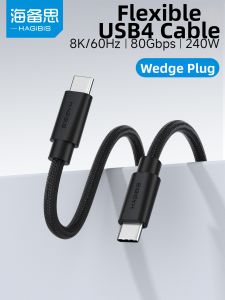
Hagibis | Full-Function Ultra-Fine Soft Fast-Charging USB4 Data Cable with 80Gbps Transfer Speed

PBZZ Case for realme 16 pro plus 5g 16 pro+ 16t 5g phone casing Softcase Silicone shockproof Cover new design aesthetic cute rabbit black for boys KNTZ3
Battery for Party Box 110 JBL 5000 mAh capacity

Nylon Loop Strap for Apple Watch Band 40mm 44mm 45mm 42mm 41mm 38mm Smart Belt Bracelet for IWatch Ultra 49mm 8/7/6/SE/5/4/3
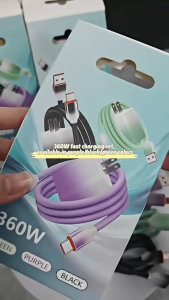
Original 120W Super Fast Charge for Android Type-C Adapter with USB 6A Cable Quick Charging Gradient

Mineral water dispenser Portable Automatic Faucet Plastic Mineral Water Despenser Dispenser Faucet Pump Stand RackSuitable for furniture daily use offices various shopping malls hotel lobbies playgrounds and other venues
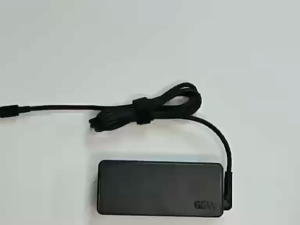
65W USB-C Type Lenovo Laptop Charger Adapter
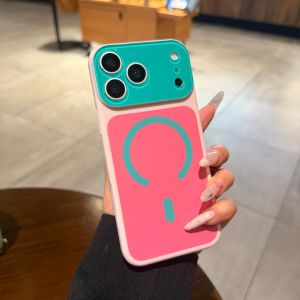
AO.HU | Magnetic Magsafe Phone Case Large Window Scratch Resistant Matte
![Magnetic Mini Phone Mount Stand 360 Rotatable GPS Navigation Bracket Magnet Phone Bracket for iPhone 15 14 13 Huawei[Vodool Center]](https://img.lazcdn.com/g/ff/kf/Sde5ffdd6ac7f4dd5ba0520a422e6cca9Z.jpg_300x300q80.jpg)
Magnetic Mini Phone Mount Stand 360 Rotatable GPS Navigation Bracket Magnet Phone Bracket for iPhone 15 14 13 Huawei[Vodool Center]