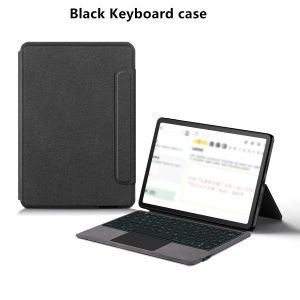
AJIUYU | Touchpad Keyboard For Lenovo Idea Tab 11-inch TB336FU TB336ZU Case Funda for Xiaon Pad 11 inch 2025 Ieda Tab 11 Tablet Cover
This is an "all-in-one" keyboard case, TPU soft shell protective case, which can effectively protect your tablet. The keyboard and protective case cannot be separated .Bluetooth connection, with touch pad, with backlight ,How To Verify Your Tablet Model1.Turn Lenovo tablet to the back find your specific model,Par exemple: TB-****2.Find the "Settings"--Click the "About"--Find the "Model"3.Please select the correct model number for your tablet purchase after viewing it.Applicable Models:For Lenovo Xiaoxin Pad 11 inch 2025 (TB335FC )For Lenovo Idea Tab 11 inch 2025 (TB336FU / TB336ZU)These two models of keyboard covers are universal !!!Please confirm your machine model before purchasing~Attention PleaseEnglish versionkeyboard : There are English letters on the keyboard only.Multi-language versionkeyboard : English letters and carved language letters together .【For example, if you choose French, the keyboard will display English and French letters. Please note that the same letters will not be engraved repeatedly】(Due to the keyboard material, the language characters carved out are dark gray.)(Due to the difference in the number of keyboard keys compared to a normal office keyboard, some special character engraving positions are the same, which is a normal phenomenon)(The keyboard Core defaults to English, and the characters engraved on the keyboard are only a Surface display.so in some countries, even if the input method is switched, the special symbols do not necessarily match the keyboard function layout.(You can hold down the Shift or AI combination)If you mind, please do not purchase)[1]Bluetooth connection method: Turn on the keyboard switch, then press and hold Fn+Z for about 2-3 seconds to start Bluetooth. The indicator light turns blue, and then turn on your tablet Bluetooth. Search for "Bluetooth Keyboard" and click connect to pair. After receiving the keyboard, fully charge it (about 4 hours).【2】Switch language: Open Settings - Language and Input Method - Physical Keyboard - Add Language Layout..【3】Input method switching: control+spacebar.(Choose the language you need)【4】For detailed instructions, please read the user manual. If you have any questions, you can contact "Online Services" for consultation .The resolution of the machine is different, and there may be color differences in the images, which is a normal phenomenon. The actual product received shall prevailNote: Tablet and Pencil are not included in the packaging!!The back bracket needs to be manually opened~~

Prime Supply_Play Life
Review

You May Also Like

KEBIDUMEI Bluetooth 6.0 Audio Adapter with aptX HD/LL QCC3040 Chip Dual Device Connect AUX RCA Output USB-C Powered for TV Speaker PC
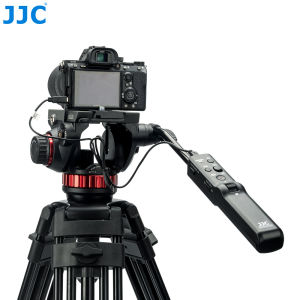
JJC TPR-M1 Multifunction Tripod Pan Bar Remote Controller for Cameras / Camcorder with LANC / Muti Terminal on Manfrotto Tripod 502AH 502A 504HD 509HD 526 Nitrote N8 N12
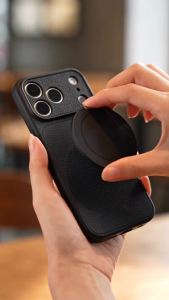
Feadship Case for samsung note 20 ultra note 20 phone casing Softcase Silicone shockproof Cover new design aesthetic cute orange with 360 ° Rotatable Magnetic holder for girls KNYZJ1
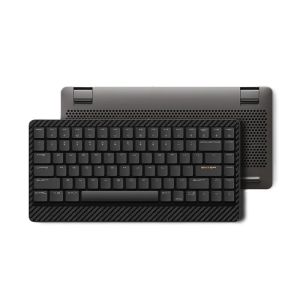
LOFREE | Ultra-thin Portable Mechanical Keyboard Wireless Bluetooth
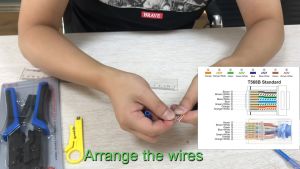
HONI RJ45 Connectors No Pass Through Gold Plated Modular Plug UTP for Network Cables
AYRST Mini Adjustable Side Handle Handgrip with Cold Shoe Interface and 1/4"-20 Screw Mount for Sony Canon Nikon DSLR Camera
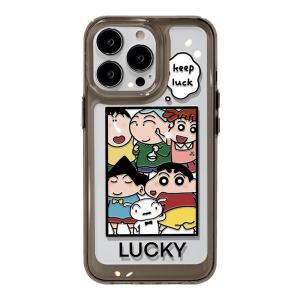
Asina | Transparent Cute Shockproof Silicone Phone Case for iPhone
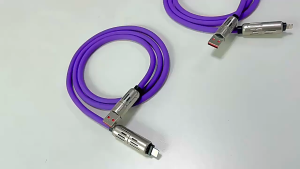
Nylon Braided 240W 6A Electroplated metal Fast Charging Cable for PD USB TO Type-C Hollow Out Design Colorful Glowing LED Display Colorful GlowingData Transfer & Fast Charge

Black Mouse Pad Small Mousepad Gaming PC Computer Keyboard XXL Desk Mat Offices Interior Accessories Rug
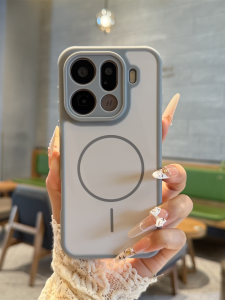
Heat Dissipating Matt Magnetic Anti-Fall Luxury Phone Case
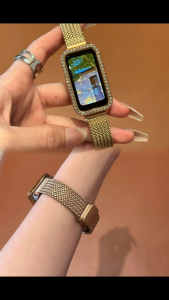
2NI1Metal fashion Strap For Huawei band 10/9/8 Accessories Magnetic Versatile band+Diamond Case