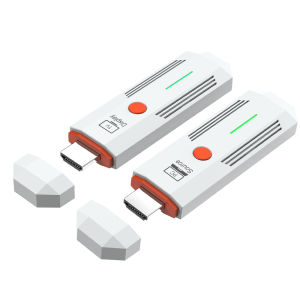
HDMI-Compatible 50M Wireless Video Transmitter Receiver Kit TV Stick Dongle Adapter for PC Camera Laptop To Projector Monitor TV
Connection instructions1. USB power cable, one end connected to the TYPE-C power port of the transmitter, and the other end connected to the signal sourceEquipped with USB port power supply2. USB power cable, one end connected to the TYPE-C power port of the receiver, and the other end connected to the display deviceComes with USB port power supply3. Transmitter HDMI port, insert signal source HDMI output port,4. Receiver HDMI port, insert into display device HDMI input port,5. After all display devices are connected, wait for 30 to 40 seconds for the image to appear, including the receiver and transmitterThe indicator light flashes rapidly;Matching method(1) One on one pairing method1. Long press the pairing button on the transmitter without releasing it, then connect the power supply port to the power supply and wait for the green indicator light to turn on quicklyFlash, the transmitter enters pairing mode and then releases the pairing button;2. Press and hold the pairing button on the receiver without releasing it, then connect the power supply port to the power supply and wait for the green indicator light to turn onFlash, the receiver enters pairing mode and then releases the pairing button;3. Wait for a few seconds, when the receiver's green light changes from flash to steady, it is considered a successful pairing.After pairing is completed, both the transmitter and receiver need to disconnect and reconnect the power supply;(2) One to two pairing method1. Use a one-to-one pairing method to pair the first transmitter and the first receiver;2. Pair the first transmitter with the second receiver;3. After all the receivers that need to be connected are paired with the same transmitter, the transmitter and the receiverAll receivers need to be disconnected from the power supply and reconnected;Precautions and common problem1. Connect the transmitter/receiver to the TYPE-C power supply and HDMI interface sequence: Connect the power supply first, then the HDMI interfaceHDMI;2. If an HDMI adapter is used for input/output, the maximum length is less than 1.5 meters3. Under what circumstances do we need to switch to using a power supply(1) When the receiver is connected to the display device and no signal appears on the display device, confirmAfter selecting a display device with no issues with the HDMI channel, switch to using a phone charger for receptionDevice power supply;(2) When the connection interface "Connecting..." is displayed for a long time on the TV or projector, the transmitterThe indicator light keeps flashing (slow flashing);(3) The transmitter and receiver are successfully connected but no image is displayed;4. What situations require re pairing(1) Within a close range of 1 meter, there is no image displayed on the TV or projector;(2) Within 1 meter of close range, the connection interface "Connecting..." is displayed for a long time on the TV or projectorThe transmitter indicator light keeps flashing (slow flashing);5. Under what circumstances is it necessary to move the distance between the transmitter and receiver closer(1) When the connection interface "Connecting..." does not display an image for a long time on the TV or projectorOr if the TV or projector display is not smooth or the sound is stuck;6. How to handle images without sound(1) Small speaker in the bottom right corner of the computer (Figure 1)(2) Move the mouse to the small speaker icon and right-click to "Open Sound Settings" (Figure 2)(3) Move the mouse to the "Sound Control Panel" (Figure 3) and open the Sound Control Panel.(4) Take it 1080@60 Change the option to default settings (Figure 4).(5) If there is still no sound, please restart the computer.SpecificationsWireless standard: 802.11a/nWorking frequency band: 2.4GHz/5.8GHz dual bandVideo encoding: H.264Transmission power: 13dBmSupporting resolutions: 640 * 480720 * 480800 * 6001024 * 7681152 * 864,1280600,1280720,1280768,1280600,1280960,12801024,13607681366768, 14001050,1440900,1600900,16801050,1920*1080;Function: Supports 1 transmitter to 1 receiver/1 transmitter to 2 receiversWireless transmission distance: open distance of 60m; indoor accessible distance of 50mPower supply: DC 5V/1APower: Receiver maximum 1.4W, transmitter maximum 1.7WWorking temperature: -5 ℃~70 ℃Working humidity: 5% to 90%Attachment List1. Transmitter: 1 unit2. Receiver: 1 unit3. USB to TYPE-C power cord -2 pieces4. Quick operation guide -1 book

Prime Supply_Play Life
You May Also Like
Earpads for Anker Soundcore Life Q10 Q20 Q30 Q35 q30bt Q35 Replacement Ear Cushion Pads with Protein Leather and Memory Foam for Replacement Ear Cushion Pads for Soundcore Q30 q30bt & Q35

For 2026 Samsung Z Flip 8 Z Flip 7 Z Flip 6 Z Flip 5 4 3 Case Folding screen mobile phone case Painted cartoon cute crying baby powerpuff girls labubu three-piece PC hard case
Second External AMOLED For Motorola Razr 50 Ultra LCD For Moto Razr 50 Ultra Display Touch Screen Digitizer Assembly Replacement
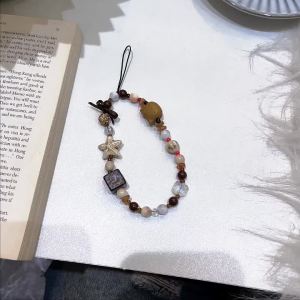
Moonstone Crystal Handmade Natural Stone Beaded Lanyard Anti-lost Cell Phone Wrist Strap Hanging Mobile Phone Charms Keychain
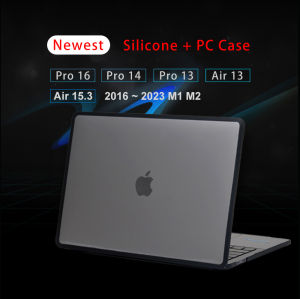
Newest Soft Laptop Case for Macbook Pro 16 Case M4 2024 Macbook Pro 14 Funda M3 2023 Pro 13 M1 M2 Air 13.6 15.3 inch Cover Capa

No Electricity Warm Feet Heated Foot Warmer

Vention | Vention Male to Male 3.5 mm to 6.35 mm Adapter Aux Cable for Mixer Amplifier Gold Plated 3.5 Jack to 6.5 Jack 3m 5m 10m Aux Cabo
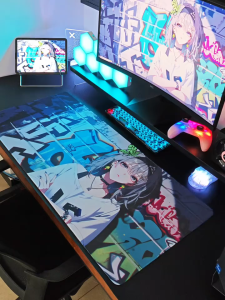
1pc Cartoon paper currency Large Mouse Pad computer mat Desk Mat keyboard mat Office Gaming Table Mat
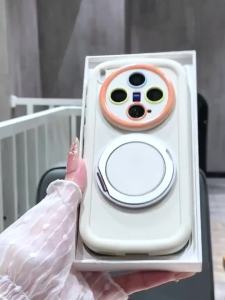
Feadship Case for OPPO a3x A5i a40 a40m a20 4g a3 pro 5g 2024 phone casing anxiety Softcase shockproof Cover new design aesthetic with holder cute pink for girls JTYZJ1

RQZN | Vacuum Magnetic Phone Stand 360 Degree Adjustable Foldable Portable
kase | UV Filter ND Filter CPL Filter GND Filter Photography Filter