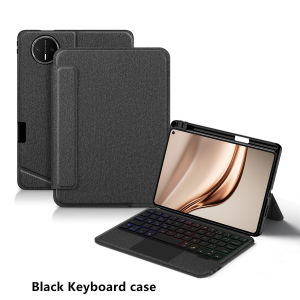
AJIUYU | TouchPad Keyboard For Huawei MatePad Mini Case 8.8" Smart Detachable Book Cover for Matepad Mini 8.8 inch Tablet Case Backlit
(Attention: The video on the main image page is for reference only.)This is an detachable keyboard case, TPU soft shell protective case, which can effectively protect your tablet. The keyboard and protective case can be separated .Keyboard with Backlight and TouchPad.Bluetooth connection, with touch pad, with backlight.,Horizontal and vertical supportNote 1:You need to upgrade your tablet to version 15.0 or higher to use the touchpad.Note 2:After Open the Power, Please Click "Fn" and "C" 【Fn+C】Button Together to Open the Keyboard's Bluetooth. It is Very Important.How To Verify Your Tablet Model1.Turn tablet to the back find your specific model,Par exemple: MLR-****2.Find the "Settings"--Click the "About"--Find the "Model"3.Please select the correct model number for your tablet purchase after viewing it.Only Fit For Huawei MatePad Mini 8.8 inch 2025 MLR-AL00 MLR-AL10 (Not Fit Other Model) Please confirm your machine model before purchasing~Attention PleaseEnglish versionkeyboard : There are English letters on the keyboard only.Multi-language versionkeyboard : English letters and carved language letters together .【For example, if you choose French, the keyboard will display English and French letters. Please note that the same letters will not be engraved repeatedly】(Due to the difference in the number of keyboard keys compared to a normal office keyboard, some special character engraving positions are the same, which is a normal phenomenon.)(The keyboard Core defaults to English, and the characters engraved on the keyboard are only a Surface display.so in some countries, even if the input method is switched, the special symbols do not necessarily match the keyboard function layout.(You can hold down the Shift or AI combination)If you mind, please do not purchase)Note: You need to upgrade your tablet to version 15.0 or higher to use the touchpad.【1】 Method of connecting Bluetooth: Turn on the keyboard switch, press the Fn+C button, and then search for your Tablet Bluetooth connection keyboard.【2】 Please keep your For iPad up to date with the latest system upgrades, and the mouse function is turned on. Please open the following steps: Settings - Accessibility - Touch - Accessibility Touch【3】Switch language: Open Settings - Language and Input Method - Physical Keyboard - Add Language Layout..【4】Input method switching: control+spacebar.(Choose the language you need)【5】Type-C charging interface, with switch button,【6】For detailed instructions, please read the user manual. If you have any questions, you can contact "Online Services" for consultation .Note: Tablets and pens are not included in the packaging .The resolution of the machine is different, and there may be color differences in the images, which is a normal phenomenon. The actual product received shall prevail.Attention: The back bracket of the keyboard cover needs to be manually opened.

Prime Supply_Play Life
Review

You May Also Like
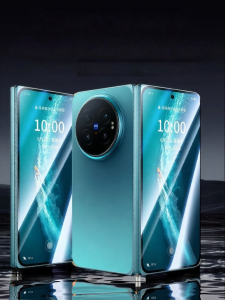
LUXUAN | Anti-Peep Full-Screen Tempered Glass Screen Protector
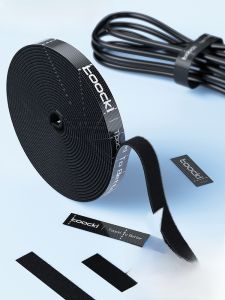
Toocki | Toocki Data Cable Organizer Magic Tape Computer Cables Ties Wire Fixing Bundle Strap Cord Clipping Storage Holder

Universal Fit Huawei Mate Series Full-body Protective Case Mirror Stand Anti-drop with Lanyard Silicone
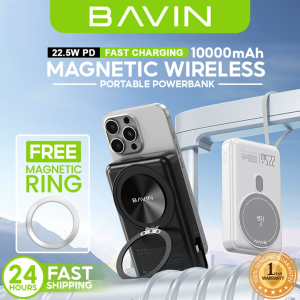
BAVIN PC1088 10000mAh Magnetic Wireless Powerbank w/ 22.5W PD Fast Charging & 360° Stand for Smartphones (Magnetic Ring)
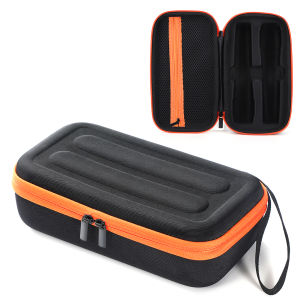
JBL PartyBox Wireless Microphone Carrying Case with Rechargeable Power Bank Compatible with JBL Portable Microphones
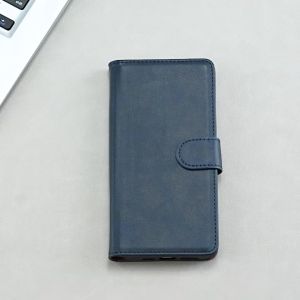
Fashion Magnetic Buckle Flip Leather Wallet Case for Honor Magic 8 Pro Air honor magic 7 5 6 Pro Magic 8 Lite Card Slots Holster
![[VOS] 3 Way Treble Midrange Bass Speaker Crossover Home Loudspeaker Frequency Divider](https://img.lazcdn.com/g/ff/kf/S4e5ec1f06d314dd4875da1c45dc1a94fY.jpg_300x300q80.jpg)
[VOS] 3 Way Treble Midrange Bass Speaker Crossover Home Loudspeaker Frequency Divider
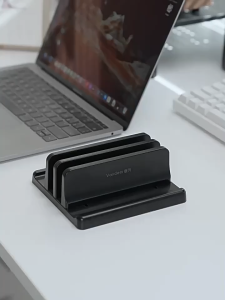
Vertical Laptop Stand Width Adjustable 3-in-1 Tablet Phone Desktop Laptop PVC Stand

GYXX | Shoulder Sling Camera Bag for DSLR and Mirrorless Cameras
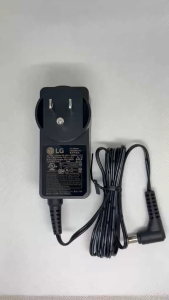
LG LTV - Adapters - EAY65895707

Haomuren USB Microphone for PC Mac Gaming Recording Stream Podcast Computer Condenser Mic with Phone Adapter Headphone Output