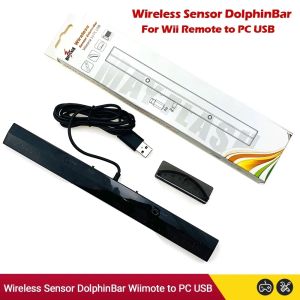
NEW MayFlash Wireless Sensor Dolphin Bar for Wii Remote Plus Controller To for Windows PC Support-Bluetooth for Wii Kids Games
modname=ckeditorNEW MayFlash Wireless Sensor Dolphin Bar for Wii Remote Plus Controller To for Windows PC Support-Bluetooth for Wii Kids Games Wireless Sensor Dolphinbar can connect for Wii Remote Plus Controller to your PC by Bluetooth-Compatible for Nunchuk Controller and for Wii Classic Controller Supports four working modes:Keyboardand Mouse Mode(LED1),Keyboard and Mouse Game Mode( LED2 )Game Controller Mode(LED3)For Wii Remote Controller Emulator Mode( LED4 )Features: 1. Wireless Sensor Dolphinbar can connect for Wii Remote Plus Controller to your PC by Bluetooth2. Supports for TR -Wii motes3. Supports the newest Dolphin4. Easy and simple operation, no need extra Bluetooth dongle5. Supports Cursor Anti-shake function6. Allows you to play more quickly and precisely with your Game Controller, Light Gun or Racing Wheel7. Works as a normal keyboard and mouse8. Works as a PC Remote Controller. You can return or skip to the beginning of the current, previous or next chapter and supports Fast reverse, Fast forward, Pause playing, etc9.Works as a Game Light Gun. You can play all kinds of PC Shooting Games, and PC or Wii Light Gun is well Supported10. Works as a wireless Game Controller Connects for Wii Remote Controller or Wii Remote Controller Wii Nunchuk Wii Remote Controller Wii Classic Controller to your PC Supports the G-sensor function that is the best choice for the Racing Games. Supports the Vibration Feedback11. Compatible with Wii Emulator Dolphin Supports up to 4 of the Wii Remote Controllers. Compatible with Windows XP, Vista and Windows 7. Windows 8. Windows 10 LED and Switch InstructionSYNC Button and LED OFor the initial syncing, press the "SYNC"button on the Dolphin Bar you'll find that the 4 blue LEDS on your controller and the LED O on the Dolphinbar will flash quickly. Once the syncing process is complete, the LED on the Dolphinbar and your controller will stay litThere are three statuses for LED 0. flash slowly, flash quickly and stay lit. (if the Wii Remote Controller does not connect, the LED O Will flash slowly; if the Wii Remote Controller connects successful,the LED will stay lit; if you press the SYNC button and start syncing,the LED O will flash quickly.Note:1. Due to the light and screen difference, the item's color may be slightly different from the pictures. 2. Please allow slight deviation for the measurement data and make sure you do not mind before ordering. 3. I f you are newer , please let professional person to do it. 4. If find package or products damaged or missing items pls take clear video for full package and real weight received ,and contact us at first time .so can solve for you asap thx . 5. Please do not squeeze hard during installation .

Prime Supply_Play Life
Review

You May Also Like
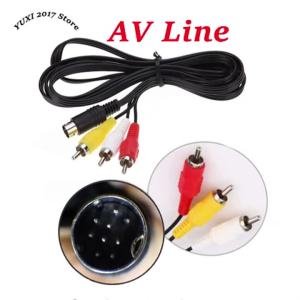
1PC 9-pin Or 10 Pin AV Cable Genesis MD 2/3 AV Cable SEGA MD2/3 AV Cable MD2 Audio And Video
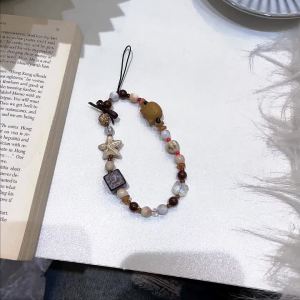
Pendant Phone Lanyard Beaded Anti Lost Wrist Strap Fashion Heart Star Hanging Chain Keychain Jewelry Accessories For Women Girls
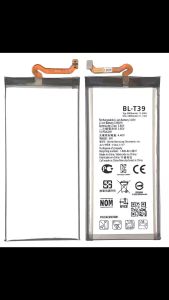
Original Replacement Battery BL-T39 For LG G7 ThinQ Q7 G710 Q7+ LMQ610 G7+ ThinQ Authentic Phone Batteries 3000mAh
ICE2 F2WC9I1
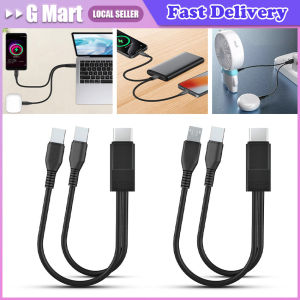
2 In 1 USB Type C Micro USB C Cable Mobile Phone Fast Charging Cable for Huaiwei Samgsung Xiaomi Type C Charge Cord Wire
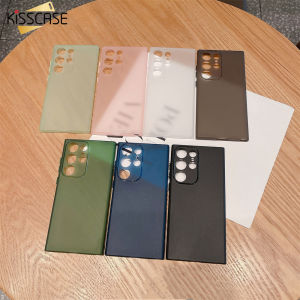
KISSCASE Ultra-Thin Frosted TPU Case For Samsung S23Ultra 5G Mobile Phone Case S23+ All-Around Fall-Proof Lens Frame All-inclusive Protection Soft Case For Galaxy S23 Ultra S22 Plus S21 Note20 Ultra A73 A53 A72 A52 5G
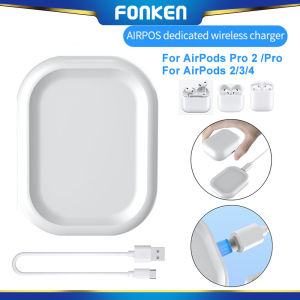
FONKEN Wireless Charger Dock Station Magnetic Pad For AirPods Pro 2 /AirPods Pro/ AirPods2/AirPods 3 /AirPods 4
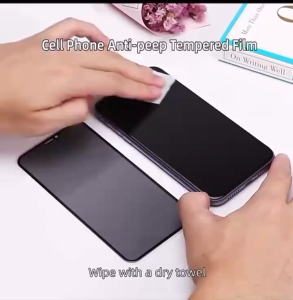
HD Privacy Glass Guardian Screen Protector FOR XIAOMI MI 17T PRO / 17T
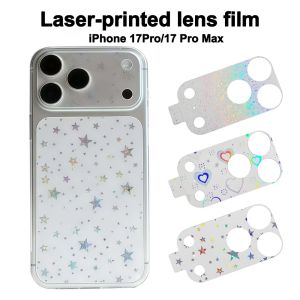
SWIFTTIDE Full Cover Lens Protective Film Anti-Shatter HD Clear Lens Films Anti Scratch Camera Protector for iPhone 17 Pro Max 17Pro Phone Accessories
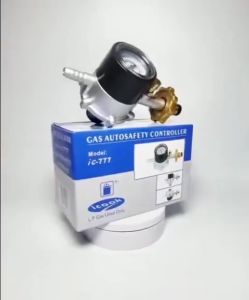
iCook IC-777 Heavy Duty LPG Regulator with Leakproof Design and Pressure Gauge for POL Valve
YOOCUANG | Protective Shockproof Case for Insta360 GO Ultra